
LET IT DIE
Updated
Current Version
Offered By

With your passion for LET IT DIE, you shouldn’t have to limit yourself to the small screen of a phone. Play like a pro and take full control of the game using a keyboard and mouse. MEmu gives you everything you’re looking for. Download and play LET IT DIE on PC. Play as long as you want — no more worries about battery life, mobile data, or unexpected calls. The all-new MEmu 9 is the best way to play LET IT DIE on PC. With our expertly designed keymapping system, LET IT DIE feels just like a real PC game. The MEmu multi-instance manager lets you run two or more accounts on the same device at the same time. Most importantly, our exclusive emulation engine unlocks your PC’s full potential, delivering smooth and seamless performance.
Show more
Download LET IT DIE on PC with MEmu Android Emulator. Enjoy playing on big screen. LET IT DIE APK is suited to players who want a high-risk game where preparation matters as much as progress.
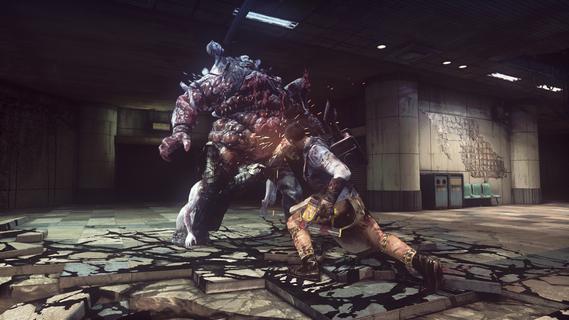
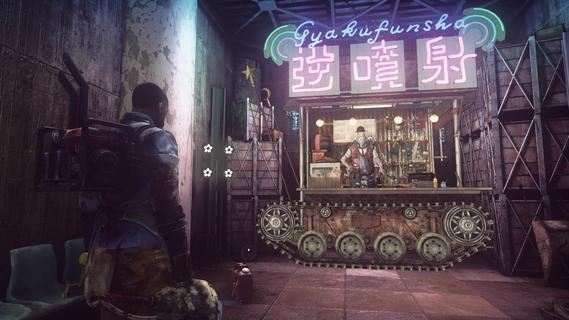
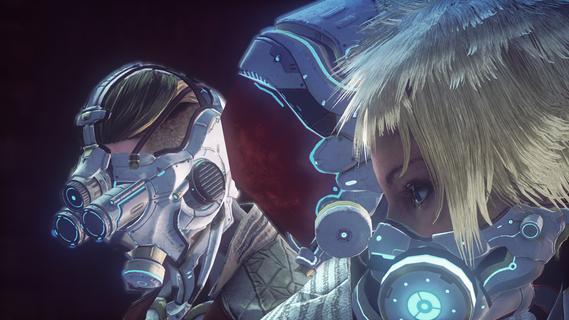
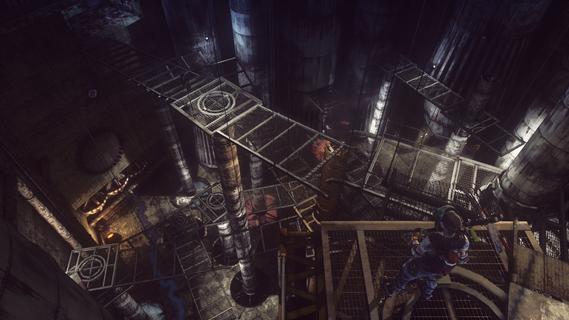
LET IT DIE APK is suited to players who want a high-risk game where preparation matters as much as progress. The goal is to climb a strange tower filled with threats, gather what you need, and return better prepared after setbacks. Uncle Death introduces the game with dark humor, while the tower’s unsettling look sets the tone. Because a failed climb can have consequences, each trip upward asks you to consider how far to go before turning back.LET IT DIE featuresCombat that requires timingLET IT DIE uses close-range and ranged attacks, but success does not come from attacking without pause. You need to watch enemy movements, dodge danger, block when appropriate, and choose defensive actions at the right time. Rage Moves provide stronger attacks during difficult encounters, so saving them for the right moment can matter.Weapons for both handsYou can equip a weapon in each hand and try different combinations during a climb. One setup may focus on direct attacks, while another can include defense or ranged options. As enemies vary between floors, changing your loadout can help you respond to the threats ahead.A changing Tower of BarbsThe Tower of Barbs is the main setting for every run. Its routes, locations, optional areas, elevators, enemies, and available loot can change over time. Therefore, a path that felt familiar on one visit may require different choices on the next climb.Resources and equipment choicesLET IT DIE lets you collect weapons, armor, materials, food, and mushrooms while exploring. You must decide what to carry with you and what to store, sell, upgrade, or consume. Inventory choices become more important when you want to push higher without losing useful supplies.Defeats that affect later runsDeath can cost you items and equipment, making each climb a careful decision. However, failed attempts also reveal enemy patterns and show where your preparation fell short. Fallen fighters can also appear as hostile opponents in other players’ towers through player data, adding an asynchronous multiplayer element to exploration.What to expect from LET IT DIELET IT DIE is a hack-and-slash roguelike with repeated climbs, losses, and gradual improvement. It can suit players who are willing to learn from enemy behavior and adjust their equipment after a failed attempt. Players looking for a game built around quick, uninterrupted progress may find its death penalties and resource decisions demanding.The game combines strange visual elements with Uncle Death’s dark humor. This tone is present alongside dangerous exploration rather than separate from it. Before starting a longer climb, it helps to expect uncertainty, limited supplies, and opponents that may punish rushed decisions.How to play LET IT DIEAfter you download LET IT DIE, begin by following Uncle Death’s introduction and entering the Tower of Barbs. Each climb follows a simple loop of exploring, fighting, collecting supplies, and deciding whether to continue upward or prepare for another attempt. Take time to learn how each encounter changes your available options.Start a climb and move through the available tower routes, checking each area for enemies, traps, and useful items.When an opponent appears, observe its attacks before committing to a response, then use attacks, dodges, blocks, or defensive actions as needed.Collect weapons, armor, food, mushrooms, and materials, but keep track of what is worth carrying for the rest of the run.Change the weapons in your hands when your current setup does not fit the enemy or distance involved, and save Rage Moves for difficult situations.If you are defeated, use what you learned about the floor, enemy patterns, and equipment choices to prepare before climbing again.Get ready to climbLET IT DIE centers on careful climbs through the Tower of Barbs, where combat, equipment, and losses all affect your next attempt. Check LET IT DIE latest version when you are ready to begin the climb on Android.
Show more

1. Download MEmu installer and finish the setup

2. Start MEmu then open Google Play on the desktop

3. Search LET IT DIE in Google Play
Install
4. Download and Install LET IT DIE
5. On install completion click the icon to start

6. Enjoy playing LET IT DIE on PC with MEmu
MEmu Play is the best Android emulator and 100 million people already enjoy its superb Android gaming experience. The MEmu virtualization technology empowers you to play thousands of Android games smoothly on your PC, even the most graphic-intensive ones.
Bigger screen with better graphics; Long duration, without limitation of battery or mobile data.
Full Keymapping support for precise control of keyboard and mouse or gamepad.
Multiple game accounts or tasks on single PC at one time with Multi-Instance manager.
Play LET IT DIE on PC by following steps:

















































