
LINE Match Flight
Updated
Current Version
1745485890
Offered By

With your passion for LINE Match Flight, you shouldn’t have to limit yourself to the small screen of a phone. Play like a pro and take full control of the game using a keyboard and mouse. MEmu gives you everything you’re looking for. Download and play LINE Match Flight on PC. Play as long as you want — no more worries about battery life, mobile data, or unexpected calls. The all-new MEmu 9 is the best way to play LINE Match Flight on PC. With our expertly designed keymapping system, LINE Match Flight feels just like a real PC game. The MEmu multi-instance manager lets you run two or more accounts on the same device at the same time. Most importantly, our exclusive emulation engine unlocks your PC’s full potential, delivering smooth and seamless performance.
Show more
Download LINE Match Flight on PC with MEmu Android Emulator. Enjoy playing on big screen. A new classic match 3 puzzle game is coming from LINE GAME!
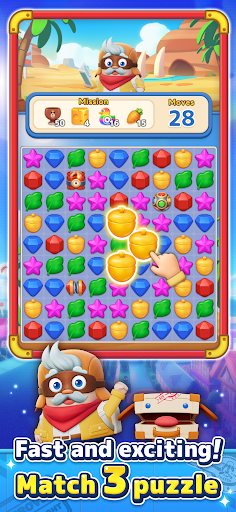

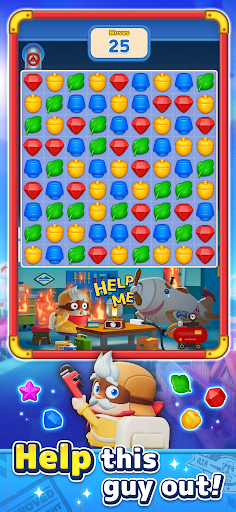
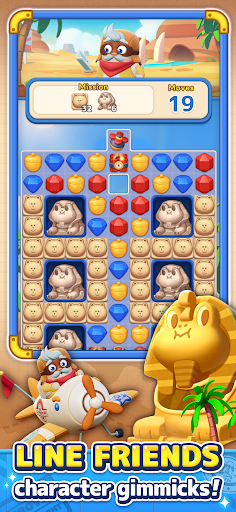
A new classic match 3 puzzle game is coming from LINE GAME!
Welcome to the super easy, smooth, fast, and exhilarating world of LINE Match Flight!
Clear match 3 puzzles and go on adventures around the world with Frank!
Travel with Pocky, the magic bag that can transform into any vehicle,
and aim for the legendary Secret Island!
■ Puzzles
- Super easy controls: Just connect 3 or more objects!
- Smooth and speedy: From app launch to playing the game, it's all super fast!
- Bright and cute obstacles (gimmicks) appear: Clear sometimes useful, sometimes tricky gimmicks to clear various Levels!
- Win streak bonuses for faster progress: Clear 5 levels in a row to trigger a Bonus Booster (Pocky Chance), making it easier to clear levels!
■ Play through puzzles to enjoy the adventure story
- Travel along the World Map by playing puzzles and see the Trip Journal (home screen art)! Who is the "mysterious figure" that follows Frank and his trip companion Pocky?!
Will Frank be able to reach his dream, the Secret Island, after traveling through various worlds?!
■ A variety of Levels (stages) to enjoy!
- Beginners and experts alike can enjoy a range of difficulty levels, from Normal to Hard and Very Hard!
We've got a variety of fun-packed levels, including stages where you can get lots of Coins and stages where you bail Frank out of trouble!
■ Have fun playing with friends!
- Join a Team: Exchange Hearts with Team members and aim for the top in Team events!
- Rankings: Compete with Players, Teams, and Friends for the top ranks!
Show more

1. Download MEmu installer and finish the setup

2. Start MEmu then open Google Play on the desktop

3. Search LINE Match Flight in Google Play
Install
4. Download and Install LINE Match Flight
5. On install completion click the icon to start

6. Enjoy playing LINE Match Flight on PC with MEmu
MEmu Play is the best Android emulator and 100 million people already enjoy its superb Android gaming experience. The MEmu virtualization technology empowers you to play thousands of Android games smoothly on your PC, even the most graphic-intensive ones.
Bigger screen with better graphics; Long duration, without limitation of battery or mobile data.
Full Keymapping support for precise control of keyboard and mouse or gamepad.
Multiple game accounts or tasks on single PC at one time with Multi-Instance manager.
Play LINE Match Flight on PC by following steps: