
Maiden Wars
Updated
Current Version
1.0.0
Offered By

With your passion for Maiden Wars, you shouldn’t have to limit yourself to the small screen of a phone. Play like a pro and take full control of the game using a keyboard and mouse. MEmu gives you everything you’re looking for. Download and play Maiden Wars on PC. Play as long as you want — no more worries about battery life, mobile data, or unexpected calls. The all-new MEmu 9 is the best way to play Maiden Wars on PC. With our expertly designed keymapping system, Maiden Wars feels just like a real PC game. The MEmu multi-instance manager lets you run two or more accounts on the same device at the same time. Most importantly, our exclusive emulation engine unlocks your PC’s full potential, delivering smooth and seamless performance.
Show more
Download Maiden Wars on PC with MEmu Android Emulator. Enjoy playing on big screen. Maiden Wars: Build Your Own Legend in Another World!
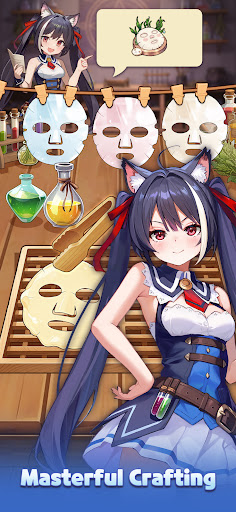
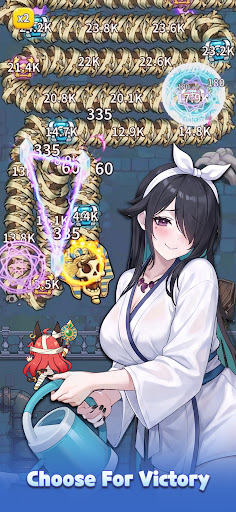
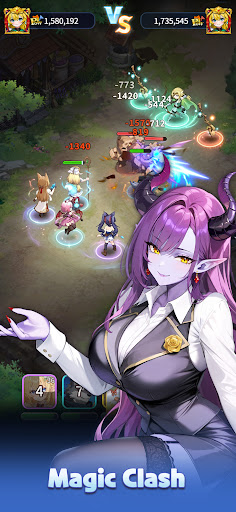
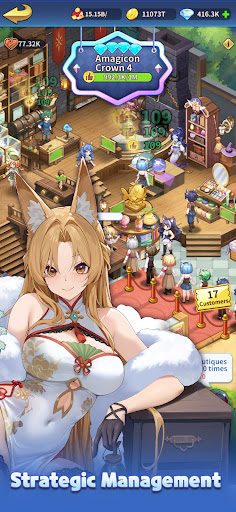
Maiden Wars: Build Your Own Legend in Another World!
When I opened my eyes, I found myself in a mysterious world of swords and magic.
A ruined village, unfamiliar faces, and a forgotten kingdom waiting to be restored...
But this time, I wasn't going to live an ordinary life.
With nothing but a small village and a group of extraordinary girls by my side, I'll rebuild everything from the ground up and create the strongest kingdom this world has ever seen!
【Immerse Yourself in a Grand Isekai Adventure】
・Experience an expansive main story filled with adventure, management, romance, and unexpected encounters!
・Meet girls from different races and backgrounds, each with their own personalities, secrets, and stories.
【Build and Develop Your Own Fantasy Kingdom】
・Start with nothing and gradually transform a struggling village into a prosperous fantasy city!
・Build taverns, hot springs, magic shops, maid cafés, and more!
【Meet Beautiful Girls From Across the Fantasy World】
・Meet charming girls from different races: a gentle elven priestess, a proud dragon princess, a mysterious mermaid, and many more!
・Spend romantic moments together beneath the stars, relax at the hot springs, explore bustling markets, or enjoy quiet moments at your estate.
【Exciting Battles With Your Favorite partner】
・Assemble a team of powerful heroines and lead them into battle!
・Choose the right partner, build your ultimate formation, and overcome increasingly powerful enemies.
【Endless Adventures & Fun Mini-Games】
・Explore mysterious ruins, search for hidden treasures, solve puzzles, challenge mazes!
・Cook exotic fantasy cuisine, decorate your estate, and create your own dream territory.
【Build the Strongest Guild】
・Join or create your own guild and fight alongside players from around the world!
・Work together to expand your territory, collect resources, and challenge powerful enemies.
・Compete against rival guilds, and fight for control of valuable territories.
【A World Full of Possibilities】
・Encounter different races, factions, and kingdoms as your influence continues to grow.
・Make choices, build relationships, develop your territory, and decide what kind of legend you want to become.
Whether you want to become a powerful ruler, a legendary adventurer, or the heart of a kingdom surrounded by beautiful partners--the choice is yours.
From a Forgotten Village to the Peak of the Fantasy World!
Fight alongside the girls who choose to stand with you.
Show more

1. Download MEmu installer and finish the setup

2. Start MEmu then open Google Play on the desktop

3. Search Maiden Wars in Google Play
Install
4. Download and Install Maiden Wars
5. On install completion click the icon to start

6. Enjoy playing Maiden Wars on PC with MEmu
MEmu Play is the best Android emulator and 100 million people already enjoy its superb Android gaming experience. The MEmu virtualization technology empowers you to play thousands of Android games smoothly on your PC, even the most graphic-intensive ones.
Bigger screen with better graphics; Long duration, without limitation of battery or mobile data.
Full Keymapping support for precise control of keyboard and mouse or gamepad.
Multiple game accounts or tasks on single PC at one time with Multi-Instance manager.
Play Maiden Wars on PC by following steps: