
MEGA MAN X
Updated
Current Version
1.07.00
Offered By

With your passion for MEGA MAN X, you shouldn’t have to limit yourself to the small screen of a phone. Play like a pro and take full control of the game using a keyboard and mouse. MEmu gives you everything you’re looking for. Download and play MEGA MAN X on PC. Play as long as you want — no more worries about battery life, mobile data, or unexpected calls. The all-new MEmu 9 is the best way to play MEGA MAN X on PC. With our expertly designed keymapping system, MEGA MAN X feels just like a real PC game. The MEmu multi-instance manager lets you run two or more accounts on the same device at the same time. Most importantly, our exclusive emulation engine unlocks your PC’s full potential, delivering smooth and seamless performance.
Show more
Download MEGA MAN X on PC with MEmu Android Emulator. Enjoy playing on big screen. Mega Man X is available at a discounted price until October 8!

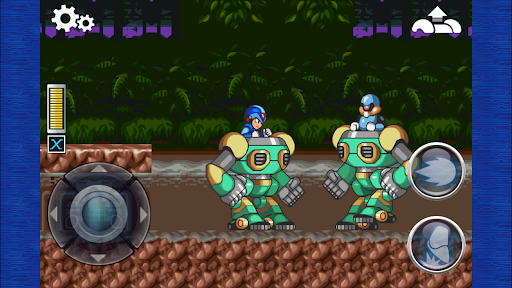
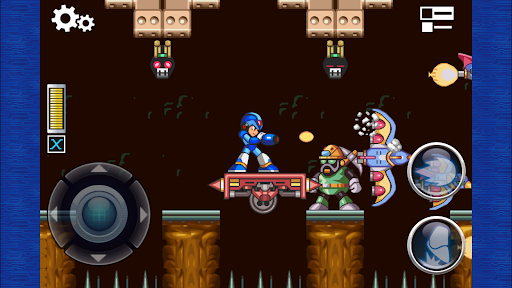
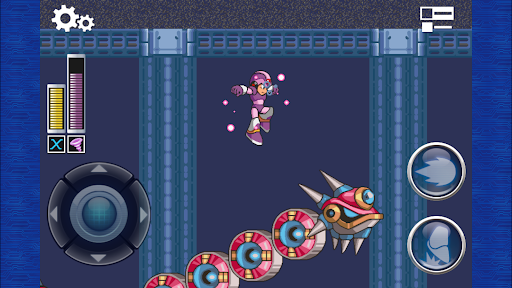
Mega Man X is available at a discounted price until October 8!
■■ Caution ■■
Please check the "Regarding Purchases" and "Supported Devices" notices below before purchasing or using the app.
--- Game Introduction ---
The legendary action game Mega Man X returns with a powered-up port!
Make use of a variety of weapons and upgrades to put an end to Sigma's plans!
◆ Optimized Graphics!
Prepare to be entranced by Mega Man X's charming classic graphics, optimized for modern displays!
◆ Three Difficulty Levels!
Story Mode comes with Easy, Normal, and Hard difficulty options.
Easy places extra platforms in stages, so you won't fall to your death, and confident players looking for a challenge will feel right at home on Hard!
◆ Ranking Mode!
Compete with other players in Ranking Mode!
Aim for the most points in Score Attack, rush to clear stages the fastest in Time Race, and see who can finish the most stages in Endless.
Polish your skills and aim for the top!
◆ Two Display Modes!
In addition to the Regular display mode, which displays the full game screen in its original aspect ratio, there's also the Full display mode, which fills your display to up the impact of the visuals.
◆ Support Features to Help You Progress!
Those who don't know where to find the upgrades in-game, or who just want to power up right away, can easily get upgrades through the Customizations screen!
There are a range of support options, like Full Armor and All Weapons, to help you progress through the game smoother!
You can also change the BGM to the arranged versions to give the game a different feel!
【Regarding Purchases】
Regardless of the reason, we cannot offer refunds (or an exchange for another product or service) once the app is purchased.
【Supported Devices】
Please check the following URL for a list of operating environments (devices/OSs) supported by this app.
https://www.capcom-games.com/product/en-us/megamanx-app/?t=openv
Note: Although you can purchase this app using devices and OSs not listed as supported, the app may not function properly.
Please be aware that we can neither guarantee the app's performance nor offer refunds if you use a device or OS not supported by the app.
【Enjoy More Capcom Titles!】
Search for "Capcom" on Google Play, or the name of one or our apps, for more fun games to play!
Show more

1. Download MEmu installer and finish the setup

2. Start MEmu then open Google Play on the desktop

3. Search MEGA MAN X in Google Play
Install
4. Download and Install MEGA MAN X
5. On install completion click the icon to start

6. Enjoy playing MEGA MAN X on PC with MEmu
MEmu Play is the best Android emulator and 100 million people already enjoy its superb Android gaming experience. The MEmu virtualization technology empowers you to play thousands of Android games smoothly on your PC, even the most graphic-intensive ones.
Bigger screen with better graphics; Long duration, without limitation of battery or mobile data.
Full Keymapping support for precise control of keyboard and mouse or gamepad.
Multiple game accounts or tasks on single PC at one time with Multi-Instance manager.
Play MEGA MAN X on PC by following steps: