Onimusha: Way of the Sword
Updated
Current Version
Offered By

With your passion for Onimusha: Way of the Sword, you shouldn’t have to limit yourself to the small screen of a phone. Play like a pro and take full control of the game using a keyboard and mouse. MEmu gives you everything you’re looking for. Download and play Onimusha: Way of the Sword on PC. Play as long as you want — no more worries about battery life, mobile data, or unexpected calls. The all-new MEmu 9 is the best way to play Onimusha: Way of the Sword on PC. With our expertly designed keymapping system, Onimusha: Way of the Sword feels just like a real PC game. The MEmu multi-instance manager lets you run two or more accounts on the same device at the same time. Most importantly, our exclusive emulation engine unlocks your PC’s full potential, delivering smooth and seamless performance.
Show more
Download Onimusha: Way of the Sword on PC with MEmu Android Emulator. Enjoy playing on big screen. After nearly two decades, the Onimusha series is set to return with a brand-new installment, Onimusha: Way of the Sword, scheduled for release in 2026.
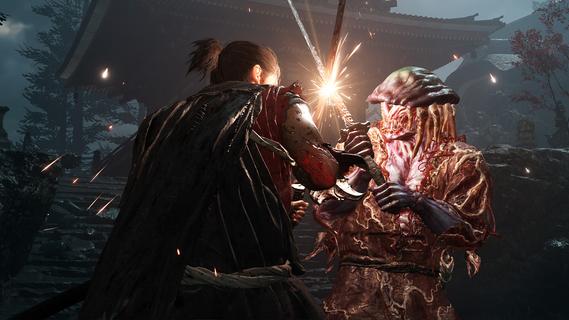
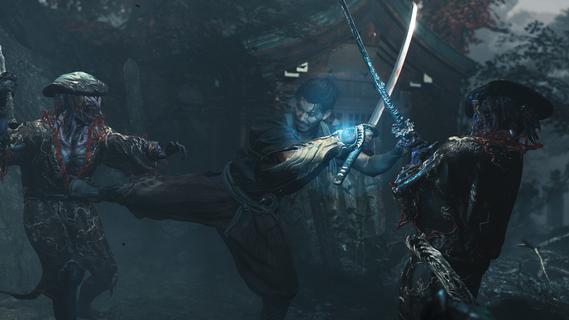
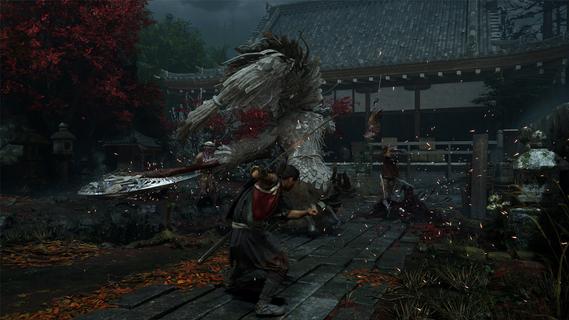
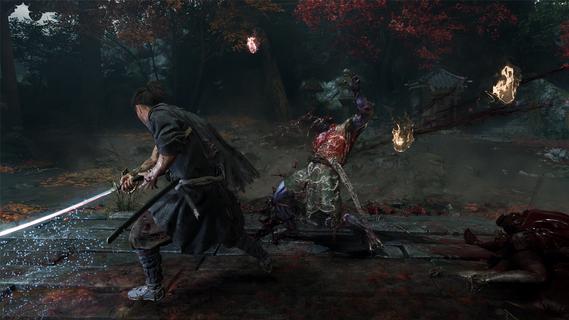
After nearly two decades, the Onimusha series is set to return with a brand-new installment, Onimusha: Way of the Sword, scheduled for release in 2026. This highly anticipated game promises to deliver an exhilarating experience, combining intense swordplay with dark fantasy elements, all set against the backdrop of feudal Japan. Setting and StoryOnimusha: Way of the Sword takes place in Kyoto during the early Edo period, a time when Japan was experiencing relative peace. However, this tranquility is disrupted by the presence of "Malice," a malevolent force that has twisted the city into a dark and eerie landscape. Players assume the role of a lone samurai equipped with the legendary Oni Gauntlet, a mystical artifact that grants its wielder the power to vanquish the demonic creatures known as Genma. These monstrous beings from the underworld pose a significant threat to humanity, and it is up to the protagonist to confront them in a series of epic battles. GameplayThe gameplay of Onimusha: Way of the Sword is centered around intense swordplay and strategic combat. Players will engage in reactive and aggressive battles, utilizing the Issen counterattack system, which has been a staple of the Onimusha series. This system rewards players for timing their parries perfectly, allowing them to deliver devastating counterattacks that can turn the tide of battle in their favor. In addition to the core combat mechanics, the game emphasizes defensive options and strategic positioning. Players must be crafty in their approach, often using environmental objects to their advantage. For example, the protagonist can pick up a table and use it as a shield or toss enemies into breakable furniture to gain an upper hand. Characters and SettingThe game focuses on three core aspects: compelling characters, the Kyoto setting, and ultimate swordfighting action. The protagonist, a young Musashi Miyamoto, is portrayed as a humorous and youthful character who must navigate the challenges of being a samurai in a world filled with supernatural threats. The depiction of Kyoto is beautifully eerie, featuring real-life historical locations such as Kiyomizu-dera Temple, but with the developer's own unique twists. Platforms and ReleaseOnimusha: Way of the Sword will be available on PlayStation 5, Xbox Series X|S, and PC via Steam. Capcom has emphasized that the game will leverage the latest technology to provide a captivating experience, combining the series' traditional swordplay with modern graphics and gameplay mechanics. ConclusionWith its blend of dark fantasy, intense swordplay, and strategic combat, Onimusha: Way of the Sword promises to be a thrilling addition to the Onimusha series. Fans of action-adventure games and those who have been waiting for a new Onimusha title will find much to look forward to in this upcoming release. As Capcom continues to revive beloved franchises, Onimusha: Way of the Sword stands out as a highlight of their efforts to bring back classic gameplay with a modern twist.
Show more

1. Download MEmu installer and finish the setup

2. Start MEmu then open Google Play on the desktop

3. Search Onimusha: Way of the Sword in Google Play
Install
4. Download and Install Onimusha: Way of the Sword
5. On install completion click the icon to start

6. Enjoy playing Onimusha: Way of the Sword on PC with MEmu
MEmu Play is the best Android emulator and 100 million people already enjoy its superb Android gaming experience. The MEmu virtualization technology empowers you to play thousands of Android games smoothly on your PC, even the most graphic-intensive ones.
Bigger screen with better graphics; Long duration, without limitation of battery or mobile data.
Full Keymapping support for precise control of keyboard and mouse or gamepad.
Multiple game accounts or tasks on single PC at one time with Multi-Instance manager.
Play Onimusha: Way of the Sword on PC by following steps: