
MO: Astray
Updated
Current Version
1.3.10
Offered By

With your passion for MO: Astray, you shouldn’t have to limit yourself to the small screen of a phone. Play like a pro and take full control of the game using a keyboard and mouse. MEmu gives you everything you’re looking for. Download and play MO: Astray on PC. Play as long as you want — no more worries about battery life, mobile data, or unexpected calls. The all-new MEmu 9 is the best way to play MO: Astray on PC. With our expertly designed keymapping system, MO: Astray feels just like a real PC game. The MEmu multi-instance manager lets you run two or more accounts on the same device at the same time. Most importantly, our exclusive emulation engine unlocks your PC’s full potential, delivering smooth and seamless performance.
Show more
Download MO: Astray on PC with MEmu Android Emulator. Enjoy playing on big screen. A side-scrolling, action-puzzler with "Very Positive" reviews on Steam.
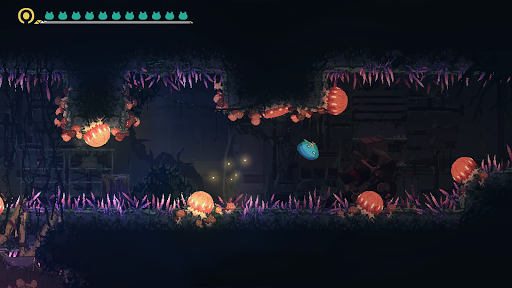
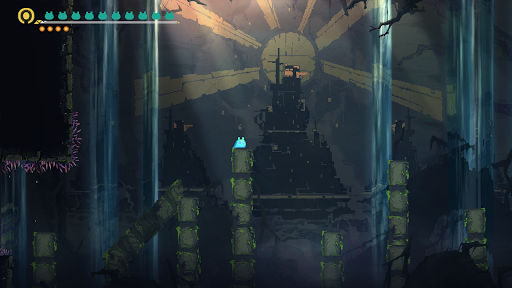
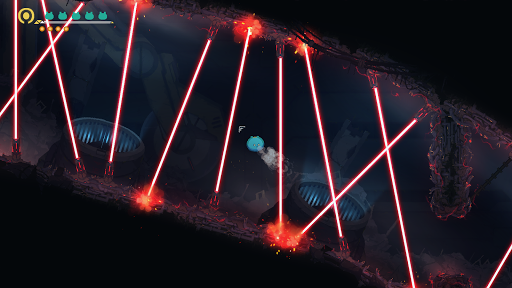
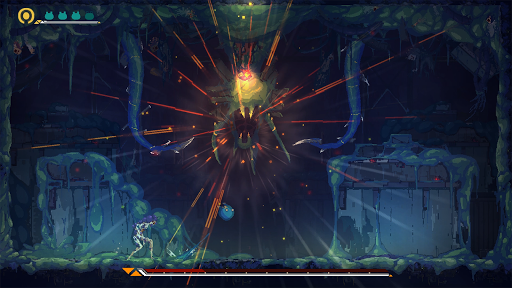
A side-scrolling, action-puzzler with "Very Positive" reviews on Steam. Come adventure and explore on the soon to be released mobile version.
▶Uncover the truth hidden in the sinister shadows of this ghastly environment
Awakening inside a dark, humid, and abandoned laboratory, MO discovers that it not only has to face an extremely hostile and sinister environment, but also humans who, having been taken over by alien parasitic plants, are now stuck in an endless limbo between death and rebirth. Who caused this disaster? And on this path to solve the riddle of MO's existence, what sorts of trials and tribulations lie ahead?
▶Clear quests with intertwining puzzles using strategic battle skills
360-degree gameplay that combines action and puzzle-solving. Use MO's ability to stick on surfaces to get past tricky traps, read the minds of monsters, control them like a parasite, and dash past danger as you fly through the air.
▶Exceptionally unique environmental design
MO has an exquisite pixel art that is both adorable yet dark, giving the game a full-bodied sci-fi atmosphere. Besides fitting the storyline perfectly, the amazing aesthetic effects are a constant visual feast for players as they adventure onward.
▶A soundtrack that is elegant and emotionally moving
The game's theme song has been carefully crafted to express the story of MO's adventure, while the background music and sound effects for each quest fit perfectly with each environment.
▶Collaborating to create a moving masterpiece
An exceptional masterpiece, developed by Archpray Inc. and produced by Rayark Inc.
-------------------------------------
* Devices running Android 14 or above may encounter compatibility issues with the game. To ensure a smooth gameplay experience, we recommend not upgrading to Android 14 temporarily. Our team is working on adapting the game for the latest Android versions. We appreciate your patience and support.
Show more

1. Download MEmu installer and finish the setup

2. Start MEmu then open Google Play on the desktop

3. Search MO: Astray in Google Play
Install
4. Download and Install MO: Astray
5. On install completion click the icon to start

6. Enjoy playing MO: Astray on PC with MEmu
MEmu Play is the best Android emulator and 100 million people already enjoy its superb Android gaming experience. The MEmu virtualization technology empowers you to play thousands of Android games smoothly on your PC, even the most graphic-intensive ones.
Bigger screen with better graphics; Long duration, without limitation of battery or mobile data.
Full Keymapping support for precise control of keyboard and mouse or gamepad.
Multiple game accounts or tasks on single PC at one time with Multi-Instance manager.
Play MO: Astray on PC by following steps: