MU: Blood Blade
Updated
Current Version
1.3
Offered By

With your passion for MU: Blood Blade, you shouldn’t have to limit yourself to the small screen of a phone. Play like a pro and take full control of the game using a keyboard and mouse. MEmu gives you everything you’re looking for. Download and play MU: Blood Blade on PC. Play as long as you want — no more worries about battery life, mobile data, or unexpected calls. The all-new MEmu 9 is the best way to play MU: Blood Blade on PC. With our expertly designed keymapping system, MU: Blood Blade feels just like a real PC game. The MEmu multi-instance manager lets you run two or more accounts on the same device at the same time. Most importantly, our exclusive emulation engine unlocks your PC’s full potential, delivering smooth and seamless performance.
Show more
Download MU: Blood Blade on PC with MEmu Android Emulator. Enjoy playing on big screen. Epic fantasy RPG mobile game now available!
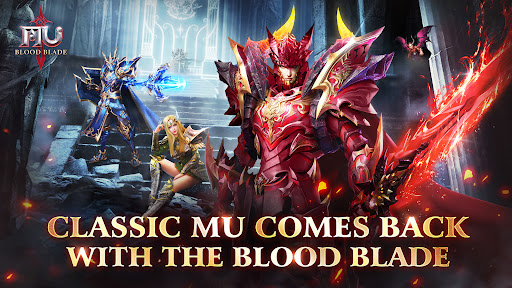


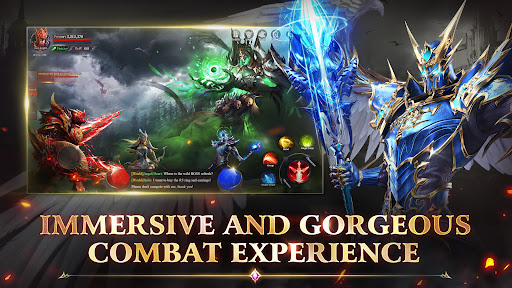
Epic fantasy RPG mobile game now available! Experience flawless gameplay and the ultimate adventure in a dazzling fantasy world!
MU: Blood Blade is an epic fantasy MMORPG that plunges you into a mystical world brimming with secrets and glory. As a chosen adventurer, you'll delve into treacherous ancient ruins, confront legendary monsters, and team up with warriors worldwide to forge your own legendary saga.
————Game Feature————
【100 Million Red Diamonds, Lavish Rewards】
Log in to claim abundant Red Diamonds, effortlessly exchange for rare divine gear and precious items, boosting your combat power to dominate the server! Enjoy daily check-ins, level-up gifts, holiday events, and more, ensuring a treasure trove of rewards!
【Stunning Skills, Thrilling Combat】
Warrior, Mage, Archer, Assassin... choose from diverse classes, each with unique skills and combat styles. Dazzling skill effects and fluid combat animations deliver an unparalleled battle experience!
【Open World, Free Exploration】
Seamlessly connected vast maps with intricately designed scenes immerse you in a fantastical realm. Rich side quests, hidden storylines, and random events await your exploration and discovery!
【A Classic Story Reimagined】
Embark on a journey back to where dreams began. A brand new take on a timeless classic brings a whole new retro experience! Familiar elements collide with exciting new mechanics. Witness moments of joy in the grand cathedral, reliving the pure, simple happiness of the past, now within your grasp once more.
【Exquisite Graphics, Immersive Experience】
Powered by an advanced 3D engine, crafting a detailed and realistic fantasy world. From majestic cityscapes to lifelike battle scenes, you'll feel truly immersed.
【Legendary Loot & Total Class Freedom】
Challenge powerful bosses and claim treasures beyond imagination. With sky-high drop rates, legendary gear is finally within reach. Switch classes freely, master powerful abilities, and forge your own path in a world of endless possibilities!
※Embark on your legendary adventure in Blood Blade and etch your name into the annals of heroism!
————Customer Service————
Email:Cs-zh@37mobile.com
Show more

1. Download MEmu installer and finish the setup

2. Start MEmu then open Google Play on the desktop

3. Search MU: Blood Blade in Google Play
Install
4. Download and Install MU: Blood Blade
5. On install completion click the icon to start

6. Enjoy playing MU: Blood Blade on PC with MEmu
MEmu Play is the best Android emulator and 100 million people already enjoy its superb Android gaming experience. The MEmu virtualization technology empowers you to play thousands of Android games smoothly on your PC, even the most graphic-intensive ones.
Bigger screen with better graphics; Long duration, without limitation of battery or mobile data.
Full Keymapping support for precise control of keyboard and mouse or gamepad.
Multiple game accounts or tasks on single PC at one time with Multi-Instance manager.
Play MU: Blood Blade on PC by following steps: