MU New Dawn
Updated
Current Version
1.1.1008
Offered By

With your passion for MU New Dawn, you shouldn’t have to limit yourself to the small screen of a phone. Play like a pro and take full control of the game using a keyboard and mouse. MEmu gives you everything you’re looking for. Download and play MU New Dawn on PC. Play as long as you want — no more worries about battery life, mobile data, or unexpected calls. The all-new MEmu 9 is the best way to play MU New Dawn on PC. With our expertly designed keymapping system, MU New Dawn feels just like a real PC game. The MEmu multi-instance manager lets you run two or more accounts on the same device at the same time. Most importantly, our exclusive emulation engine unlocks your PC’s full potential, delivering smooth and seamless performance.
Show more
Download MU New Dawn on PC with MEmu Android Emulator. Enjoy playing on big screen. Step into MU New Dawn – the official new chapter of the legendary MU franchise, fully licensed by Webzen and Kingnet.
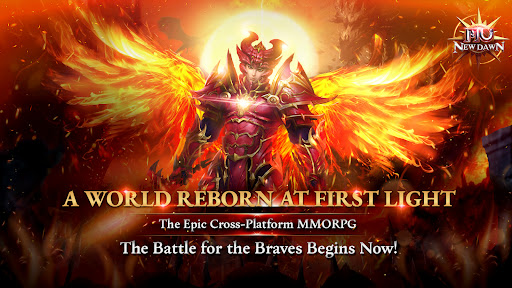
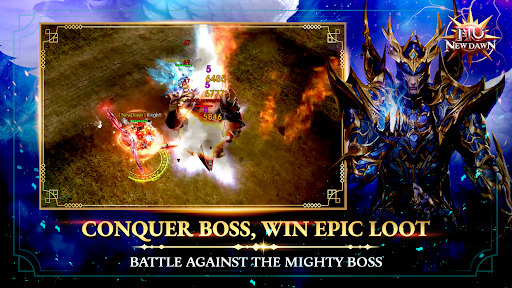
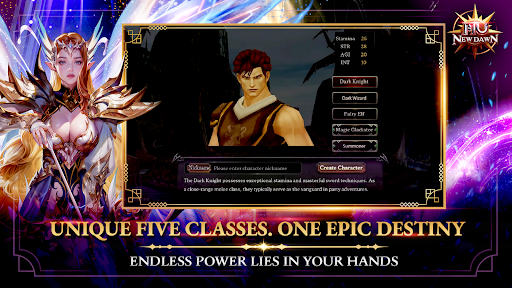
Step into MU New Dawn – the official new chapter of the legendary MU franchise, fully licensed by Webzen and Kingnet. Rediscover the epic fantasy MMORPG experience reimagined for today’s cross-platform world – playable on both mobile and PC.
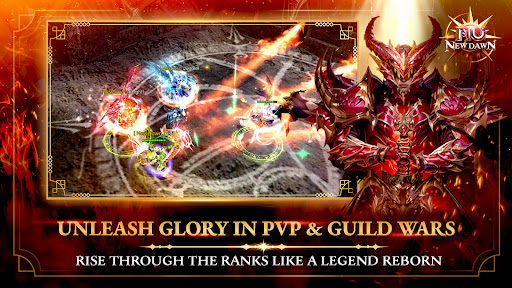
「 Unleash Glory in PvP & Guild Wars – A Legend Reborn 」
Rise through the ranks and engage in real-time battles where only the strongest prevail. Join forces with allies or stand alone to dominate the battlefield and etch your name into MU legend.
「 Five Unique Classes. One Epic Destiny 」
Choose your choice from 5 classic MU classes—each with distinct skills, playstyles, and legendary evolutions. Shape your hero and your legacy.
「 Conquer Fierce Bosses. Claim Epic Loot 」
Face off against world bosses and elite monsters. Take them down for a chance to earn ultra-rare gear and glory.
「 Fast Progression. Instant Strength – Greatness Waits for No One 」
Grind and instant growth. Accelerate your rise with smart systems that reward active play and mastery
「Limitless Growth & Rule with Free VIP 」
Refine your gear without limits, strengthen endlessly.
Enjoy free VIP access from the start. Boost your journey with premium benefits and stand out on every battlefield.
Will you stand tall with the rising light or fall beneath the fate.
THE BATTLE FOR THE BRAVES BEGIN NOW!
== OFFICIAL INFORMATION==
Fanpage: https://www.facebook.com/MUNewDawnSEAbyPlayPark
Official Website: https://mu-newdawn.playpark.com/
Show more

1. Download MEmu installer and finish the setup

2. Start MEmu then open Google Play on the desktop

3. Search MU New Dawn in Google Play
Install
4. Download and Install MU New Dawn
5. On install completion click the icon to start

6. Enjoy playing MU New Dawn on PC with MEmu
MEmu Play is the best Android emulator and 100 million people already enjoy its superb Android gaming experience. The MEmu virtualization technology empowers you to play thousands of Android games smoothly on your PC, even the most graphic-intensive ones.
Bigger screen with better graphics; Long duration, without limitation of battery or mobile data.
Full Keymapping support for precise control of keyboard and mouse or gamepad.
Multiple game accounts or tasks on single PC at one time with Multi-Instance manager.
Play MU New Dawn on PC by following steps: