
My Fairy Garden
Updated
Current Version
Offered By

With your passion for My Fairy Garden, you shouldn’t have to limit yourself to the small screen of a phone. Play like a pro and take full control of the game using a keyboard and mouse. MEmu gives you everything you’re looking for. Download and play My Fairy Garden on PC. Play as long as you want — no more worries about battery life, mobile data, or unexpected calls. The all-new MEmu 9 is the best way to play My Fairy Garden on PC. With our expertly designed keymapping system, My Fairy Garden feels just like a real PC game. The MEmu multi-instance manager lets you run two or more accounts on the same device at the same time. Most importantly, our exclusive emulation engine unlocks your PC’s full potential, delivering smooth and seamless performance.
Show more
Download My Fairy Garden on PC with MEmu Android Emulator. Enjoy playing on big screen. “My Fairy Garden” — A heartwarming journey that blends garden management, floral art, and the companionship of fairies.
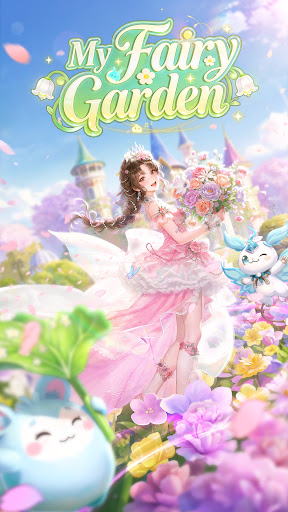

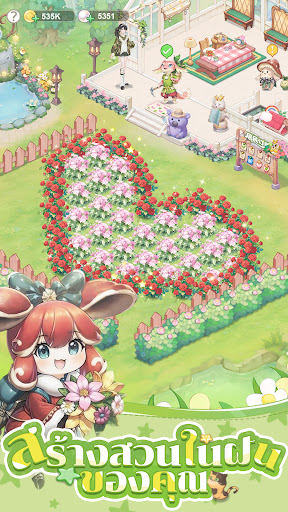
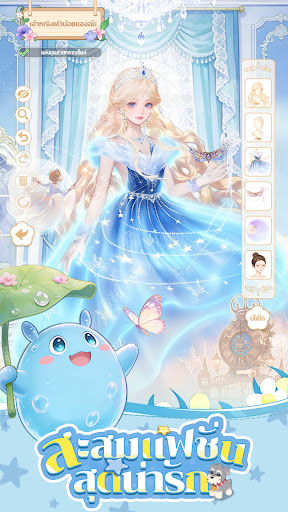
“My Fairy Garden” — A heartwarming journey that blends garden management, floral art, and the companionship of fairies. Every seed holds a story, and every encounter is filled with warmth.
[Build Your Dream Home: From Seed to Blooming Flower]
Start with a small gardening area. Clear the land, sow seeds, water, and carefully nurture each plant. Gradually expand your garden, designing winding paths and tiered landscapes, creating a magical forest wonderland where flowers bloom throughout all four seasons, all with your own hands.
[Collect Special Flower Seeds, Create Floral Art Gifts]
Explore and collect a variety of unique flowers. Unlock a complete collection, unleash your artistic creativity. Freely combine harvested flowers, designing bouquets, vase arrangements, and various beautiful floral decorations. Transform gifts from the forest into cherished keepsakes.
[Meet Adorable Fairies, Forge Warm Bonds]
The forest lives many innocent and cheerful fairy companions. Find them and invite them to your home. They not only help care for your crops, but each fairy has their own unique personality and story, waiting to be unlocked with your warmth and care.
[Decorate Your Personal Space] [Create a Hundred Transformable Styles]
A vast array of clothing and furniture awaits you to mix and match! From refreshing gardening cloaks to elegant jungle outfits, from cozy interior decorations to striking patio pieces, freely define your personal look and home style. Express your unique taste.
[Share Peaceful Moments, Enjoy a Helping Community]
Visit your friends' forest homes, help tend to crops, exchange decorating inspiration, or embark on special quests. Share the joy of the harvest in cheerful and relaxed interactions, making your journey anything but lonely.
This forest, woven with dreams, flowers, and warmth, quietly awaits its owner. Begin your journey now, sow your first seeds, meet your first fairy friend, and build your own heartwarming fairytale with your own hands! Come on!
Show more

1. Download MEmu installer and finish the setup

2. Start MEmu then open Google Play on the desktop

3. Search My Fairy Garden in Google Play
Install
4. Download and Install My Fairy Garden
5. On install completion click the icon to start

6. Enjoy playing My Fairy Garden on PC with MEmu
MEmu Play is the best Android emulator and 100 million people already enjoy its superb Android gaming experience. The MEmu virtualization technology empowers you to play thousands of Android games smoothly on your PC, even the most graphic-intensive ones.
Bigger screen with better graphics; Long duration, without limitation of battery or mobile data.
Full Keymapping support for precise control of keyboard and mouse or gamepad.
Multiple game accounts or tasks on single PC at one time with Multi-Instance manager.
Play My Fairy Garden on PC by following steps: