
MythWalker
Updated
Current Version
0.26.101487
Offered By

With your passion for MythWalker, you shouldn’t have to limit yourself to the small screen of a phone. Play like a pro and take full control of the game using a keyboard and mouse. MEmu gives you everything you’re looking for. Download and play MythWalker on PC. Play as long as you want — no more worries about battery life, mobile data, or unexpected calls. The all-new MEmu 9 is the best way to play MythWalker on PC. With our expertly designed keymapping system, MythWalker feels just like a real PC game. The MEmu multi-instance manager lets you run two or more accounts on the same device at the same time. Most importantly, our exclusive emulation engine unlocks your PC’s full potential, delivering smooth and seamless performance.
Show more
Download MythWalker on PC with MEmu Android Emulator. Enjoy playing on big screen. Turn any dog walk or errand run into an adventure!
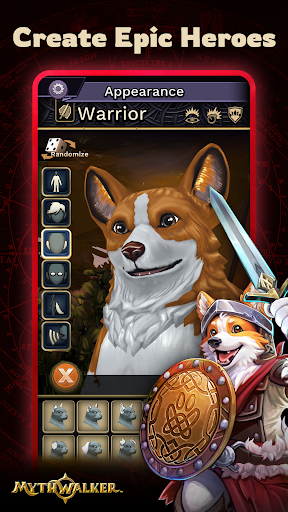
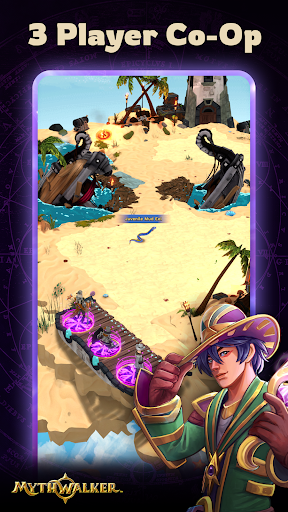
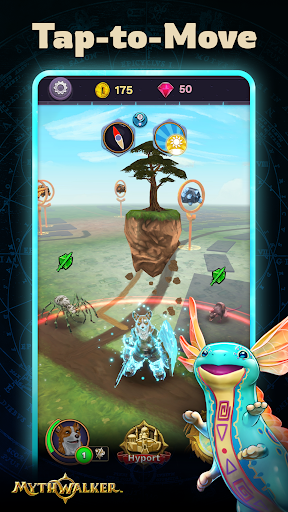
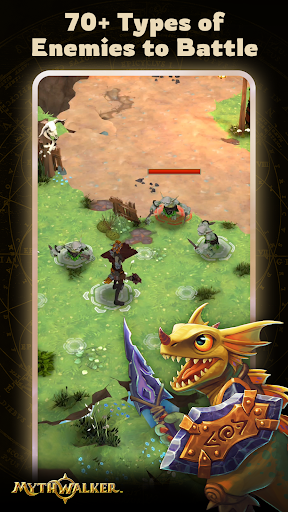
Turn any dog walk or errand run into an adventure! MythWalker™ is a mobile geolocation fantasy RPG that explores Earth’s parallel world, Mytherra. An ethereal mystical being guides players through an overworld traversal system, using real locations to tell the stories of Earth’s myths and legends. Now, Mytherra faces an unknown threat that endangers both worlds. A powerful mysterious being, reaches out for help, recruiting you – the Mythwalker, to uncover the truth, explore the connection between the worlds, and lead Mytherra’s heroes in their defense. Will you answer the call and save both planets?
PLAY AS EPIC HEROES
Choose from three species to match your playstyle: the loyal and fierce dog-folk of the Wulven, the proud and magical birdlike Annu, or the versatile Humans.
Pick from three classes: the defensive and powerful Warrior, the fast and ranged Spellslinger, or the healing and supportive Priest.
Can’t decide? MythWalker lets you create multiple characters to explore any combination of species and class.
NAVIGATORS AND TAP-TO-MOVE
Players are paired with an ethereal Navigator, their spirit guide on Mytherra. By gathering Portal Energy, they can transform into their Navigator, unlocking the tap-to-move feature. This allows interaction with points of interest and combat without physical movement, marking the first of many upcoming accessibility features.
CO-OP PARTY PLAY
Form a party with up to three local players to tackle tougher enemies and earn extra XP, gold, and rewards. Mix and match classes and species with friends to conquer over 80 enemies across nine unique environments. No time limits, just endless adventure!
EXPLORE THE WORLD BY PORTALS
Mythwalkers can drop up to three portals to different parts of the world via the Hyport Gateway allowing to explore different regions even if you are not physically there. Travel by tapping on a portal from the globe interface or list view. You’ll automatically transform into Navigator form, allowing you to freely explore your new location.
HYPORT: AN EMERGING CITY
Welcome to Hyport, the heart of Mytherra! This bustling hub offers various activities to aid your adventures. Meet Madra “Mads” MacLachlan, a retired Wulven adventurer, at Mads’ Market for all your goods. Visit Stanna’s Forge, where Gem Stanna the Blacksmith crafts and upgrades your gear.
EXCITING MINI GAMES
Swing your Pickaxe in the Mining mini-game for rewards, including rare stones for crafting armor and weapons. In the Woodcutting mini-game, precise swipes chop down trees, yielding wood and materials for your adventures.
Show more

1. Download MEmu installer and finish the setup

2. Start MEmu then open Google Play on the desktop

3. Search MythWalker in Google Play
Install
4. Download and Install MythWalker
5. On install completion click the icon to start

6. Enjoy playing MythWalker on PC with MEmu
MEmu Play is the best Android emulator and 100 million people already enjoy its superb Android gaming experience. The MEmu virtualization technology empowers you to play thousands of Android games smoothly on your PC, even the most graphic-intensive ones.
Bigger screen with better graphics; Long duration, without limitation of battery or mobile data.
Full Keymapping support for precise control of keyboard and mouse or gamepad.
Multiple game accounts or tasks on single PC at one time with Multi-Instance manager.
Play MythWalker on PC by following steps:
















































