NBA 2K HQ
Updated
Current Version
1.1.3
Offered By

With your passion for NBA 2K HQ, you shouldn’t have to limit yourself to the small screen of a phone. Play like a pro and take full control of the game using a keyboard and mouse. MEmu gives you everything you’re looking for. Download and play NBA 2K HQ on PC. Play as long as you want — no more worries about battery life, mobile data, or unexpected calls. The all-new MEmu 9 is the best way to play NBA 2K HQ on PC. With our expertly designed keymapping system, NBA 2K HQ feels just like a real PC game. The MEmu multi-instance manager lets you run two or more accounts on the same device at the same time. Most importantly, our exclusive emulation engine unlocks your PC’s full potential, delivering smooth and seamless performance.
Show more
Download NBA 2K HQ on PC with MEmu Android Emulator. Enjoy playing on big screen. Lock in around the clock with a host of exciting features designed to level-up your NBA 2K27 experience anytime and anywhere.
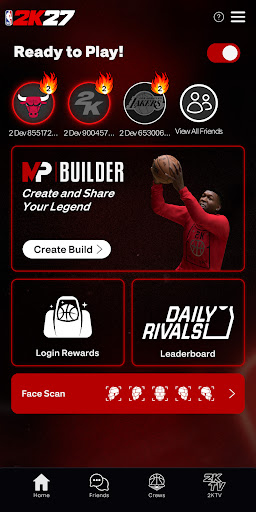
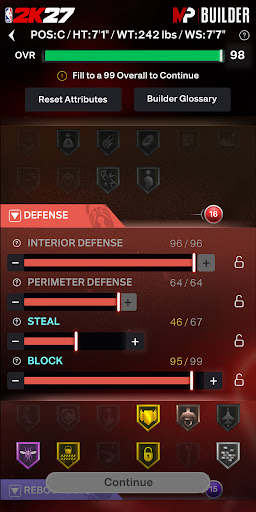
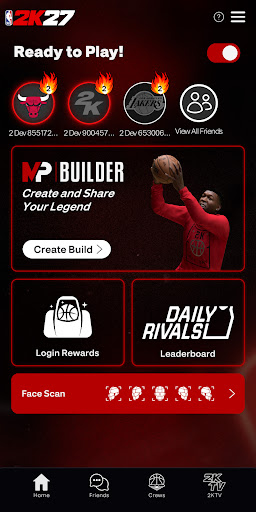
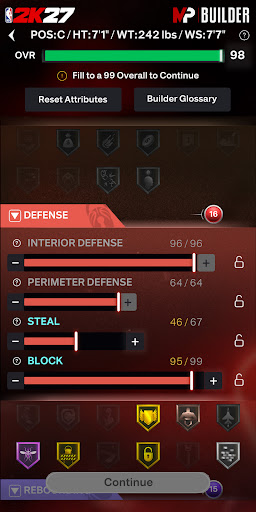
Lock in around the clock with a host of exciting features designed to level-up your NBA 2K27 experience anytime and anywhere. Create unique builds with the built-in MyPLAYER builder, rally your friends with Crew management and social features, and claim rewards every day. Play beyond the whistle with NBA 2K HQ and stay connected to NBA 2K27.
MyPLAYER BUILDER
Shape your game wherever you go. Access the full NBA 2K27 MyPLAYER Builder directly in-app and upload builds you create on NBA 2K HQ right onto your home console setup. Then, share them from anywhere via QR codes.
SOCIAL AND CREW INTEGRATION
Tap into your squad 24/7 with full Crew management and NBA 2K’s social features. With both real-time messaging and Crew management, NBA 2K HQ puts the NBA 2K social experience in the palm of your hand.
DAILY REWARDS
Start your day with a fresh drop! NBA 2K HQ features mobile-exclusive daily login rewards!
PROGRESSION TRACKING
Stay in the moment by viewing your progress and rank in real-time. NBA 2K HQ features continuous tracking for Daily Leaderboards and Crew Rewards so you can focus on your climb to the top.
FACE SCAN
The new-and-improved Face Scan features a quicker, more accurate scanning process with high-fidelity texture quality–all designed to place you right into your very own basketball fantasy. Your game. Your look.
Requires internet connection and Android 11.0 or above (Minimum API level 30)
Do Not Sell or Share My Personal Information: https://www.take2games.com/ccpa
Use of this application is governed by the Terms of Service (ToS) found at www.take2games.com/legal. Online and certain special features require an internet connection, may not be available to all users or at all times, and may be terminated, modified, or offered under different terms without notice. For more information on the availability of online features and services visit https://bit.ly/2K-Online-Services-Status.
Show more

1. Download MEmu installer and finish the setup

2. Start MEmu then open Google Play on the desktop

3. Search NBA 2K HQ in Google Play
Install
4. Download and Install NBA 2K HQ
5. On install completion click the icon to start

6. Enjoy playing NBA 2K HQ on PC with MEmu
MEmu Play is the best Android emulator and 100 million people already enjoy its superb Android gaming experience. The MEmu virtualization technology empowers you to play thousands of Android games smoothly on your PC, even the most graphic-intensive ones.
Bigger screen with better graphics; Long duration, without limitation of battery or mobile data.
Full Keymapping support for precise control of keyboard and mouse or gamepad.
Multiple game accounts or tasks on single PC at one time with Multi-Instance manager.
Play NBA 2K HQ on PC by following steps: