
NBA Basketball World
Updated
Current Version
1.1.23
Offered By

With your passion for NBA Basketball World, you shouldn’t have to limit yourself to the small screen of a phone. Play like a pro and take full control of the game using a keyboard and mouse. MEmu gives you everything you’re looking for. Download and play NBA Basketball World on PC. Play as long as you want — no more worries about battery life, mobile data, or unexpected calls. The all-new MEmu 9 is the best way to play NBA Basketball World on PC. With our expertly designed keymapping system, NBA Basketball World feels just like a real PC game. The MEmu multi-instance manager lets you run two or more accounts on the same device at the same time. Most importantly, our exclusive emulation engine unlocks your PC’s full potential, delivering smooth and seamless performance.
Show more
Download NBA Basketball World on PC with MEmu Android Emulator. Enjoy playing on big screen. Become a legendary team president, recruit real NBA stars, and build your own championship roster!

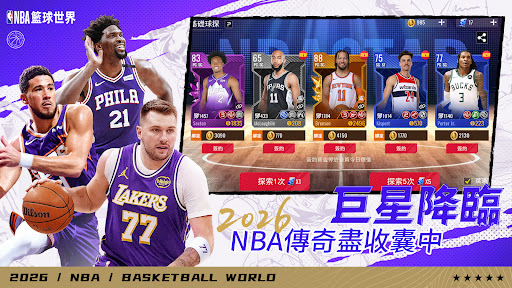
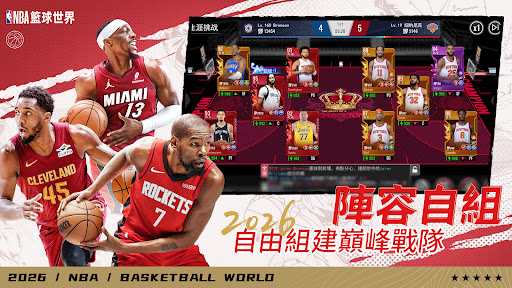

Become a legendary team president, recruit real NBA stars, and build your own championship roster! Experience authentic basketball competition with real-time PVP battles and dynamic season updates. Synchronize with the NBA schedule, receive daily player updates, and enjoy realistic data. Gameplay and fun go hand in hand, with details and achievements!
Featured Gameplay
【Officially Licensed, Real-Time Updates】 Officially licensed by the NBA, with daily updates on player information and realistic data; immerse yourself in professional leagues, career challenges, and other major events.
【Revolutionary, Realistic Salaries】 Player salaries are consistent with real-world salaries, with a smaller team salary cap and smoother roster building; player value fluctuates with performance, reflecting on-court data.
【A Diverse roster, A Star-Studded Team】 More than just a team president, you're also a discerning scout. Unrestricted player development, freely combine skills, and create ever-changing dream teams!
----Follow Us----- Don't miss our latest news and exclusive gifts!
NBA Basketball World Official Facebook Fan Page: https://www.facebook.com/profile.php?id=61583980763018 NBA Basketball World Official Discord: bit.ly/4mOY1fH
Show more

1. Download MEmu installer and finish the setup

2. Start MEmu then open Google Play on the desktop

3. Search NBA Basketball World in Google Play
Install
4. Download and Install NBA Basketball World
5. On install completion click the icon to start

6. Enjoy playing NBA Basketball World on PC with MEmu
MEmu Play is the best Android emulator and 100 million people already enjoy its superb Android gaming experience. The MEmu virtualization technology empowers you to play thousands of Android games smoothly on your PC, even the most graphic-intensive ones.
Bigger screen with better graphics; Long duration, without limitation of battery or mobile data.
Full Keymapping support for precise control of keyboard and mouse or gamepad.
Multiple game accounts or tasks on single PC at one time with Multi-Instance manager.
Play NBA Basketball World on PC by following steps: