
Night Adventure
Updated
Current Version
1.0
Offered By

With your passion for Night Adventure, you shouldn’t have to limit yourself to the small screen of a phone. Play like a pro and take full control of the game using a keyboard and mouse. MEmu gives you everything you’re looking for. Download and play Night Adventure on PC. Play as long as you want — no more worries about battery life, mobile data, or unexpected calls. The all-new MEmu 9 is the best way to play Night Adventure on PC. With our expertly designed keymapping system, Night Adventure feels just like a real PC game. The MEmu multi-instance manager lets you run two or more accounts on the same device at the same time. Most importantly, our exclusive emulation engine unlocks your PC’s full potential, delivering smooth and seamless performance.
Show more
Download Night Adventure on PC with MEmu Android Emulator. Enjoy playing on big screen. Night Adventure blends interactive storytelling with light puzzles in a stylized world that unfolds at night.
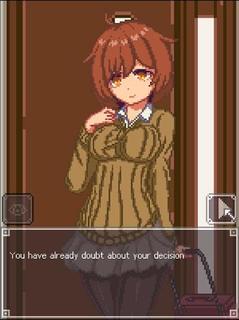
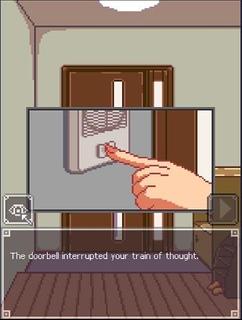
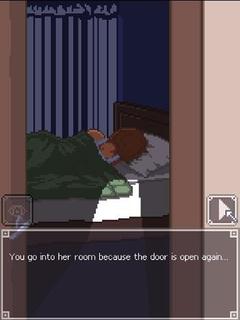
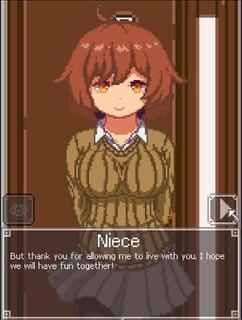
Night Adventure blends interactive storytelling with light puzzles in a stylized world that unfolds at night. The presentation takes cues from anime and classic pixel art, while the interface stays clean and easy to read on mobile. You can play the entire Night Adventure experience in single player and without a constant connection, and your decisions guide which scenes you see next. Therefore, each run feels like an episode with its own mood and outcome, and returning to earlier chapters reveals different angles on the characters and the story.Key featuresBranching choices that matterNight Adventure tracks your dialogue and action choices, and the route adapts in real time. You see new scenes when you replay with different decisions. Moreover, the game surfaces consequences clearly so you can plan your path.Nighttime episodes with clear pacingThe story of Night Adventure unfolds across short chapters set at night, which helps you focus on one scenario at a time. You can pause between episodes and return later without losing context. In addition, each chapter ends with a status recap to highlight what changed.Light puzzles and strategy breaksNight Adventure inserts simple puzzles or strategy moments between scenes to keep you involved. You interact with objects, manage small resources, and solve short challenges. Therefore, the gameplay supports the story without slowing it down.Anime and pixel style presentationCharacters use expressive portraits and smooth scene transitions that feel like an animated episode. Text layout and buttons are large and readable on phones. Also, the interface focuses on clarity so you can follow dialogue and choices easily.Offline single player with strong replay valueYou can play Night Adventure without a constant internet connection, which is helpful on the go. Multiple endings and unlockable scenes encourage replays.Content guidance for Night AdventureNight Adventure includes morally complex choices, relationship themes, and scenes that ask you to weigh consequences. Parents and guardians should review content and supervise younger players as needed.How to play Night AdventureNight Adventure uses straightforward controls and a clear interface. You read scenes, make choices, and complete short interactive segments to progress. Follow these steps to get started and manage your route effectively.Open Night Adventure and select New Game, then choose a save slot to begin episode one.Tap to advance dialogue, and choose responses when prompted. The choice markers show which decisions may alter your route.After that, complete light puzzle segments by tapping objects, examining clues, or following on-screen hints. Use the pause menu if you need to review goals.Then, check the route or journal screen to see recently unlocked scenes and branching points. Marked nodes indicate endings you have not reached yet.So, save from the pause menu at safe points to preserve your Night Adventure progress. Return to the title screen to load another slot when you want to explore a different path.Download and play Night AdventureNight Adventure focuses on choice-driven storytelling, short puzzles, and multiple endings that reward replays. Download Night Adventure latest version APK from APKPure to start a route, see where your decisions lead, and revisit earlier episodes to discover new scenes.FAQsCan I play Night Adventure offline?Yes, Night Adventure supports offline single-player. The story and puzzle segments work without a constant internet connection, and your local saves persist on your device. Moreover, features that require online services are not needed for core progression.Will my progress be saved in Night Adventure?Yes, Night Adventure saves progress to local storage using manual saves and periodic checkpoints. You can keep multiple slots to compare routes, and reloading a prior chapter lets you pursue different endings. Therefore, avoid deleting the app or clearing data if you want to preserve save files.Is there Night Adventure for iOS or PC?Night Adventure is available for Android, and there is no iOS download on APKPure. To run Night Adventure on PC, you need the help of an Android emulator. Note that the availability outside Android may vary by region and platform policies.
Show more

1. Download MEmu installer and finish the setup

2. Start MEmu then open Google Play on the desktop

3. Search Night Adventure in Google Play
Install
4. Download and Install Night Adventure
5. On install completion click the icon to start

6. Enjoy playing Night Adventure on PC with MEmu
MEmu Play is the best Android emulator and 100 million people already enjoy its superb Android gaming experience. The MEmu virtualization technology empowers you to play thousands of Android games smoothly on your PC, even the most graphic-intensive ones.
Bigger screen with better graphics; Long duration, without limitation of battery or mobile data.
Full Keymapping support for precise control of keyboard and mouse or gamepad.
Multiple game accounts or tasks on single PC at one time with Multi-Instance manager.
Play Night Adventure on PC by following steps:
















































