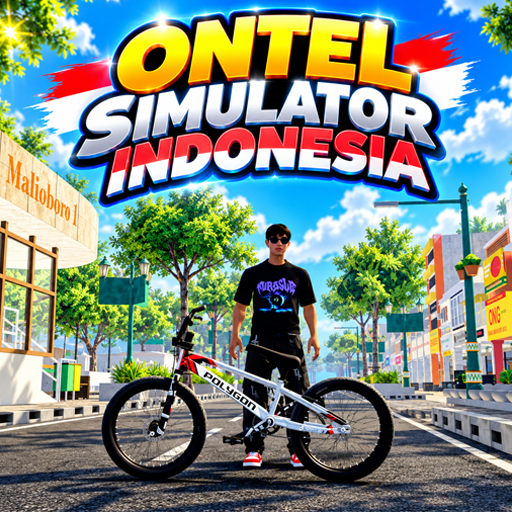
Ontel Simulator Indonesia
Updated
Current Version
1.0.5
Offered By

With your passion for Ontel Simulator Indonesia, you shouldn’t have to limit yourself to the small screen of a phone. Play like a pro and take full control of the game using a keyboard and mouse. MEmu gives you everything you’re looking for. Download and play Ontel Simulator Indonesia on PC. Play as long as you want — no more worries about battery life, mobile data, or unexpected calls. The all-new MEmu 9 is the best way to play Ontel Simulator Indonesia on PC. With our expertly designed keymapping system, Ontel Simulator Indonesia feels just like a real PC game. The MEmu multi-instance manager lets you run two or more accounts on the same device at the same time. Most importantly, our exclusive emulation engine unlocks your PC’s full potential, delivering smooth and seamless performance.
Show more
Download Ontel Simulator Indonesia on PC with MEmu Android Emulator. Enjoy playing on big screen. Ontel Simulator Indonesia (OSI) is a cycling game set in the Indonesian streets.
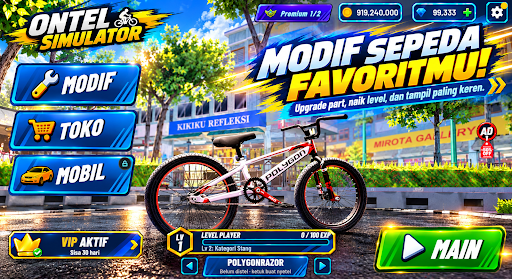
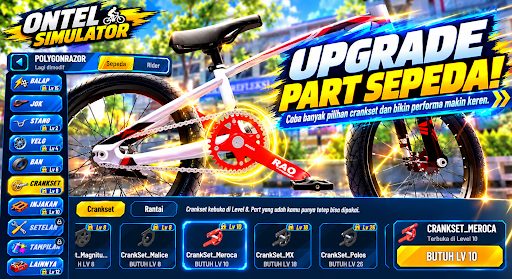
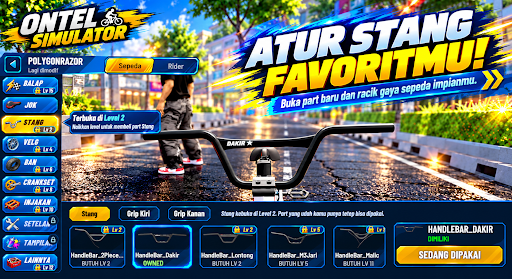
Ontel Simulator Indonesia (OSI) is a cycling game set in the Indonesian streets. Choose your favorite BMX bike, customize it to stand out from the crowd, and then ride around town alone or compete with other players online.
The ride feels just like riding a real bike. The pedals rotate according to your speed, the rear wheel freewheels when you stop pedaling, and the rider stands up from the seat when accelerating. Want to do a wheelie on your front wheel? You can do that too.
MODIFY YOUR BIKE TO YOUR LIKES
• Change the seat, handlebars and grips, rims, tires, crankset, chain, pedals, and even the frame.
• Adjust the fitment and position of the handlebars until it suits you.
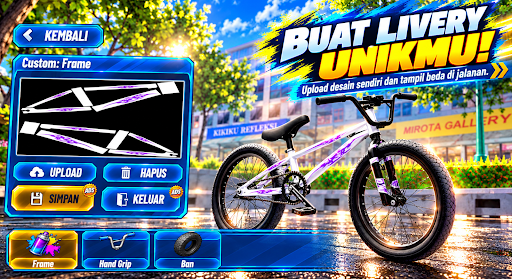
• Repaint every part and apply your own livery.
• Change the size of the rims and tires, or make your bike lower.
• Customize your riding style: helmet, hat, clothes, shoes, and even hairstyle.
PLAY ONLINE
• Meet other players from various regions in one room.
• Chat, add friends, and ride together.
• Challenge them to a live race on the road.
• Show off your bike modifications, use emotes, and take cool photos with the free camera.
BIKE RACING
• 1v1 and 1v3 races.
• Three maps: city streets, Bandung, and the circuit.
• Free Ride mode for unlimited map exploration.
• Customize your settings. Racing (gears, tires, lubricants, cranks) to make your bike faster
LEVEL UP DAILY
• Complete daily missions to earn EXP, coins, and sometimes diamonds
• Level up to unlock new modification categories, up to level 30
• Daily login rewards, exclusive gacha items, and redeem codes from community events
Still runs on low-spec phones, with customizable graphics quality.
Available in Indonesian, English, Filipino, and Malay.
Free to play, with optional in-game purchases.
Created by Herex Simulator Indonesia (HSI) developer VerlyGamedev.
Show more

1. Download MEmu installer and finish the setup

2. Start MEmu then open Google Play on the desktop

3. Search Ontel Simulator Indonesia in Google Play
Install
4. Download and Install Ontel Simulator Indonesia
5. On install completion click the icon to start

6. Enjoy playing Ontel Simulator Indonesia on PC with MEmu
MEmu Play is the best Android emulator and 100 million people already enjoy its superb Android gaming experience. The MEmu virtualization technology empowers you to play thousands of Android games smoothly on your PC, even the most graphic-intensive ones.
Bigger screen with better graphics; Long duration, without limitation of battery or mobile data.
Full Keymapping support for precise control of keyboard and mouse or gamepad.
Multiple game accounts or tasks on single PC at one time with Multi-Instance manager.
Play Ontel Simulator Indonesia on PC by following steps: