Party Pop Bubblyz
Updated
Current Version
1.3.2
Offered By

With your passion for Party Pop Bubblyz, you shouldn’t have to limit yourself to the small screen of a phone. Play like a pro and take full control of the game using a keyboard and mouse. MEmu gives you everything you’re looking for. Download and play Party Pop Bubblyz on PC. Play as long as you want — no more worries about battery life, mobile data, or unexpected calls. The all-new MEmu 9 is the best way to play Party Pop Bubblyz on PC. With our expertly designed keymapping system, Party Pop Bubblyz feels just like a real PC game. The MEmu multi-instance manager lets you run two or more accounts on the same device at the same time. Most importantly, our exclusive emulation engine unlocks your PC’s full potential, delivering smooth and seamless performance.
Show more
Download Party Pop Bubblyz on PC with MEmu Android Emulator. Enjoy playing on big screen. Jump into the Ultimate Penguin Party!
Jump into the Ultimate Penguin Party!
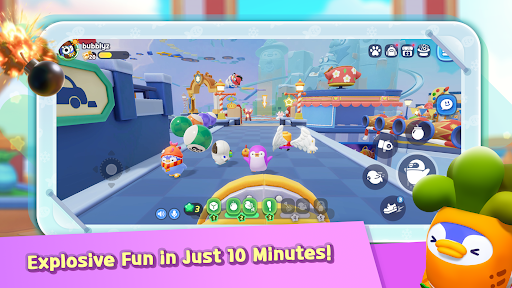
Welcome to Penguin Park, an exciting world full of fun and laughter. Bump, tumble and dash your way through unpredictable stages with up to 20 players. While being first is great, having fun is what really matters!
Packed with over 30 stages, 50 collectible pets and 200 costumes, there are countless ways to express yourself at this party.
Explosive Fun in Just 10 Minutes!
Each round of games lasts roughly 10 minutes – perfect to jump in during your commute, breaks or even on the go. Enjoy endless excitement from the start of the first round and keep the good vibes going game after game.
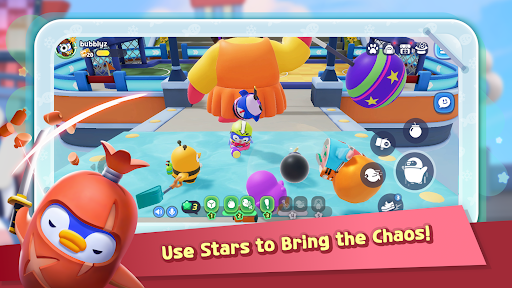
Use Stars to Bring the Chaos!
Turn the tables against a rival or cause some mischief during a match! Collect Stars during a round to activate epic items and abilities. From baseball bats to jet engines, make sure every match is an unforgettable star-powered memory.
Multiplayer Madness with up to 20 Players!
Jump, tumble and laugher together with up to 20 players. Whether you’re rolling with friends or riding solo, there’s something for everyone at this party.
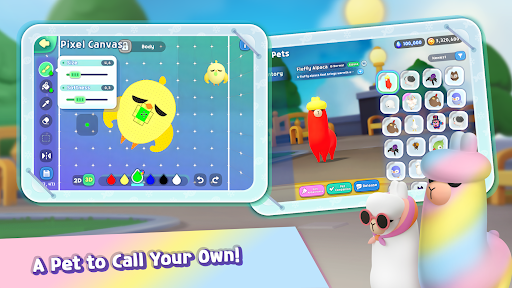
A Pet to Call Your Own!
Customize your own pet to match your style! There are over 50 pets to collect and join you in Penguin Plaza. Strike a pose, snap a photo and watch their affection grow as you take your pet on each new adventure.
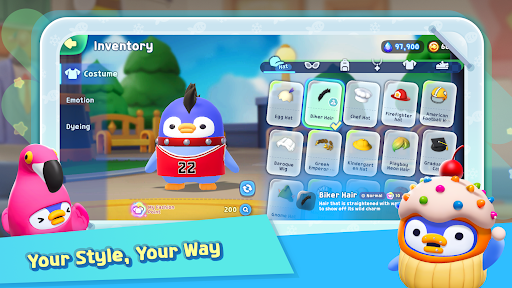
Your Style, Your Way.
What’s your outfit of the day? With over 200 costume pieces, there’s a wide selection of accessories and outfits that will let you design your own unique look. Coordinate full sets or mix and match. Step into the party and own the spotlight!
Show more

1. Download MEmu installer and finish the setup

2. Start MEmu then open Google Play on the desktop

3. Search Party Pop Bubblyz in Google Play
Install
4. Download and Install Party Pop Bubblyz
5. On install completion click the icon to start

6. Enjoy playing Party Pop Bubblyz on PC with MEmu
MEmu Play is the best Android emulator and 100 million people already enjoy its superb Android gaming experience. The MEmu virtualization technology empowers you to play thousands of Android games smoothly on your PC, even the most graphic-intensive ones.
Bigger screen with better graphics; Long duration, without limitation of battery or mobile data.
Full Keymapping support for precise control of keyboard and mouse or gamepad.
Multiple game accounts or tasks on single PC at one time with Multi-Instance manager.
Play Party Pop Bubblyz on PC by following steps: