PicoNES - NES Emulator
Updated
Current Version
1.0
Offered By

With your passion for PicoNES - NES Emulator, you shouldn’t have to limit yourself to the small screen of a phone. Play like a pro and take full control of the game using a keyboard and mouse. MEmu gives you everything you’re looking for. Download and play PicoNES - NES Emulator on PC. Play as long as you want — no more worries about battery life, mobile data, or unexpected calls. The all-new MEmu 9 is the best way to play PicoNES - NES Emulator on PC. With our expertly designed keymapping system, PicoNES - NES Emulator feels just like a real PC game. The MEmu multi-instance manager lets you run two or more accounts on the same device at the same time. Most importantly, our exclusive emulation engine unlocks your PC’s full potential, delivering smooth and seamless performance.
Show more
Download PicoNES - NES Emulator on PC with MEmu Android Emulator. Enjoy playing on big screen. Relive the golden age of 8-bit gaming with PicoNES, the premium NES emulator designed for speed, accuracy, and simplicity.
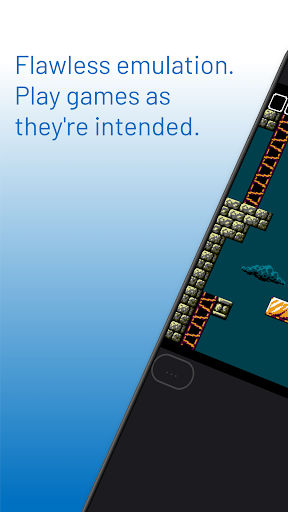
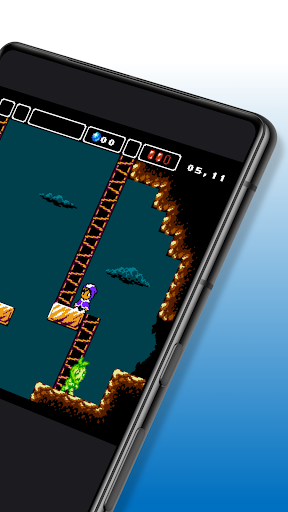
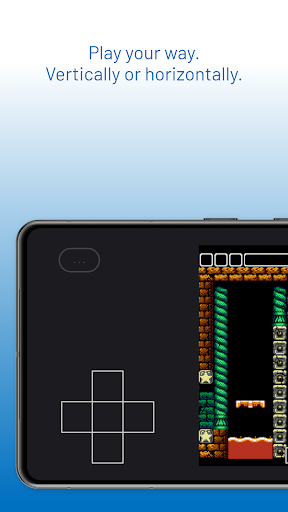
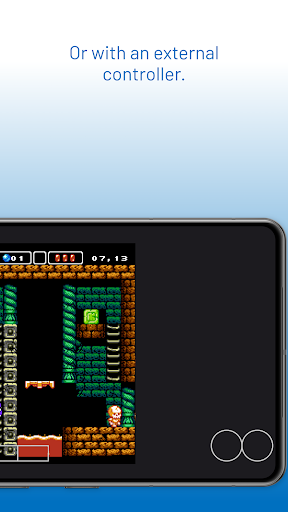
Relive the golden age of 8-bit gaming with PicoNES, the premium NES emulator designed for speed, accuracy, and simplicity.
Stop struggling with complex "cores," intrusive ads, and laggy controls. Built with 20 years of systems programming expertise, PicoNES delivers a high-performance experience that stays true to the original hardware.
WHY CHOOSE PICONES?
PLAY INSTANTLY: No complex setup. We’ve included an original NES homebrew game so you can start playing the moment you install.
ULTRA-LOW LATENCY: Optimized for perfect audio sync and zero input lag. Experience the classics as they were meant to be played.
NEVER LOSE PROGRESS: Our "Uber-Save" system automatically saves your state when you exit. Whether you switch apps or your battery dies, you’ll resume exactly where you left off.
BATTERY OPTIMIZED: High-efficiency code ensures your device stays cool and your battery lasts longer during extended sessions.
FULL HARDWARE SUPPORT
Plug & Play: Full support for Bluetooth and USB gamepads.
Refined Touch Controls: Optimized button layouts that make "thumb-rolling" and complex maneuvers feel natural on a screen.
Universal Compatibility: Seamlessly loads your legally-owned .nes and .zip files from your device storage.
PRIVACY & INTEGRITY
No Ads, Ever: You bought it, you own it. No interruptions. Works offline.
Privacy First: No tracking, no data mining, and no unnecessary permissions.
Games featured in screenshots:
- Alwa's Awakening by Elden Pixels. Available for PC and NES. NES version available at https://eldenpixels.itch.io/alwas-awakening-the-8-bit-edition
- L'Abbaye des Morts. Available for PC and NES. Original pc version by Locomalito (https://locomalito.com/games/abbaye-des-morts). NES version by Parisoft (https://parisoft.itch.io/abbaye-nes)
All screenshots used with permission.
Note: Aside from the included homebrew title, users must provide their own legally obtained game files (ROMs). Emulation Online is not affiliated with Nintendo.
Show more

1. Download MEmu installer and finish the setup

2. Start MEmu then open Google Play on the desktop

3. Search PicoNES - NES Emulator in Google Play
Install
4. Download and Install PicoNES - NES Emulator
5. On install completion click the icon to start

6. Enjoy playing PicoNES - NES Emulator on PC with MEmu
MEmu Play is the best Android emulator and 100 million people already enjoy its superb Android gaming experience. The MEmu virtualization technology empowers you to play thousands of Android games smoothly on your PC, even the most graphic-intensive ones.
Bigger screen with better graphics; Long duration, without limitation of battery or mobile data.
Full Keymapping support for precise control of keyboard and mouse or gamepad.
Multiple game accounts or tasks on single PC at one time with Multi-Instance manager.
Play PicoNES - NES Emulator on PC by following steps: