PicoBoy - DMG+GB+GBC Emulator
Updated
Current Version
1.0
Offered By

With your passion for PicoBoy - DMG+GB+GBC Emulator, you shouldn’t have to limit yourself to the small screen of a phone. Play like a pro and take full control of the game using a keyboard and mouse. MEmu gives you everything you’re looking for. Download and play PicoBoy - DMG+GB+GBC Emulator on PC. Play as long as you want — no more worries about battery life, mobile data, or unexpected calls. The all-new MEmu 9 is the best way to play PicoBoy - DMG+GB+GBC Emulator on PC. With our expertly designed keymapping system, PicoBoy - DMG+GB+GBC Emulator feels just like a real PC game. The MEmu multi-instance manager lets you run two or more accounts on the same device at the same time. Most importantly, our exclusive emulation engine unlocks your PC’s full potential, delivering smooth and seamless performance.
Show more
Download PicoBoy - DMG+GB+GBC Emulator on PC with MEmu Android Emulator. Enjoy playing on big screen. PicoBoy: Play Classic Handheld Games.
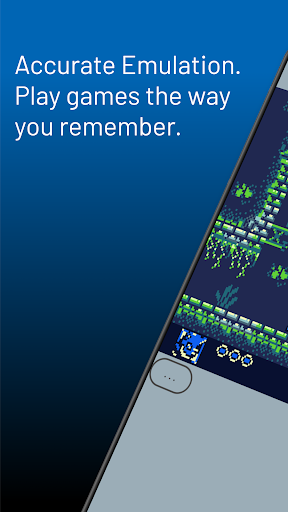
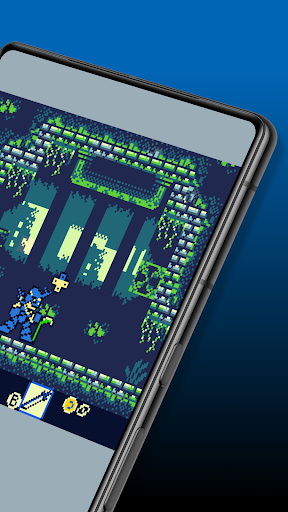
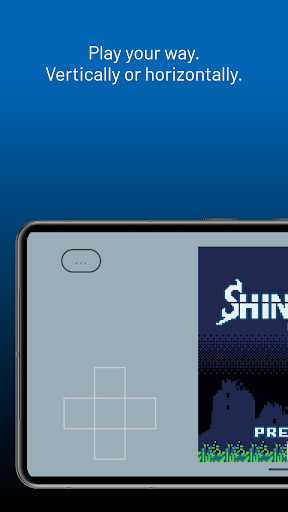
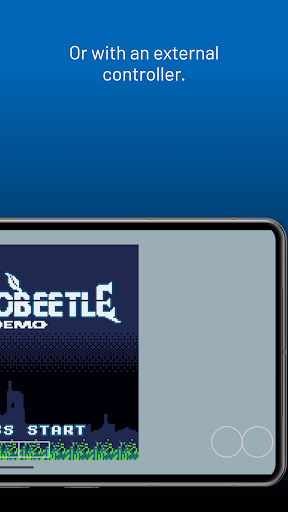
PicoBoy: Play Classic Handheld Games. Accurate GameBoy & GBC Emulator. Easy UI.
Experience 8-bit gaming at its finest. PicoBoy is the most accurate Game Boy and Game Boy Color emulator designed for Android, focusing on simplicity and performance.
Relive the golden age of handheld gaming. PicoBoy utilizes the industry-leading Gambatte core to ensure every pixel, sound effect, and frame of animation is exactly as you remember it. No complex menus or configuration needed—just load your game and play.
WHY CHOOSE PICOBOY?
Professional-Grade Accuracy While other emulators take shortcuts, PicoBoy uses a high-fidelity open-source core. This ensures 100% compatibility with your favorite GBC titles, including those with tricky timing and special hardware sensors.
Zero-Configuration Setup PicoBoy is built for gamers, not tech experts. We’ve pre-optimized every setting for your Android device. It’s the closest thing to popping a physical cartridge into a real handheld.
Cloud-Ready Save States Save your progress instantly at any point. Our "Smart-Resume" feature means you can jump back into your adventure the second you open the app, even after a phone restart.
Instant Controller Support Bluetooth and USB controllers work right out of the box. PicoBoy features automatic button mapping for Xbox, PlayStation, and 8BitDo controllers, so you can stop menu-fiddling and start playing.
Nostalgic Touch Interface Our touch controls are designed to feel like the classic handheld hardware. They are responsive, haptic-enabled, and stay out of the way of the action.
TOP FEATURES:
Full Color Support: Play original 8-bit games or enhanced Color titles.
Fast-Forward: Skip slow dialogue and grinding in RPGs with a single tap.
Cheat Code Support: Unlock hidden features in your favorite classics.
High-Definition Rendering: Sharp, clean pixels that look great on modern screens.
Battery Efficient: Optimized for long gaming sessions without draining your phone.
HOW TO START:
Place your legal game backups (ROM files) on your device storage.
Open PicoBoy and it will automatically find your library.
Tap a game and start your journey!
Game featured in screenshots. All images used with permission from the original developer.
- ShinoBeetle (demo) by ScrawlBit. https://scrawlbit.itch.io/shinobeetle
Disclaimer: PicoBoy is an independent project and is not affiliated with, authorized, or endorsed by Nintendo. No games are included. This app is a tool to play legally owned game backups provided by the user.
PicoBoy uses open source code from the Gambatte project. This source code, as well as the full license, is available on github. https://github.com/EmulationOnline/gambatte-core/
Show more

1. Download MEmu installer and finish the setup

2. Start MEmu then open Google Play on the desktop

3. Search PicoBoy - DMG+GB+GBC Emulator in Google Play
Install
4. Download and Install PicoBoy - DMG+GB+GBC Emulator
5. On install completion click the icon to start

6. Enjoy playing PicoBoy - DMG+GB+GBC Emulator on PC with MEmu
MEmu Play is the best Android emulator and 100 million people already enjoy its superb Android gaming experience. The MEmu virtualization technology empowers you to play thousands of Android games smoothly on your PC, even the most graphic-intensive ones.
Bigger screen with better graphics; Long duration, without limitation of battery or mobile data.
Full Keymapping support for precise control of keyboard and mouse or gamepad.
Multiple game accounts or tasks on single PC at one time with Multi-Instance manager.
Play PicoBoy - DMG+GB+GBC Emulator on PC by following steps: