Raging Bytes
Updated
Current Version
1.1.5g
Offered By

With your passion for Raging Bytes, you shouldn’t have to limit yourself to the small screen of a phone. Play like a pro and take full control of the game using a keyboard and mouse. MEmu gives you everything you’re looking for. Download and play Raging Bytes on PC. Play as long as you want — no more worries about battery life, mobile data, or unexpected calls. The all-new MEmu 9 is the best way to play Raging Bytes on PC. With our expertly designed keymapping system, Raging Bytes feels just like a real PC game. The MEmu multi-instance manager lets you run two or more accounts on the same device at the same time. Most importantly, our exclusive emulation engine unlocks your PC’s full potential, delivering smooth and seamless performance.
Show more
Download Raging Bytes on PC with MEmu Android Emulator. Enjoy playing on big screen. [IMPORTANT NOTICE].


[IMPORTANT NOTICE]
In the case freeze occurs during the loading screen of Ver. 1.1.2g, please try switching 'Power Saving Mode' in the Graphic Settings of Options to 'OFF'.
A police officer, Ben, awakens in hospital after an accident to find the city overrun by zombies!
What in the world is going on here? Can the government be relied on? Do any other survivors remain?
Ben stumbles upon a doctor named Barbra while struggling through zombie-infested streets.
Together, they make their way to Ben's police station, but only more horror awaits them.
Can you survive the raging b"y"tes of the zombies?
Features
- A story-driven plot akin to that of zombie movies
- A byte of horror without all the gore
- Attractive characters full of drama
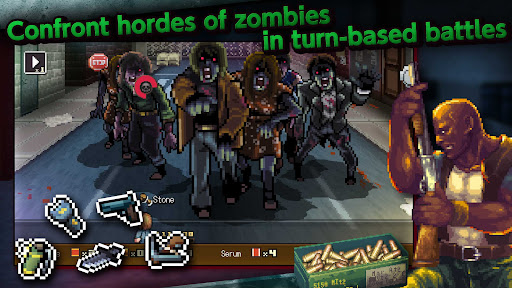
- Turn-based battles with satisfying depth
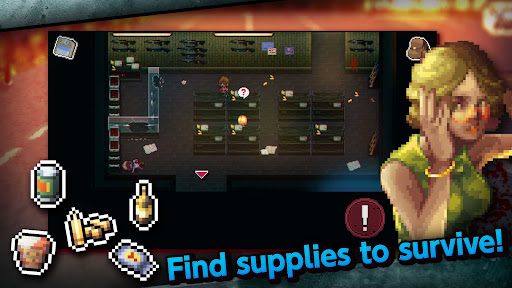
- Find supplies in all kinds of places
- No in-app purchases!
Written and supervised by:Jiro Ishii
Development:Hit-Point
Publishing:KEMCO
[IMPORTANT NOTICE]
Your use of the application requires your agreement to the following EULA and 'Privacy Policy and Notice'. If you do not agree, please do not download our application.
End User License Agreement: http://kemco.jp/eula/index.html
Privacy Policy and Notice: http://www.kemco.jp/app_pp/privacy.html
[Supported OS]
- 8.0 and up
[Game Controller]
- Partially optimized
[Languages]
- English, Japanese
[SD Card Storage]
- Enabled (Save backup/transfer are not supported.)
[Non-Supported Devices]
This app has generally been tested to work on any mobile device released in Japan. We cannot guarantee full support on other devices. If you have the Developer Options enabled in your device, please turn off the "Don't keep activities" option in case of any issue. On the title screen, a banner showing latest KEMCO games may be displayed but the game doesn't have any ads from 3rd parties.
Get the latest information!
[Newsletter]
http://kemcogame.com/c8QM
[Facebook page]
https://www.facebook.com/kemco.global
* The actual price might differ depending on the region.
© 2022-2023 KEMCO/Hit-Point/JiroIshii
Show more

1. Download MEmu installer and finish the setup

2. Start MEmu then open Google Play on the desktop

3. Search Raging Bytes in Google Play
Install
4. Download and Install Raging Bytes
5. On install completion click the icon to start

6. Enjoy playing Raging Bytes on PC with MEmu
MEmu Play is the best Android emulator and 100 million people already enjoy its superb Android gaming experience. The MEmu virtualization technology empowers you to play thousands of Android games smoothly on your PC, even the most graphic-intensive ones.
Bigger screen with better graphics; Long duration, without limitation of battery or mobile data.
Full Keymapping support for precise control of keyboard and mouse or gamepad.
Multiple game accounts or tasks on single PC at one time with Multi-Instance manager.
Play Raging Bytes on PC by following steps: