Ragnarok: Go
Updated
Current Version
Offered By

With your passion for Ragnarok: Go, you shouldn’t have to limit yourself to the small screen of a phone. Play like a pro and take full control of the game using a keyboard and mouse. MEmu gives you everything you’re looking for. Download and play Ragnarok: Go on PC. Play as long as you want — no more worries about battery life, mobile data, or unexpected calls. The all-new MEmu 9 is the best way to play Ragnarok: Go on PC. With our expertly designed keymapping system, Ragnarok: Go feels just like a real PC game. The MEmu multi-instance manager lets you run two or more accounts on the same device at the same time. Most importantly, our exclusive emulation engine unlocks your PC’s full potential, delivering smooth and seamless performance.
Show more
Download Ragnarok: Go on PC with MEmu Android Emulator. Enjoy playing on big screen. Relive the classic pixel art style of the PC game in this idle RPG authorized by Gravity.
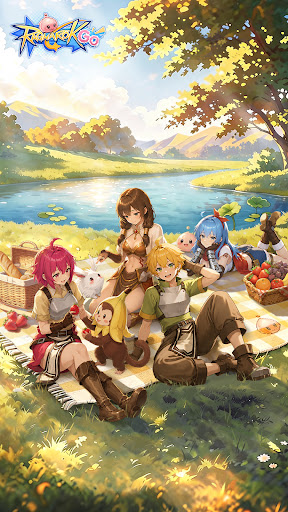
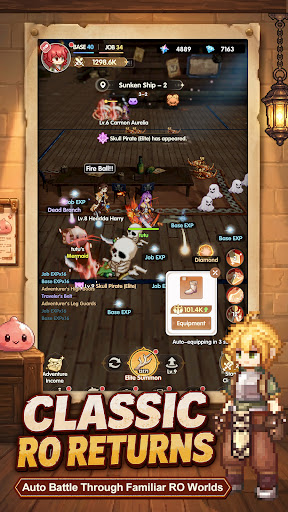
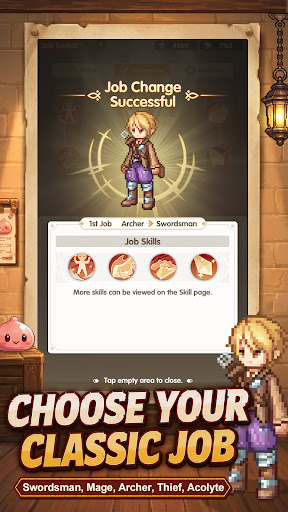
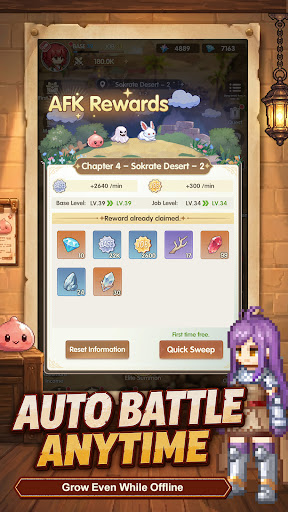
Relive the classic pixel art style of the PC game in this idle RPG authorized by Gravity. Enjoy auto-battle, offline progression, adorable pets, class change, team dungeons, and real-time chat to meet friends. New players get 4000 free draws upon sign-up — start your amazing adventure right now!
►Officially Authorized, Classic Pixel Art
Officially authorized by Gravity, the game faithfully recreates the iconic pixel art style of the original PC title. Veteran players can revisit cherished memories, while new players can explore a brand-new fantasy world!
►Auto Adventure & Offline Growth
Fully automated combat and exploration let you play completely hands-free. Earn massive EXP even when offline, and grow stronger effortlessly around the clock.
►Abundant Resources & Thrilling Combat
Grab tons of resources for free and level up characters without grinding. Enjoy fantastic special effects and satisfying full-screen monster-slaying.
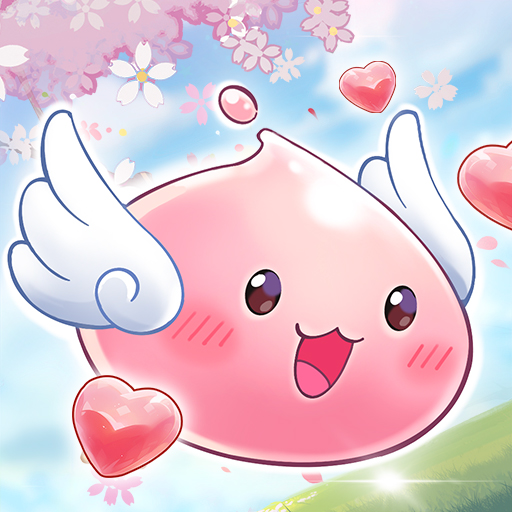
►Adorable Pet Companions
Tame a variety of cute pets to be your loyal sidekicks, adding joy and companionship to every moment of your adventure.
►Diverse Dungeons & Global Challenges
Experience a rich array of progression gameplay: solo challenges, team raids, and epic boss battles are all available, delivering non-stop combat fun.
►Classic Class Advancement & Customizable Skills
Try the classic class change system to build stunning exclusive skills. Gear is easily obtained through AFK gameplay, letting you forge your unique playstyle.
►Real-Time Social & Team Up
Chat and interact with friends anytime, anywhere, and meet like-minded adventurers. Say goodbye to lonely journeys — team up with your best buddies to conquer this magical continent together.
►Exclusive New Player Bonus: 4000 Free Gacha Pulls
Huge welcome rewards await you! Receive 4000 free draws immediately upon logging in. Easily draw top-tier gear and rare companions, and start your journey with unbeatable perks!
Facebook Official Page: https://www.facebook.com/people/Ragnarok-GO/61590430986466/
Show more

1. Download MEmu installer and finish the setup

2. Start MEmu then open Google Play on the desktop

3. Search Ragnarok: Go in Google Play
Install
4. Download and Install Ragnarok: Go
5. On install completion click the icon to start

6. Enjoy playing Ragnarok: Go on PC with MEmu
MEmu Play is the best Android emulator and 100 million people already enjoy its superb Android gaming experience. The MEmu virtualization technology empowers you to play thousands of Android games smoothly on your PC, even the most graphic-intensive ones.
Bigger screen with better graphics; Long duration, without limitation of battery or mobile data.
Full Keymapping support for precise control of keyboard and mouse or gamepad.
Multiple game accounts or tasks on single PC at one time with Multi-Instance manager.
Play Ragnarok: Go on PC by following steps: