Ragnarok M: Classic
Updated
Current Version
1.2.0
Offered By

With your passion for Ragnarok M: Classic, you shouldn’t have to limit yourself to the small screen of a phone. Play like a pro and take full control of the game using a keyboard and mouse. MEmu gives you everything you’re looking for. Download and play Ragnarok M: Classic on PC. Play as long as you want — no more worries about battery life, mobile data, or unexpected calls. The all-new MEmu 9 is the best way to play Ragnarok M: Classic on PC. With our expertly designed keymapping system, Ragnarok M: Classic feels just like a real PC game. The MEmu multi-instance manager lets you run two or more accounts on the same device at the same time. Most importantly, our exclusive emulation engine unlocks your PC’s full potential, delivering smooth and seamless performance.
Show more
Download Ragnarok M: Classic on PC with MEmu Android Emulator. Enjoy playing on big screen. Authorized by Ragnarok Online, A Continuation of the Classic Adventure.
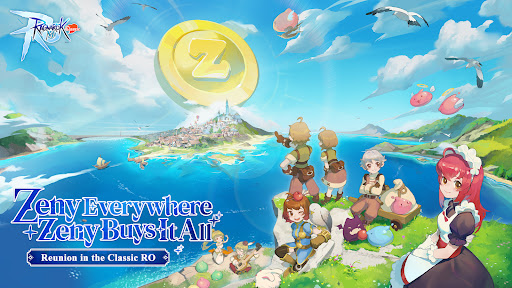
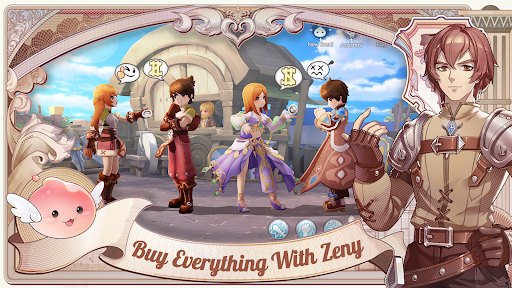
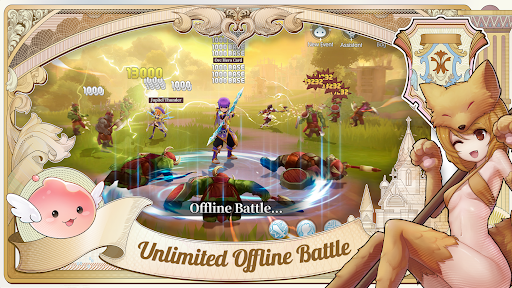
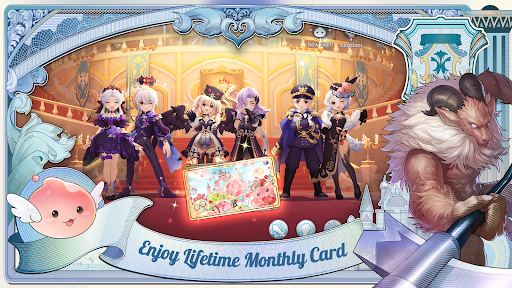
Authorized by Ragnarok Online, A Continuation of the Classic Adventure
Land of Snowflakes, the grand new expansion pack, has been launched. Beneath the Everlasting Primefrost whispers an elegy to a lost crown. The frozen land mirrors the glimmer of minds whose paths cross. Inside the abyssal furnace, an artificial heart pulses weakly. The Wind of Fate has arrived. Do you hear the call from another world?
Dive into Ragnarok M: Classic, a fair, shop-free adventure focused on gameplay! Zeny is the only currency, with every item obtainable through gameplay. Enjoy free Offline Battle, a lifetime Monthly Pass, and safe +15 refinement. Master classic jobs, switch roles in real-time, and team up for epic instances. Join guilds and forge friendships in this reimagined RO journey!
===Features===
Fair Gameplay
No shops! Zeny is the only currency, and all items are earned through gameplay.
Lifetime Monthly Pass
Log in to claim the free Monthly Pass with 17 perks like EXP boosts, Drop Rate bonuses, and exclusive headgears.
Offline Battle Mode
Keep progressing even while offline! Your character grinds and earns rewards 24/7.
Card Crafting System
Enjoy increased drop rates and gather materials to craft powerful cards weekly, lootable from monsters, Minis, and MVPs.
Safe Refinement
Enhance equipment up to +15 without risk—enjoy guaranteed success in refinement!
Classic Jobs with Real-Time Switching
Choose from 6 original jobs with unique skill trees and switch roles on the fly to adapt to any challenge. Unlock all jobs for FREE!
Epic Team Instances
Take on mighty bosses and thrilling team-based challenges with friends for incredible rewards.
Guilds & Community
Forge friendships, build strong guilds, and explore new adventures with fellow players!
===Follow Us===
Facebook: https://www.facebook.com/RagnarokMClassic
Discord: https://discord.gg/romclassic
Youtube: https://www.youtube.com/@ragnarokmobileclassic
TikTok: https://www.tiktok.com/@ragnarokmobile_classic
Show more

1. Download MEmu installer and finish the setup

2. Start MEmu then open Google Play on the desktop

3. Search Ragnarok M: Classic in Google Play
Install
4. Download and Install Ragnarok M: Classic
5. On install completion click the icon to start

6. Enjoy playing Ragnarok M: Classic on PC with MEmu
MEmu Play is the best Android emulator and 100 million people already enjoy its superb Android gaming experience. The MEmu virtualization technology empowers you to play thousands of Android games smoothly on your PC, even the most graphic-intensive ones.
Bigger screen with better graphics; Long duration, without limitation of battery or mobile data.
Full Keymapping support for precise control of keyboard and mouse or gamepad.
Multiple game accounts or tasks on single PC at one time with Multi-Instance manager.
Play Ragnarok M: Classic on PC by following steps: