
Rememento: White Shadow
Updated
Current Version
1750951891
Offered By

With your passion for Rememento: White Shadow, you shouldn’t have to limit yourself to the small screen of a phone. Play like a pro and take full control of the game using a keyboard and mouse. MEmu gives you everything you’re looking for. Download and play Rememento: White Shadow on PC. Play as long as you want — no more worries about battery life, mobile data, or unexpected calls. The all-new MEmu 9 is the best way to play Rememento: White Shadow on PC. With our expertly designed keymapping system, Rememento: White Shadow feels just like a real PC game. The MEmu multi-instance manager lets you run two or more accounts on the same device at the same time. Most importantly, our exclusive emulation engine unlocks your PC’s full potential, delivering smooth and seamless performance.
Show more
Download Rememento: White Shadow on PC with MEmu Android Emulator. Enjoy playing on big screen. The World’s First Open-World Turn-Based JRPG.
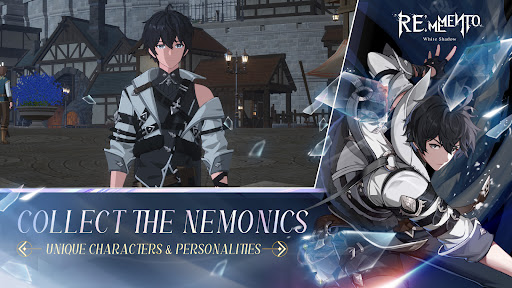
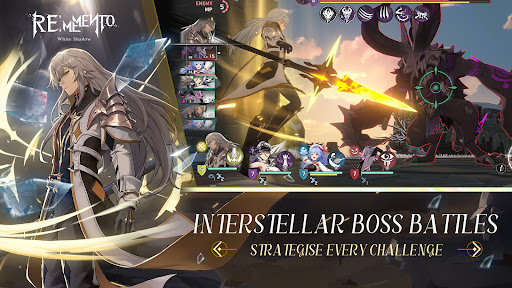
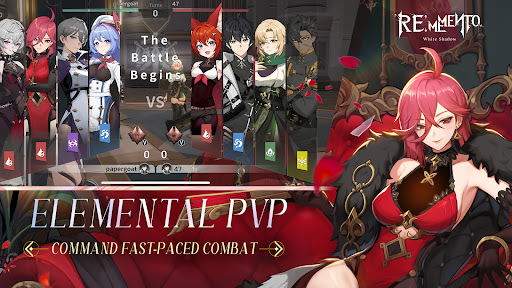
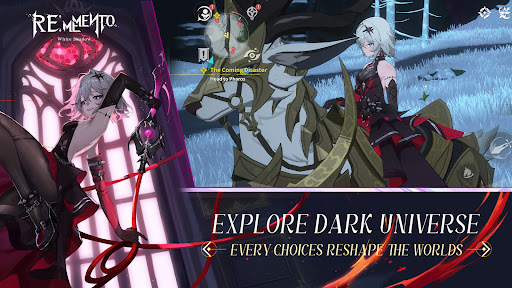
The World’s First Open-World Turn-Based JRPG
Breaking new ground as the first true open-world turn-based JRPG, Rememento: White Shadow revolutionizes the genre by blending intense tactical combat with seamless exploration—where every battlefield is part of a vast, living world waiting to be conquered.
The dark fantasy saga unfolds as the resurrection of Alcyone sets the Moonlight Church’s grand design into motion—plunging the world into chaos. Assemble your companions, recover the lost fragments of memory, and reshape destiny in a gripping story where every choice echoes and leaves a lasting mark.
A World That Breathes
Immerse yourself in a world teeming with hidden secrets, rich side stories, and breathtaking landscapes. Ride your loyal mount across mystical ruins, forgotten temples, and enchanted forests. From treasure hunting and plant gathering to puzzle-solving, every discovery brings you closer to unveiling the world’s deepest mysteries.
Strategic Turn-Based Combat
Master a dynamic mana system—generate power through attacks, then unleash devastating skill combos infused with Fire, Water, Light, Forest, and Dark affinities. Assemble your ultimate team and craft unique strategies with endless tactical possibilities, leading to thrilling cinematic battles.
Competitive PvP & Endgame Mastery
Prove your strength in high-stakes PvP battles and challenging endgame content. Build the ultimate squad with powerful Remementos and Nemonics, fine-tune your gear sets, and climb the leaderboards to secure exclusive rewards. Only the strongest will claim victory.
Next-Gen Visuals, Powered by UE5
Every moment in Rememento: White Shadow is a visual masterpiece. Experience stunning real-time rendering, lifelike shadows, and a dynamic day-night cycle that brings the world—and your favorite waifus and husbandos—to life like never before.
Play at Your Own Pace
Choose your playstyle—engage in intense, strategic battles or enable auto-play for efficient farming. Progress effortlessly while collecting resources and upgrading your squad, ensuring a fast-paced yet immersive adventure.
Stay tuned for the latest info of Rememento: White Shadow!
FB: Rememento: White Shadow
IG: @remementowhiteshadow
Show more

1. Download MEmu installer and finish the setup

2. Start MEmu then open Google Play on the desktop

3. Search Rememento: White Shadow in Google Play
Install
4. Download and Install Rememento: White Shadow
5. On install completion click the icon to start

6. Enjoy playing Rememento: White Shadow on PC with MEmu
MEmu Play is the best Android emulator and 100 million people already enjoy its superb Android gaming experience. The MEmu virtualization technology empowers you to play thousands of Android games smoothly on your PC, even the most graphic-intensive ones.
Bigger screen with better graphics; Long duration, without limitation of battery or mobile data.
Full Keymapping support for precise control of keyboard and mouse or gamepad.
Multiple game accounts or tasks on single PC at one time with Multi-Instance manager.
Play Rememento: White Shadow on PC by following steps: