Rubiks Cube Solver
Updated
Current Version
6.6
Offered By

With your passion for Rubiks Cube Solver, you shouldn’t have to limit yourself to the small screen of a phone. Play like a pro and take full control of the game using a keyboard and mouse. MEmu gives you everything you’re looking for. Download and play Rubiks Cube Solver on PC. Play as long as you want — no more worries about battery life, mobile data, or unexpected calls. The all-new MEmu 9 is the best way to play Rubiks Cube Solver on PC. With our expertly designed keymapping system, Rubiks Cube Solver feels just like a real PC game. The MEmu multi-instance manager lets you run two or more accounts on the same device at the same time. Most importantly, our exclusive emulation engine unlocks your PC’s full potential, delivering smooth and seamless performance.
Show more
Download Rubiks Cube Solver on PC with MEmu Android Emulator. Enjoy playing on big screen. Rubiks Cube Solver is an all-in-one Cube Solver that helps you scan, learn, and solve any Rubik Cube with ease.
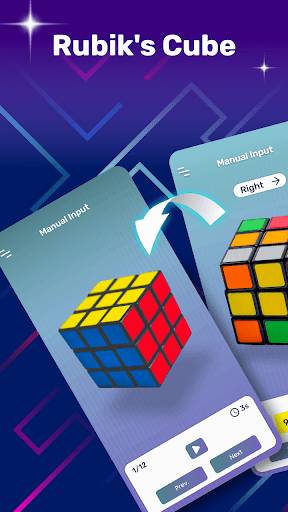
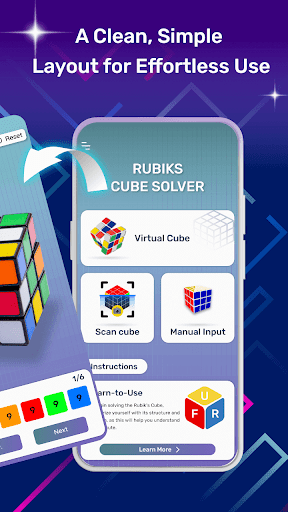
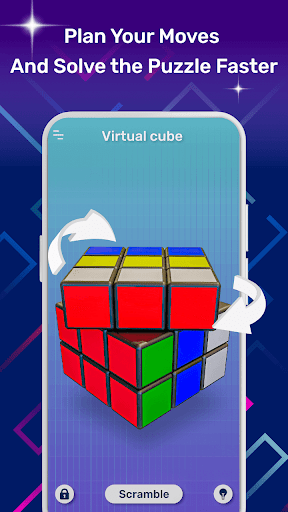
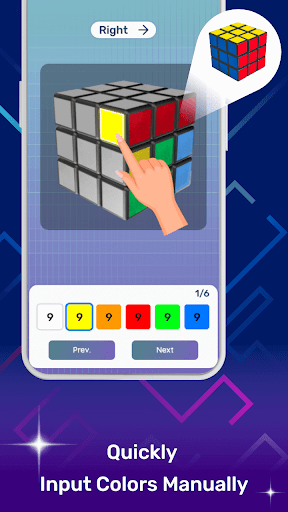
Rubiks Cube Solver is an all-in-one Cube Solver that helps you scan, learn, and solve any Rubik Cube with ease. Use camera scanning, manual color input, or a realistic Virtual Cube to solve 2x2, 3x3, and 4x4 cubes with clear step-by-step guidance. Whether you're a beginner learning your first cube or an experienced cuber, Rubiks Cube Solver makes every solve simple and accurate.
Key Features
Scan your Rubik Cube using your phone's camera
Learn Rubiks Cube with step-by-step guidance
Practice on an interactive Virtual Cube
Manual color input for accurate solving
Fast 3x3 Cube Solver, 2x2 and 4x4 support
Clear move-by-move solving instructions
Works completely offline
Clean and easy-to-use interface
Camera Cube Solver
Simply scan all six sides of your Rubik Cube using your phone's camera. The built-in camera scanning system automatically detects cube colors and generates a solution within seconds, helping you solve your puzzle without complicated setup.
Learn Rubiks Cube
Want to improve your solving skills? Learn Rubiks Cube step by step with easy visual guidance. Follow every move, understand cube rotations, and build confidence while solving different cube cases at your own pace.
Interactive Virtual Cube
Practice using a realistic Virtual Cube directly inside the app. Rotate the cube, test different moves, and follow each solving step visually. It's perfect for practicing algorithms or understanding how every move changes the cube.
Manual Color Input
Prefer entering colors manually? Simply tap each sticker to match your Rubik Cube. Manual input is useful whenever camera scanning isn't available or when you want to verify your cube before solving.
Fast Cube Solver
Rubiks Cube Solver quickly calculates an efficient solution for your puzzle. Whether you need a 3x3 Cube Solver, a 2x2 solution, or a 4x4 solution, you'll receive clear step-by-step instructions that are easy to follow.
Step-by-Step Solutions
Every solution includes detailed visual instructions showing exactly how to rotate each face. Beginners can learn how to solve a Rubik Cube, while experienced cubers can quickly verify scrambles and practice more efficiently.
Works Offline
No internet connection is required. Rubiks Cube Solver works completely offline, allowing you to solve your Rubik Cube anytime and anywhere.
⭐ Why Choose Rubiks Cube Solver?
Whether you want a reliable Cube Solver, a Camera Cube Solver, an interactive Virtual Cube, or an easy way to Learn Rubiks Cube, this app brings everything together in one simple experience. From quick camera scanning to guided solutions, it's designed to make solving cubes easier for everyone.
Perfect For
Beginners learning to solve a Rubik Cube
Users looking for a fast Cube Solver
Anyone needing a 3x3 Cube Solver
Puzzle enthusiasts
Speedcubers checking scrambles
Students and teachers learning cube-solving methods
Download Rubiks Cube Solver today to scan, learn, practice, and solve your Rubik Cube with camera scanning, step-by-step guidance, and an interactive Virtual Cube.
Show more

1. Download MEmu installer and finish the setup

2. Start MEmu then open Google Play on the desktop

3. Search Rubiks Cube Solver in Google Play
Install
4. Download and Install Rubiks Cube Solver
5. On install completion click the icon to start

6. Enjoy playing Rubiks Cube Solver on PC with MEmu
MEmu Play is the best Android emulator and 100 million people already enjoy its superb Android gaming experience. The MEmu virtualization technology empowers you to play thousands of Android games smoothly on your PC, even the most graphic-intensive ones.
Bigger screen with better graphics; Long duration, without limitation of battery or mobile data.
Full Keymapping support for precise control of keyboard and mouse or gamepad.
Multiple game accounts or tasks on single PC at one time with Multi-Instance manager.
Play Rubiks Cube Solver on PC by following steps: