
Rule1A Incremental: Idle Forum
Updated
Current Version
2.0.6.14
Offered By

With your passion for Rule1A Incremental: Idle Forum, you shouldn’t have to limit yourself to the small screen of a phone. Play like a pro and take full control of the game using a keyboard and mouse. MEmu gives you everything you’re looking for. Download and play Rule1A Incremental: Idle Forum on PC. Play as long as you want — no more worries about battery life, mobile data, or unexpected calls. The all-new MEmu 9 is the best way to play Rule1A Incremental: Idle Forum on PC. With our expertly designed keymapping system, Rule1A Incremental: Idle Forum feels just like a real PC game. The MEmu multi-instance manager lets you run two or more accounts on the same device at the same time. Most importantly, our exclusive emulation engine unlocks your PC’s full potential, delivering smooth and seamless performance.
Show more
Download Rule1A Incremental: Idle Forum on PC with MEmu Android Emulator. Enjoy playing on big screen. Rule1A Incremental: Idle Forum, is a satirical idle game where you grow an online community while trying to keep chaos under control.
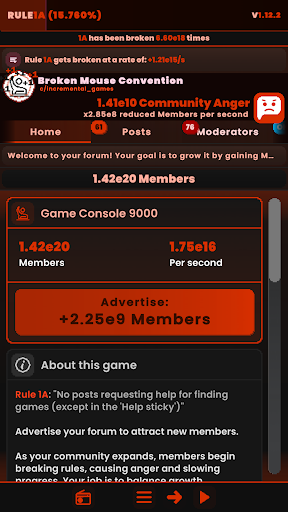
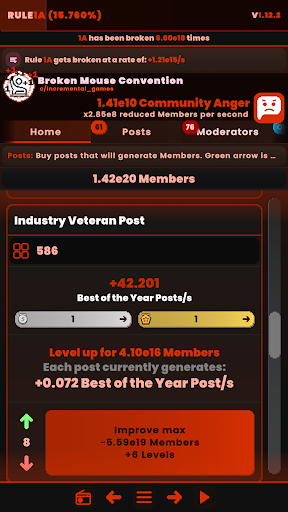
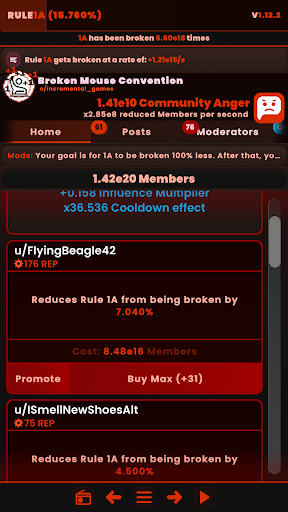
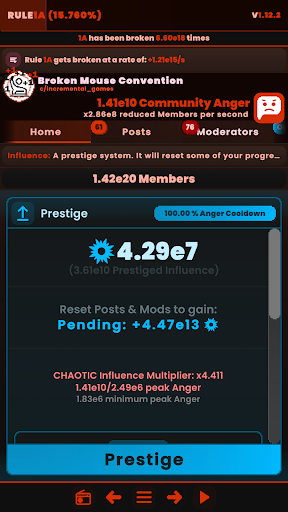
Rule1A Incremental: Idle Forum, is a satirical idle game where you grow an online community while trying to keep chaos under control.
Grow your forum by creating posts that attract new members. But as your community expands, members begin breaking rules, causing anger and slowing progress. Your job is to balance growth, moderation, and automation until order is restored (Rule1A 100.000%).
Core systems
Members
Your happy and totally rule-following community! As your community grows, rule-breaking becomes more frequent, leading to rising frustration and reduced growth.
Community Anger
Community Anger increases every time rules are broken. Higher anger reduces member gains exponentially. Anger can only be reset through prestige, making short-term and long-term planning essential.
Mods
Hire moderators to reduce how often rules are broken. Reach 100.0% rule compliance to complete a run and unlock deeper meta-progression.
Influence (Prestige System)
Reset your progress to gain Influence. Influence permanently reduces Community Anger, increases member production, and boosts advertising power. Spend Influence on awards and upgrades that multiply post output.
Unity (Secondary Prestige)
Reset everything to gain Unity, a higher-tier prestige resource. Unity multiplies Influence gains, further increases member production, and unlocks powerful late-game bonuses.
Features:
(MULTIPLE LANGUAGE SUPPORT COMING SOON)
Incremental / idle gameplay with strategic decision-making
Decremental system
Offline progression
Multi-prestige system
Time management
Automation & simple buy maxes
Smooth animations
Clean, forum-inspired interface
Low maintenance incremental / idle gameplay
Notes
This game is a parody and is not affiliated with Reddit.
Supports both portrait and landscape orientations.
You do not need internet access to play!
Show more

1. Download MEmu installer and finish the setup

2. Start MEmu then open Google Play on the desktop

3. Search Rule1A Incremental: Idle Forum in Google Play
Install
4. Download and Install Rule1A Incremental: Idle Forum
5. On install completion click the icon to start

6. Enjoy playing Rule1A Incremental: Idle Forum on PC with MEmu
MEmu Play is the best Android emulator and 100 million people already enjoy its superb Android gaming experience. The MEmu virtualization technology empowers you to play thousands of Android games smoothly on your PC, even the most graphic-intensive ones.
Bigger screen with better graphics; Long duration, without limitation of battery or mobile data.
Full Keymapping support for precise control of keyboard and mouse or gamepad.
Multiple game accounts or tasks on single PC at one time with Multi-Instance manager.
Play Rule1A Incremental: Idle Forum on PC by following steps:















































