RUSH: Xtreme
Updated
Current Version
1.6.1
Offered By

With your passion for RUSH: Xtreme, you shouldn’t have to limit yourself to the small screen of a phone. Play like a pro and take full control of the game using a keyboard and mouse. MEmu gives you everything you’re looking for. Download and play RUSH: Xtreme on PC. Play as long as you want — no more worries about battery life, mobile data, or unexpected calls. The all-new MEmu 9 is the best way to play RUSH: Xtreme on PC. With our expertly designed keymapping system, RUSH: Xtreme feels just like a real PC game. The MEmu multi-instance manager lets you run two or more accounts on the same device at the same time. Most importantly, our exclusive emulation engine unlocks your PC’s full potential, delivering smooth and seamless performance.
Show more
Download RUSH: Xtreme on PC with MEmu Android Emulator. Enjoy playing on big screen. READY BIKER ONE .
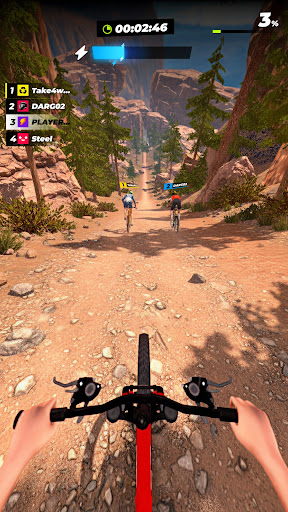
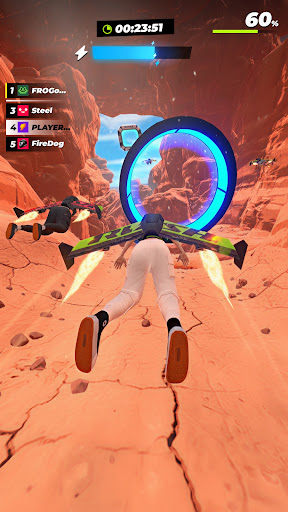
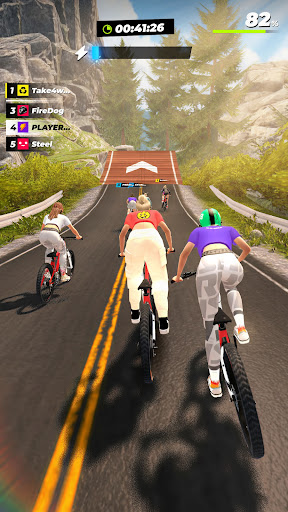
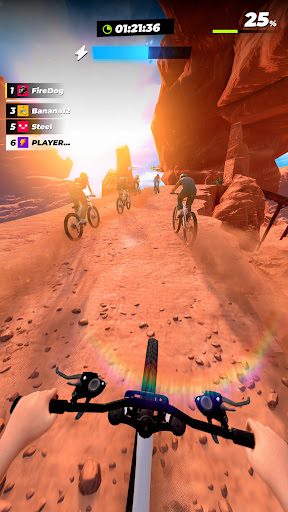
READY BIKER ONE
Hop on your dirt bike and get ready to pedal in this fast-paced racing game! Each level, you’ll face off against skilled rivals as you ride your bicycle through a variety of exciting locations. Grab powerful boosts to blast past the competition and feel the thrill of realistic driving — all from the comfort of your phone, in this ultimate driving simulator motocross game.
KICK UP SOME DUST
Each game level is a short and sweet race to the finish line, with a variety of landscapes, obstacles, and more awaiting your discovery. Fly through them one after another, or sneak in a race or three whenever you have a bit of spare time – the choice is yours. As you progress, upgrade your gear and more as you win bike races and gain experience.
Fun features:
Realistic driving – Get ready for the coolest graphics to accompany your crazy jumps! Thanks to the realistic perspective you can fully immerse yourself in the game and really feel like you’re racing your bike downhill or across the desert. Get all the fun of real racing, with none of the actual danger!
Customize your look – Win races and earn money that you can spend on upgrading your character and bike. From new shoes to cool headgear, win big to create the ultimate race hero. Plus, you’ll get to try out a variety of cool vehicles, including mountain bikes, longboards, and more.
Adrenaline-fueled fun – Just when you think you’ve got the hang of winning dirt bike races, things get tricky! From new obstacles to crazy race courses, you’ll have to work hard to stay on top. But no matter how tough the going gets, you’ll love landing those crazy jumps and knocking other bikers out of the way as you speed downhill and across the finish line.
Easy vibes – Thanks to the straightforward mechanics this driving simulator game is great for all types of players, both young and gold. On top of that, because the levels are so short it’s super easy to squeeze in a race whenever you feel like it, making this the perfect game to play on the go.
DRIVE TO SUCCESS
Racing aficionados, bike lovers, motocross fans, this is the dirt bike game for you! Compete against other bikers as you fly across realistic courses and over crazy obstacles, and get your dopamine hit in a flash thanks to the feeling of real racing. Progress through races and win enough money to customize your character and ride for the ultimate experience. So what are you waiting for, strap on your helmet, hop on your bicycle, and hit those downhills!
Privacy Policy: https://say.games/privacy-policy
Terms of Use: https://say.games/terms-of-use
Show more

1. Download MEmu installer and finish the setup

2. Start MEmu then open Google Play on the desktop

3. Search RUSH: Xtreme in Google Play
Install
4. Download and Install RUSH: Xtreme
5. On install completion click the icon to start

6. Enjoy playing RUSH: Xtreme on PC with MEmu
MEmu Play is the best Android emulator and 100 million people already enjoy its superb Android gaming experience. The MEmu virtualization technology empowers you to play thousands of Android games smoothly on your PC, even the most graphic-intensive ones.
Bigger screen with better graphics; Long duration, without limitation of battery or mobile data.
Full Keymapping support for precise control of keyboard and mouse or gamepad.
Multiple game accounts or tasks on single PC at one time with Multi-Instance manager.
Play RUSH: Xtreme on PC by following steps: