Pocket Sort: Coin Merge Puzzle
Updated
Current Version
1.15.0
Offered By

With your passion for Pocket Sort: Coin Merge Puzzle, you shouldn’t have to limit yourself to the small screen of a phone. Play like a pro and take full control of the game using a keyboard and mouse. MEmu gives you everything you’re looking for. Download and play Pocket Sort: Coin Merge Puzzle on PC. Play as long as you want — no more worries about battery life, mobile data, or unexpected calls. The all-new MEmu 9 is the best way to play Pocket Sort: Coin Merge Puzzle on PC. With our expertly designed keymapping system, Pocket Sort: Coin Merge Puzzle feels just like a real PC game. The MEmu multi-instance manager lets you run two or more accounts on the same device at the same time. Most importantly, our exclusive emulation engine unlocks your PC’s full potential, delivering smooth and seamless performance.
Show more
Download Pocket Sort: Coin Merge Puzzle on PC with MEmu Android Emulator. Enjoy playing on big screen. SORT YOUR WAY TO HAPPINESS .
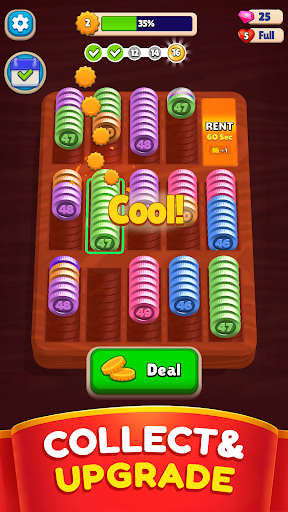
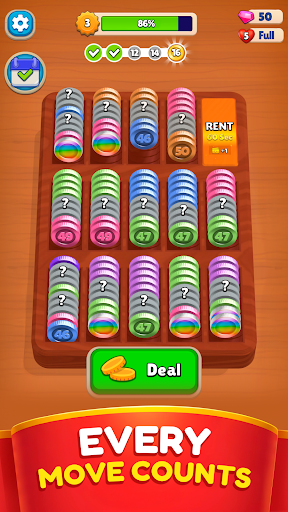
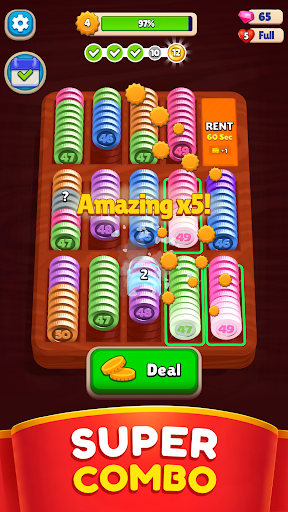
SORT YOUR WAY TO HAPPINESS
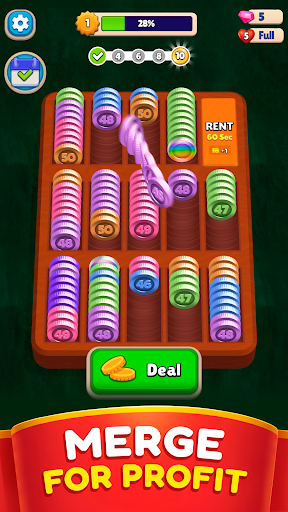
Master mergers, ready those fingers and get to matching in 3…2…1! This fun sorting puzzle features colorful coins that need to be matched up in their slots and then merged together to clear the playing field, making way for more. Bright colors, simple graphics, and lots of boosters ensure that your brain can focus on what it does best: noticing patterns and finding unique ways to shuffle everything around in order to win.
MASTER THE MATCH
Simple in theory yet difficult in practice, players young and old will enjoy racking their brains for the best possible way to merge the different color coins and keep progressing. With no timer or pressure to trip you up, you’ll be able to sort, match, and merge the coins while also relaxing.
Fun features:
Tons of coin types – In addition to your standard rainbow of coins to match, as you progress there will be all manner or fun new coins to keep things fresh. Hidden coins, linked coins, ice coins, and more await, so keep your eyes peeled!
Easy on the eye – As colorful as this sorting puzzle is, the whole point is to help you chill so we’ve done away with any crazy graphics or flashing lights. This also means the game is great to play wherever you find yourself, solo or perhaps with a little helper.
Relaxing to play – No countdown clock here! Take as much time on each puzzle as you need, and move the coins around as much as you want without being penalized. We believe in having fun, not getting stressed.
Train your brain – Sorting and matching puzzles are a great way to train your brain to recognize patterns and colors, and to work on your logic and thinking skills as you test out different ways to group coins. And it doesn’t stop there, the skills you hone in the game can be applied to other stuff in real life.
Keep growing – As you progress through the puzzle levels, more colors and coin types will be added, and things will get steadily more difficult. But no fear, even as you’re pushed to get better we’ve added plenty of fun boosters to keep it chill.
GO ON A COLORFUL ADVENTURE
Ready to start your merge adventure? This relaxing game keeps your mind sharp while also providing a fun escape as you enjoy sorting and matching, so hop on in to become the master sorter and put all this stuff where it needs to be!
Download Pocket Sort: Coin Puzzle today to see how good you are at locating different colored coins and slotting them in together.
Privacy Policy: https://say.games/privacy-policy
Terms of Use: https://say.games/terms-of-use
Show more

1. Download MEmu installer and finish the setup

2. Start MEmu then open Google Play on the desktop

3. Search Pocket Sort: Coin Merge Puzzle in Google Play
Install
4. Download and Install Pocket Sort: Coin Merge Puzzle
5. On install completion click the icon to start

6. Enjoy playing Pocket Sort: Coin Merge Puzzle on PC with MEmu
MEmu Play is the best Android emulator and 100 million people already enjoy its superb Android gaming experience. The MEmu virtualization technology empowers you to play thousands of Android games smoothly on your PC, even the most graphic-intensive ones.
Bigger screen with better graphics; Long duration, without limitation of battery or mobile data.
Full Keymapping support for precise control of keyboard and mouse or gamepad.
Multiple game accounts or tasks on single PC at one time with Multi-Instance manager.
Play Pocket Sort: Coin Merge Puzzle on PC by following steps: