SILT
Updated
Current Version
Offered By

With your passion for SILT, you shouldn’t have to limit yourself to the small screen of a phone. Play like a pro and take full control of the game using a keyboard and mouse. MEmu gives you everything you’re looking for. Download and play SILT on PC. Play as long as you want — no more worries about battery life, mobile data, or unexpected calls. The all-new MEmu 9 is the best way to play SILT on PC. With our expertly designed keymapping system, SILT feels just like a real PC game. The MEmu multi-instance manager lets you run two or more accounts on the same device at the same time. Most importantly, our exclusive emulation engine unlocks your PC’s full potential, delivering smooth and seamless performance.
Show more
Download SILT on PC with MEmu Android Emulator. Enjoy playing on big screen. *Try SILT for free and unlock the full game to continue your journey!

*Try SILT for free and unlock the full game to continue your journey!*
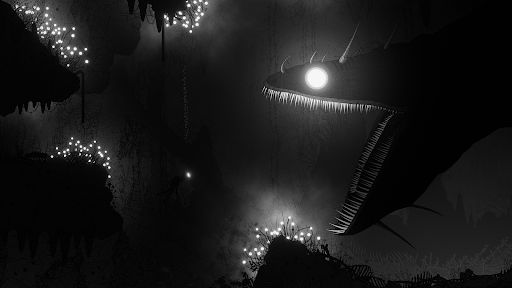
Dive into a surreal ocean abyss in an atmospheric puzzle-adventure. Explore dangerous waters, possess sea creatures and solve environmental puzzles to discover what lies deep below the surface…
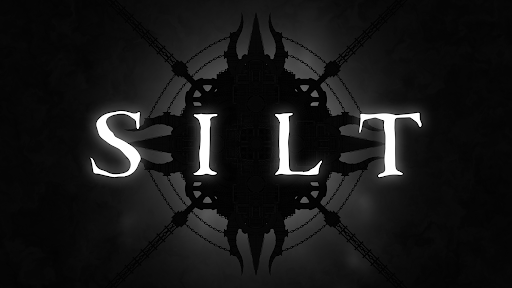
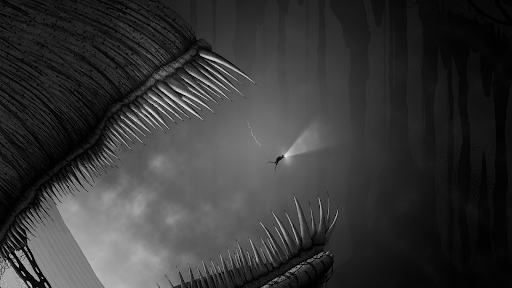
SILT is a surreal underwater puzzle-adventure game. Alone in an underwater abyss, you are a diver searching the deep to uncover long-forgotten mysteries.
Possess the creatures around you to solve puzzles and travel further into the darkness…
Nature has evolved into bizarre forms. Discover strange organisms, unexplored ruins and ancient machinery hidden beneath the water’s surface.
Survive encounters with giant deep-sea goliaths. Harness their power to awaken a long-dormant force at the centre of the abyss.
Experience art brought to life. SILT’s unsettling, monochrome world is constructed from the sketches and dark imagination of artist Mr Mead. A harrowing journey awaits you…
EPILEPSY WARNING
Please read before playing this game or allowing your children to play it:
Some people are susceptible to epileptic seizures or loss of consciousness when exposed to certain flashing lights and moving patterns in everyday life. Such people may have a seizure while watching television images or playing certain video games. This may happen even if the person has no medical history of epilepsy or has never had any epileptic seizures.
If you or anyone in your family has ever had symptoms related to epilepsy (seizures or loss of consciousness) when exposed to flashing lights or moving patterns, consult your doctor prior to playing this game. If you or your family experience any symptoms of seizure while playing this game, such as dizziness, nausea, or loss of consciousness, stop playing immediately and seek medical attention.
Copyright 2025 Spiral Circus Ltd. All rights reserved. Published by Snapbreak Games AB.
Show more

1. Download MEmu installer and finish the setup

2. Start MEmu then open Google Play on the desktop

3. Search SILT in Google Play
Install
4. Download and Install SILT
5. On install completion click the icon to start

6. Enjoy playing SILT on PC with MEmu
MEmu Play is the best Android emulator and 100 million people already enjoy its superb Android gaming experience. The MEmu virtualization technology empowers you to play thousands of Android games smoothly on your PC, even the most graphic-intensive ones.
Bigger screen with better graphics; Long duration, without limitation of battery or mobile data.
Full Keymapping support for precise control of keyboard and mouse or gamepad.
Multiple game accounts or tasks on single PC at one time with Multi-Instance manager.
Play SILT on PC by following steps: