Slash King: Die Like a Pro
Updated
Current Version
1749693463
Offered By

With your passion for Slash King: Die Like a Pro, you shouldn’t have to limit yourself to the small screen of a phone. Play like a pro and take full control of the game using a keyboard and mouse. MEmu gives you everything you’re looking for. Download and play Slash King: Die Like a Pro on PC. Play as long as you want — no more worries about battery life, mobile data, or unexpected calls. The all-new MEmu 9 is the best way to play Slash King: Die Like a Pro on PC. With our expertly designed keymapping system, Slash King: Die Like a Pro feels just like a real PC game. The MEmu multi-instance manager lets you run two or more accounts on the same device at the same time. Most importantly, our exclusive emulation engine unlocks your PC’s full potential, delivering smooth and seamless performance.
Show more
Download Slash King: Die Like a Pro on PC with MEmu Android Emulator. Enjoy playing on big screen. One mistake and it's game over!
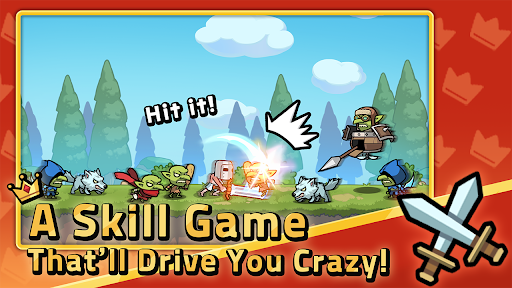
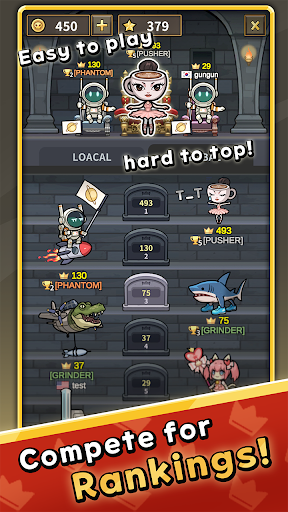
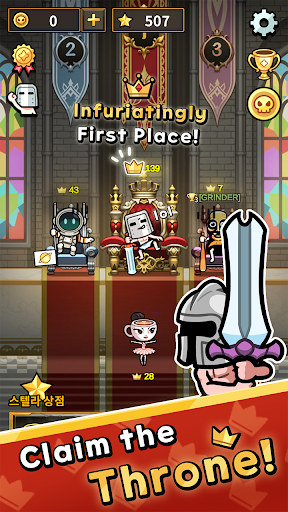
One mistake and it's game over!
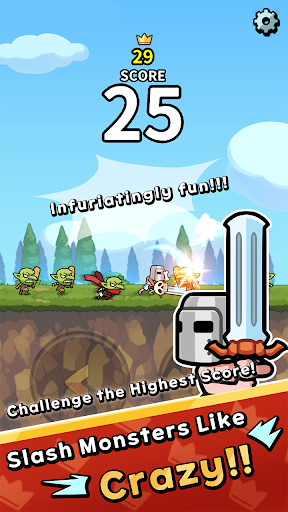
How far can your reflexes take you as you slash your way up with left and right attacks?
Enjoy intense, fast-paced action with just two buttons!
With quick judgment, lightning reflexes, and pure focus,
compete in global rankings and claim the throne!
Simple Controls, Serious Skill
Tap left or right to slash incoming enemies
One slip, and it’s over—experience hardcore tension
Keep up with the speed as it gets faster and faster!
Rage-Inducing Ranking System
- Reach the top 3 to claim the throne
- Wear the crown and defend your rank against challengers worldwide!
Skins, Achievements & Bragging Rights
- A new look makes the challenge feel fresh!
- Unlock achievements and show off your skills
- Cute on the outside, deadly serious on the inside!
⏱ Play Anytime, Even for 30 Seconds
- A quick game before school
- One round during your subway ride
- A few slashes while waiting for your friend!
Rage-Fueled Action Anywhere
- Easy to pick up, hard to put down
- No internet? No problem—play offline anytime, anywhere
- Yes, even on airplanes!
Recommended For
- Players who love rhythmic left-right slashing
- Competitive souls chasing leaderboard glory
- Gamers who prefer simple controls and high-skill gameplay
- Skin collectors who crave variety
- Reflex masters ready to prove themselves
- Are you the true Sword King? Time to find out!
Got questions about the game?
Reach out to our support team at help@spcomes.com — we’ll be happy to assist you!
Show more

1. Download MEmu installer and finish the setup

2. Start MEmu then open Google Play on the desktop

3. Search Slash King: Die Like a Pro in Google Play
Install
4. Download and Install Slash King: Die Like a Pro
5. On install completion click the icon to start

6. Enjoy playing Slash King: Die Like a Pro on PC with MEmu
MEmu Play is the best Android emulator and 100 million people already enjoy its superb Android gaming experience. The MEmu virtualization technology empowers you to play thousands of Android games smoothly on your PC, even the most graphic-intensive ones.
Bigger screen with better graphics; Long duration, without limitation of battery or mobile data.
Full Keymapping support for precise control of keyboard and mouse or gamepad.
Multiple game accounts or tasks on single PC at one time with Multi-Instance manager.
Play Slash King: Die Like a Pro on PC by following steps: