Star2 Random Defense(S2RD)
Updated
Current Version
Offered By

With your passion for Star2 Random Defense(S2RD), you shouldn’t have to limit yourself to the small screen of a phone. Play like a pro and take full control of the game using a keyboard and mouse. MEmu gives you everything you’re looking for. Download and play Star2 Random Defense(S2RD) on PC. Play as long as you want — no more worries about battery life, mobile data, or unexpected calls. The all-new MEmu 9 is the best way to play Star2 Random Defense(S2RD) on PC. With our expertly designed keymapping system, Star2 Random Defense(S2RD) feels just like a real PC game. The MEmu multi-instance manager lets you run two or more accounts on the same device at the same time. Most importantly, our exclusive emulation engine unlocks your PC’s full potential, delivering smooth and seamless performance.
Show more
Download Star2 Random Defense(S2RD) on PC with MEmu Android Emulator. Enjoy playing on big screen. Star2 Random Defense: S2RD.
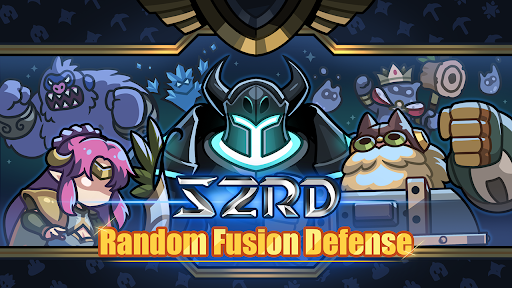
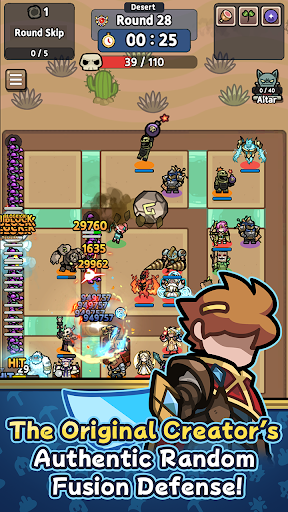
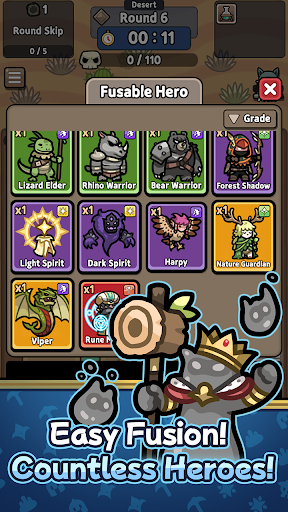
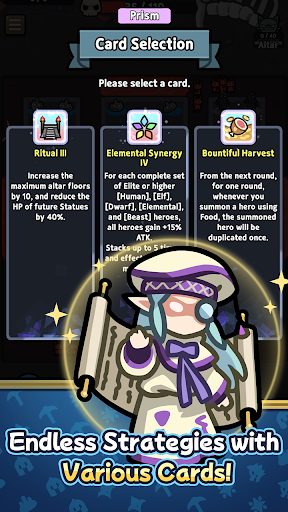
Star2 Random Defense: S2RD
Relive the nostalgia, now in your hands! Crafted by the original creator, this mobile version of the classic random combination defense game is here. Dive into a vertical strategy defense game packed with unpredictable battles and endless strategic possibilities. Feel the thrill where a single choice can turn the tide of victory!
Random Summons and Strategic Choices
Every battle brings completely random heroes! Use limited resources to draw cards and craft the ultimate combination. A single card can shift the battle, and one decision can secure your win. Luck? Strategy? You’ll need both to triumph!
Trait System for Your Unique Build
Create your own playstyle with over 100 unique traits. Every match births a new build! Grow your heroes through a 7-tier system from basic to legendary and unleash overwhelming power.
Diverse Regions, Infinite Challenges
Jungle swamps, desert sandstorms, volcanic lava—each region demands a distinct strategy. With over 88 unique heroes and 200+ distinct cards, no two battles are ever the same.
Why S2RD?
- Thrill of Randomness: The excitement of unpredictable summons!
- Depth of Strategy: Endless combinations with cards and traits.
- Casual Fun: Vertical gameplay, perfect for anytime, anywhere!
With ever-changing combinations and tactics, no battle is ever repeated.
Level up heroes from the lowest tier to legendary through a 7-stage system and create your ultimate combination! Test the limits of luck and strategy with S2RD now. Every match is a new adventure!
※ Purchasing paid items incurs additional charges (including randomized items).
※ Payment amount and method: Subject to the payment amount and method specified for each product.
※ Payments in foreign currency may vary due to exchange rates and fees.
※ In-app purchases are subject to VAT.
[Terms and Conditions]
Privacy Policy: https://gameboost.cafe24.com/mobile/privacypolicyEN.html
Show more

1. Download MEmu installer and finish the setup

2. Start MEmu then open Google Play on the desktop

3. Search Star2 Random Defense(S2RD) in Google Play
Install
4. Download and Install Star2 Random Defense(S2RD)
5. On install completion click the icon to start

6. Enjoy playing Star2 Random Defense(S2RD) on PC with MEmu
MEmu Play is the best Android emulator and 100 million people already enjoy its superb Android gaming experience. The MEmu virtualization technology empowers you to play thousands of Android games smoothly on your PC, even the most graphic-intensive ones.
Bigger screen with better graphics; Long duration, without limitation of battery or mobile data.
Full Keymapping support for precise control of keyboard and mouse or gamepad.
Multiple game accounts or tasks on single PC at one time with Multi-Instance manager.
Play Star2 Random Defense(S2RD) on PC by following steps: