Summoners Kingdom:Goddess
Updated
Current Version
1.0.33
Offered By

With your passion for Summoners Kingdom:Goddess, you shouldn’t have to limit yourself to the small screen of a phone. Play like a pro and take full control of the game using a keyboard and mouse. MEmu gives you everything you’re looking for. Download and play Summoners Kingdom:Goddess on PC. Play as long as you want — no more worries about battery life, mobile data, or unexpected calls. The all-new MEmu 9 is the best way to play Summoners Kingdom:Goddess on PC. With our expertly designed keymapping system, Summoners Kingdom:Goddess feels just like a real PC game. The MEmu multi-instance manager lets you run two or more accounts on the same device at the same time. Most importantly, our exclusive emulation engine unlocks your PC’s full potential, delivering smooth and seamless performance.
Show more
Download Summoners Kingdom:Goddess on PC with MEmu Android Emulator. Enjoy playing on big screen. Welcome to Summoners Kingdom, a thrilling fantasy card RPG adventure!
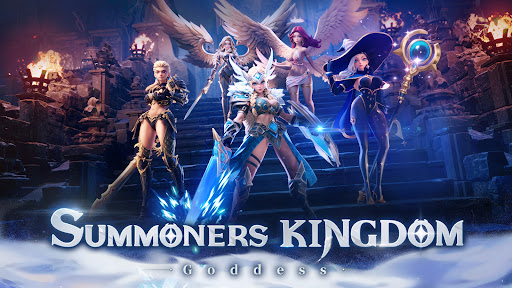
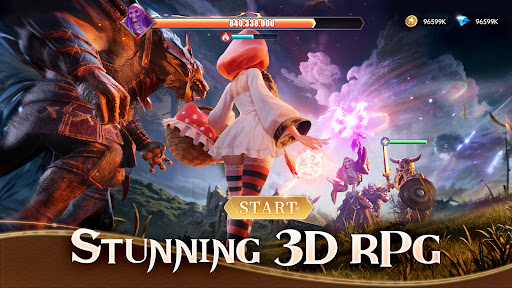

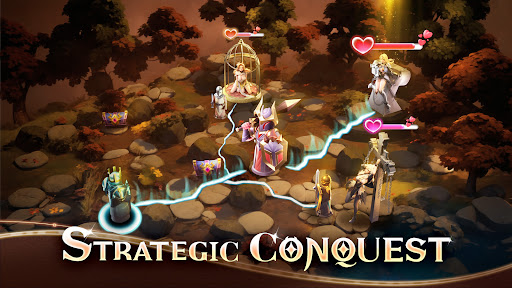
Welcome to Summoners Kingdom, a thrilling fantasy card RPG adventure!
Dear Summoners, our kingdom needs your help! Dive into the mystical world of Summoners Kingdom and embark on an epic journey to save our realm from darkness. Rescue your beloved goddess and protect her from the clutches of evil as you fight to restore peace and harmony to our land.
Summon and Collect Heroes:
Gather over 100 unique and powerful heroes, each with their own special abilities and skills. From brave warriors to cunning mages, assemble your ultimate team of heroes and unleash their power in battle!
Strategic Card Battles:
Engage in strategic card battles where every decision counts! Use your collection of cards wisely to outsmart your opponents and claim victory in intense battles.
Explore the Realm:
Venture through various realms filled with mythical creatures, ancient ruins, and hidden treasures. Discover the secrets of Summoners Kingdom as you explore new lands and encounter legendary creatures.
Build Your Kingdom:
Construct and upgrade your kingdom to strengthen your heroes and unlock new abilities. Build alliances with other players, join guilds, and compete in epic guild battles for glory and rewards.
Master the Elements:
Harness the power of the elements to turn the tide of battle in your favor. Strategically use fire, water, earth, and wind elements to defeat your enemies and become the ultimate Summoner!
Gorgeous 3D Artwork:
Immerse yourself in stunning 3D graphics and exquisite artwork inspired by Norse mythology. Experience the beauty and danger of the Summoners Kingdom in breathtaking detail.
Strategic Placement:
Deploy your heroes strategically on the battlefield and watch them come to life in thrilling battles. Utilize placement tactics to maximize your team's potential and overcome any challenge.
Log in now and join the adventure in Summoners Kingdom, the idle RPG card game with beautiful heroines and epic battles inspired by Norse mythology!
Your early access data will be retained.
Facebook: https://www.facebook.com/SummonersGAME
Discord: https://discord.gg/6SR5sBaTvY
Show more

1. Download MEmu installer and finish the setup

2. Start MEmu then open Google Play on the desktop

3. Search Summoners Kingdom:Goddess in Google Play
Install
4. Download and Install Summoners Kingdom:Goddess
5. On install completion click the icon to start

6. Enjoy playing Summoners Kingdom:Goddess on PC with MEmu
MEmu Play is the best Android emulator and 100 million people already enjoy its superb Android gaming experience. The MEmu virtualization technology empowers you to play thousands of Android games smoothly on your PC, even the most graphic-intensive ones.
Bigger screen with better graphics; Long duration, without limitation of battery or mobile data.
Full Keymapping support for precise control of keyboard and mouse or gamepad.
Multiple game accounts or tasks on single PC at one time with Multi-Instance manager.
Play Summoners Kingdom:Goddess on PC by following steps: