Super3DS Pro Multi Emulator
Updated
Current Version
3.7-DS-Pro
Offered By

With your passion for Super3DS Pro Multi Emulator, you shouldn’t have to limit yourself to the small screen of a phone. Play like a pro and take full control of the game using a keyboard and mouse. MEmu gives you everything you’re looking for. Download and play Super3DS Pro Multi Emulator on PC. Play as long as you want — no more worries about battery life, mobile data, or unexpected calls. The all-new MEmu 9 is the best way to play Super3DS Pro Multi Emulator on PC. With our expertly designed keymapping system, Super3DS Pro Multi Emulator feels just like a real PC game. The MEmu multi-instance manager lets you run two or more accounts on the same device at the same time. Most importantly, our exclusive emulation engine unlocks your PC’s full potential, delivering smooth and seamless performance.
Show more
Download Super3DS Pro Multi Emulator on PC with MEmu Android Emulator. Enjoy playing on big screen. Experience your favorite retro games like never before with the Super Emu Pro for 3DS.
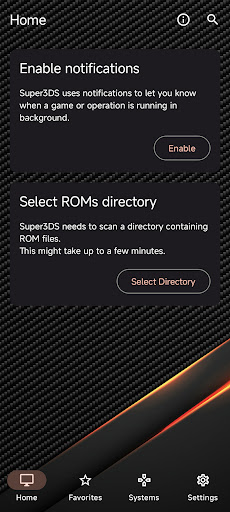
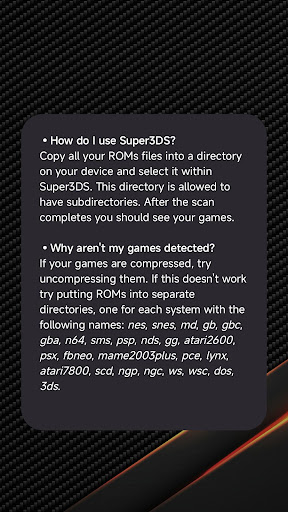
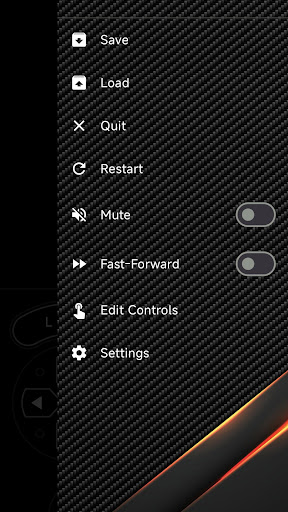
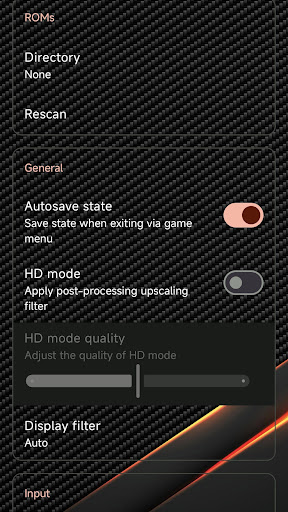
Experience your favorite retro games like never before with the Super Emu Pro for 3DS. Designed for high performance and smooth gameplay, this advanced emulator brings the classic console experience directly to your Android device.
Whether you want to replay classic adventures or explore new ones, our emulator provides a highly optimized, user-friendly interface with extensive customization options.
Key Features:
• High Performance: Enjoy smooth gameplay with high FPS, optimized for a wide range of Android devices.
• Save & Load States: Never lose your progress again. Save and resume your game at any exact moment.
• Customizable Controls: Adjust the on-screen keypad and buttons to suit your playstyle.
• External Controller Support: Connect your favorite Bluetooth gamepads for a true console experience.
• Fast Forward: Speed up slow gameplay sections with a single tap.
• Battery Optimized: Play longer with our battery-saving emulation engine.
IMPORTANT NOTICE (Please read before downloading):
This application is an emulator intended to play legally owned game files.
• NO GAMES ARE INCLUDED: This app does NOT contain any pre-loaded games or ROMs. You must provide your own legally obtained game files.
• DISCLAIMER: This application is a third-party tool. It is NOT affiliated with, authorized, endorsed, or licensed in any way by Nintendo Corporation, its affiliates, or subsidiaries. "3DS" and all related console names are registered trademarks of Nintendo. They are used in this listing strictly for descriptive purposes to indicate the compatibility of this emulator.
Download Super Emu Pro for 3DS today and turn your device into the ultimate retro gaming machine!
Show more

1. Download MEmu installer and finish the setup

2. Start MEmu then open Google Play on the desktop

3. Search Super3DS Pro Multi Emulator in Google Play
Install
4. Download and Install Super3DS Pro Multi Emulator
5. On install completion click the icon to start

6. Enjoy playing Super3DS Pro Multi Emulator on PC with MEmu
MEmu Play is the best Android emulator and 100 million people already enjoy its superb Android gaming experience. The MEmu virtualization technology empowers you to play thousands of Android games smoothly on your PC, even the most graphic-intensive ones.
Bigger screen with better graphics; Long duration, without limitation of battery or mobile data.
Full Keymapping support for precise control of keyboard and mouse or gamepad.
Multiple game accounts or tasks on single PC at one time with Multi-Instance manager.
Play Super3DS Pro Multi Emulator on PC by following steps: