SUPERSTAR WAKEONE
Updated
Current Version
3.22.0
Offered By

With your passion for SUPERSTAR WAKEONE, you shouldn’t have to limit yourself to the small screen of a phone. Play like a pro and take full control of the game using a keyboard and mouse. MEmu gives you everything you’re looking for. Download and play SUPERSTAR WAKEONE on PC. Play as long as you want — no more worries about battery life, mobile data, or unexpected calls. The all-new MEmu 9 is the best way to play SUPERSTAR WAKEONE on PC. With our expertly designed keymapping system, SUPERSTAR WAKEONE feels just like a real PC game. The MEmu multi-instance manager lets you run two or more accounts on the same device at the same time. Most importantly, our exclusive emulation engine unlocks your PC’s full potential, delivering smooth and seamless performance.
Show more
Download SUPERSTAR WAKEONE on PC with MEmu Android Emulator. Enjoy playing on big screen. Global rhythm game SUPERSTAR meets the new wave of K-POP, WAKEONE!
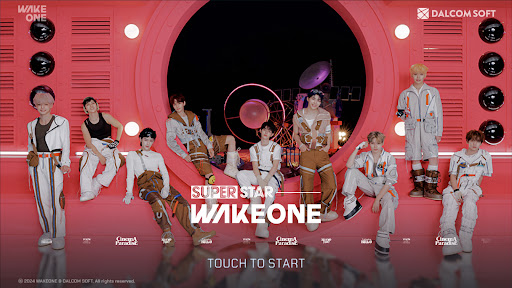
Global rhythm game SUPERSTAR meets the new wave of K-POP, WAKEONE!
Join the journey of ZEROBASEONE and Kep1er at your fingertips!
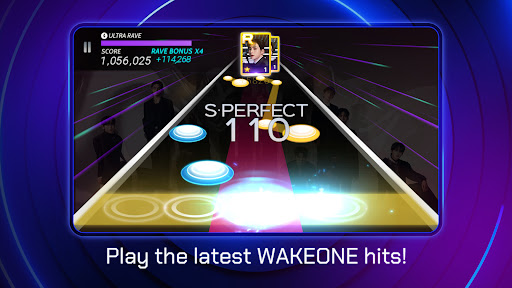
Play WAKEONE artists' songs in a rhythm game!
• Enjoy regular updates of the songs, from the debut tracks to the latest hits!
• Play with fans from all around the globe and challenge your skills.
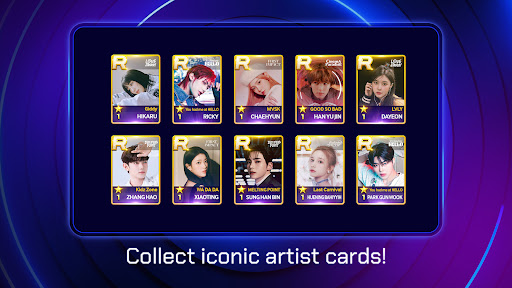
Collect special moments of your favorite artists!
• Artist theme cards capture their brightest moments!
• Collect unique photo cards with one-of-a-kind designs.
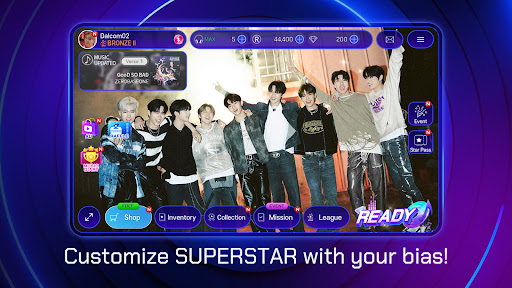
Experience the exclusivity of SUPERSTAR WAKEONE!
• Don't miss the exclusive content that is only available in SUPERSTAR!
• Participate in exciting events for a chance to win special prizes.
=====
[Access Permission Information]
When using the app, access to the following services is requested.
[Required Access Permission]
- Photo/Video/File: To save game progress on your device.
- Music and Audio: Needed for storing settings and caching music data.
- Phone: Used for ad tracking and push notifications.
[Optional Access Permission]
- Notifications: Required to receive informational and promotional push notifications from the game.
※ You can use the app without agreeing to optional permissions.
※ Without optional permissions, some features may not function properly.
[How to Withdraw Permissions]
- Go to Settings > Select the app > Revoke permission.
※ If notes are not coming down smoothly during gameplay, please check ""Low"" in the [Settings] under the [Display Settings] option.
※ SUPERSTAR WAKEONE is free to play, but in-app purchases for certain items may incur charges.
=====
[Developer Information]
support.wakeone@dalcomsoft.com
35, Seolleung-ro 93-gil, Gangnam-gu, Seoul, Republic of Korea, 06151
[More information about SUPERSTAR]
Official X: @SuperStar_GL
Show more

1. Download MEmu installer and finish the setup

2. Start MEmu then open Google Play on the desktop

3. Search SUPERSTAR WAKEONE in Google Play
Install
4. Download and Install SUPERSTAR WAKEONE
5. On install completion click the icon to start

6. Enjoy playing SUPERSTAR WAKEONE on PC with MEmu
MEmu Play is the best Android emulator and 100 million people already enjoy its superb Android gaming experience. The MEmu virtualization technology empowers you to play thousands of Android games smoothly on your PC, even the most graphic-intensive ones.
Bigger screen with better graphics; Long duration, without limitation of battery or mobile data.
Full Keymapping support for precise control of keyboard and mouse or gamepad.
Multiple game accounts or tasks on single PC at one time with Multi-Instance manager.
Play SUPERSTAR WAKEONE on PC by following steps: