THE GUARDIANS
Updated
Current Version
1.0
Offered By

With your passion for THE GUARDIANS, you shouldn’t have to limit yourself to the small screen of a phone. Play like a pro and take full control of the game using a keyboard and mouse. MEmu gives you everything you’re looking for. Download and play THE GUARDIANS on PC. Play as long as you want — no more worries about battery life, mobile data, or unexpected calls. The all-new MEmu 9 is the best way to play THE GUARDIANS on PC. With our expertly designed keymapping system, THE GUARDIANS feels just like a real PC game. The MEmu multi-instance manager lets you run two or more accounts on the same device at the same time. Most importantly, our exclusive emulation engine unlocks your PC’s full potential, delivering smooth and seamless performance.
Show more
Download THE GUARDIANS on PC with MEmu Android Emulator. Enjoy playing on big screen. ■■Game Introduction■■.
■■Game Introduction■■
On a continent where nations devoted to technology and science, allied kingdoms united by faith, barbarian tribes of the wastelands, and secluded races living through the power of magic and spirits coexisted in their own ways, peace had long endured.
Then one day, a mighty magical empire emerged at the center of the continent, along with a vast Abyss that swallowed the surrounding lands.
Each nation dispatched investigation teams to uncover the truth behind the Abyss, but unidentified beings began pouring out from within, plunging the world into war and chaos.
In an age of upheaval where different beliefs and powers collide, players step onto the battlefield to confront an unknown threat and determine the fate of the continent.
■■Content Introduction■■
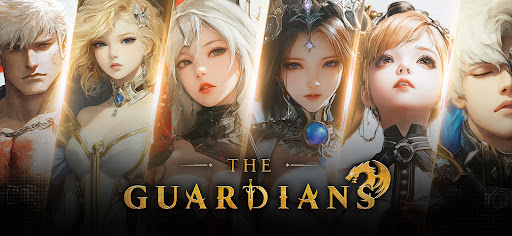
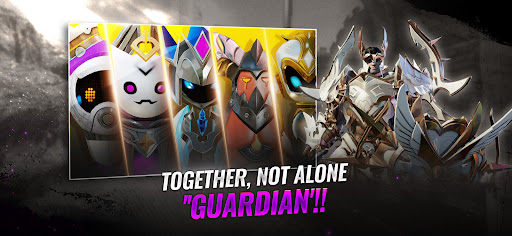
▶ Stronger Together with Your Own Companion, ‘Guardian’!!
* Take to the battlefield alongside Guardians, each with unique abilities and characteristics.
* Collect and develop your own Guardians to gain even greater power.
▶ Diverse Fields and Powerful Dungeon Bosses!!
* Explore distinctive regions and encounter new monsters and powerful bosses.
* Defeat bosses to obtain rare equipment and valuable growth materials!
* Increase your combat power against increasingly formidable enemies and challenge higher-level areas!!
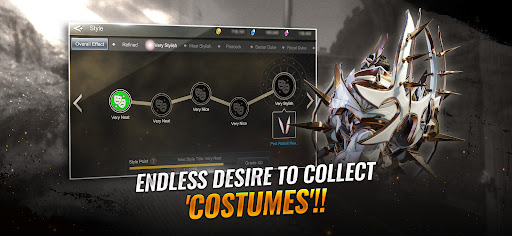
▶ True Style Begins with Costumes!!
* Create your own unique character with a wide variety of distinctive costumes.
* From heroic battlefield looks to dazzling fantasy styles, customize your character however you want.
▶ Fight and Win! Prove Your Strength!
* Test your skills against other players in intense PvP battles.
* Overcome countless rivals, claim victory, and prove your strength on the battlefield.
▶ Trade Freely! Grow Stronger!!
* Freely buy and sell the items you need through the Marketplace and create new opportunities for growth.
* Trade various items obtained through hunting and other content to create new value.
▶ Various Events!!
* Enjoy a variety of events filled with new rewards and special benefits every day.
* Earn generous items and rewards through attendance, growth, challenge, and many other events.
* Participate in limited-time events and special missions for even more opportunities to grow faster.
Show more

1. Download MEmu installer and finish the setup

2. Start MEmu then open Google Play on the desktop

3. Search THE GUARDIANS in Google Play
Install
4. Download and Install THE GUARDIANS
5. On install completion click the icon to start

6. Enjoy playing THE GUARDIANS on PC with MEmu
MEmu Play is the best Android emulator and 100 million people already enjoy its superb Android gaming experience. The MEmu virtualization technology empowers you to play thousands of Android games smoothly on your PC, even the most graphic-intensive ones.
Bigger screen with better graphics; Long duration, without limitation of battery or mobile data.
Full Keymapping support for precise control of keyboard and mouse or gamepad.
Multiple game accounts or tasks on single PC at one time with Multi-Instance manager.
Play THE GUARDIANS on PC by following steps: