
The Missing Tail
Updated
Current Version
Offered By

With your passion for The Missing Tail, you shouldn’t have to limit yourself to the small screen of a phone. Play like a pro and take full control of the game using a keyboard and mouse. MEmu gives you everything you’re looking for. Download and play The Missing Tail on PC. Play as long as you want — no more worries about battery life, mobile data, or unexpected calls. The all-new MEmu 9 is the best way to play The Missing Tail on PC. With our expertly designed keymapping system, The Missing Tail feels just like a real PC game. The MEmu multi-instance manager lets you run two or more accounts on the same device at the same time. Most importantly, our exclusive emulation engine unlocks your PC’s full potential, delivering smooth and seamless performance.
Show more
Download The Missing Tail on PC with MEmu Android Emulator. Enjoy playing on big screen. The Missing Tail is a cozy co-op adventure where you play as two cats exploring a lively medieval courtyard and castle.
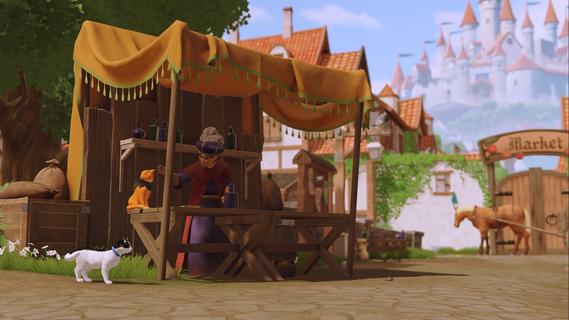

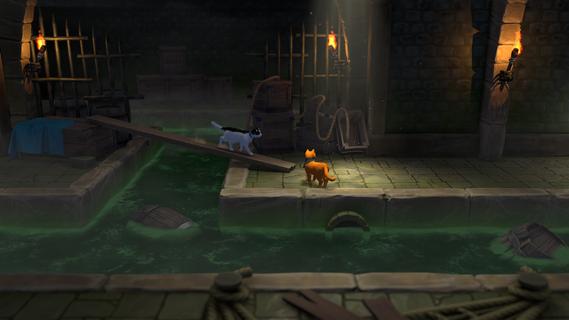
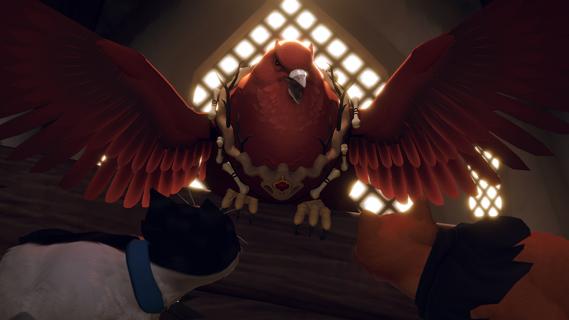
The Missing Tail is a cozy co-op adventure where you play as two cats exploring a lively medieval courtyard and castle. Explore a bustling medieval courtyard and castle, complete quests, interact with townsfolk, and uncover secrets together. Choose between the royal palace cat or the clever stray and shape your own adventure!TWO DIFFERENT LIVES INTERTWINEDOnce upon a time, a royal cat lived a peaceful, rich life until one disastrous event turned its life upside down. On the other hand, a stray cat tried to save its food from menacing forest creatures. Suddenly, both their lives became intertwined in one epic journey. Join both cats on a fun and emotional adventure trying to find a path home.SPLIT-SCREEN PAWSOME ADVENTURETeam up with a friend and explore the world together in split-screen third-person gameplay. Solve co-op puzzles and platform your way through the adventure, help other animals in their troubles, and interact with the surroundings as a true feline duo.Play as a noble royal palace cat or a clever stray. Each path offers its own personality and perspective on the world.BE A SMALL MENACEDon’t forget to have fun and make people's lives a bit harder! Be a dual mini-chaos team and enjoy breaking and pushing annoying objects where they disturb your peace.Explore a vibrant castle environment filled with lively streets, charming courtyards, and rooftop pathways. Roam freely, leap across buildings, and uncover hidden corners waiting to be discovered.TURN YOUR WHISKERS SIDE TO SIDEWork together to solve clever co-op puzzles.
Show more

1. Download MEmu installer and finish the setup

2. Start MEmu then open Google Play on the desktop

3. Search The Missing Tail in Google Play
Install
4. Download and Install The Missing Tail
5. On install completion click the icon to start

6. Enjoy playing The Missing Tail on PC with MEmu
MEmu Play is the best Android emulator and 100 million people already enjoy its superb Android gaming experience. The MEmu virtualization technology empowers you to play thousands of Android games smoothly on your PC, even the most graphic-intensive ones.
Bigger screen with better graphics; Long duration, without limitation of battery or mobile data.
Full Keymapping support for precise control of keyboard and mouse or gamepad.
Multiple game accounts or tasks on single PC at one time with Multi-Instance manager.
Play The Missing Tail on PC by following steps:

















































