To the Moon
Updated
Current Version
3.8
Offered By

With your passion for To the Moon, you shouldn’t have to limit yourself to the small screen of a phone. Play like a pro and take full control of the game using a keyboard and mouse. MEmu gives you everything you’re looking for. Download and play To the Moon on PC. Play as long as you want — no more worries about battery life, mobile data, or unexpected calls. The all-new MEmu 9 is the best way to play To the Moon on PC. With our expertly designed keymapping system, To the Moon feels just like a real PC game. The MEmu multi-instance manager lets you run two or more accounts on the same device at the same time. Most importantly, our exclusive emulation engine unlocks your PC’s full potential, delivering smooth and seamless performance.
Show more
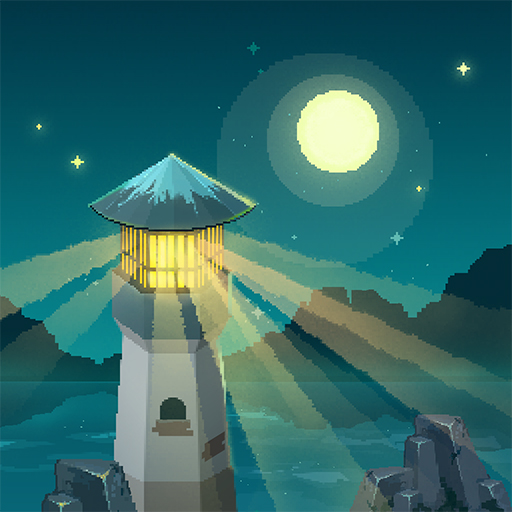
Download To the Moon on PC with MEmu Android Emulator. Enjoy playing on big screen. A story-driven experience about two doctors traversing backwards through a dying man's memories to artificially fulfill his last wish.

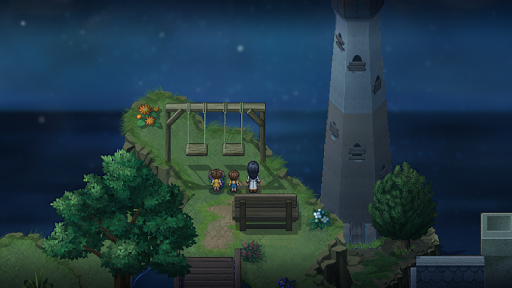
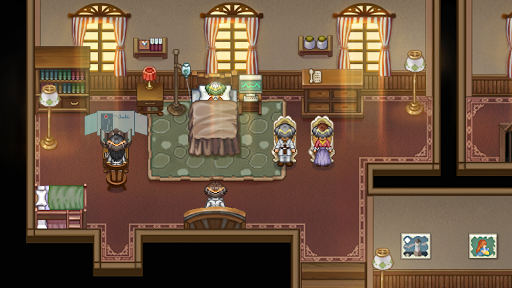
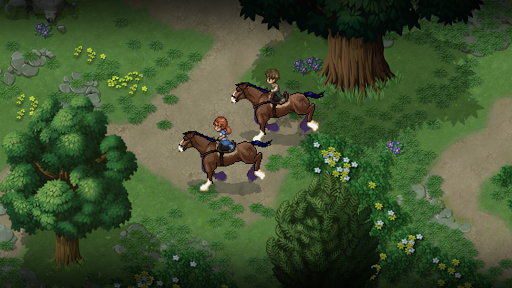
A story-driven experience about two doctors traversing backwards through a dying man's memories to artificially fulfill his last wish.
ABOUT THIS GAME
Dr. Rosalene and Dr. Watts have peculiar jobs: They give people another chance to live, all the way from the very beginning... but only in their patients' heads.
Due to the severity of the operation, the new life becomes the last thing the patients remember before drawing their last breath. Thus, the operation is only done to people on their deathbeds, to fulfill what they wish they had done with their lives, but didn’t.
This particular story follows their attempt to fulfill the dream of an elderly man, Johnny. With each step back in time, a new fragment of Johnny's past is revealed. As the two doctors piece together the puzzled events that spanned a life time, they seek to find out just why the frail old man chose his dying wish to be what it is.
And Johnny's last wish is, of course... to go to the moon.
MORE DETAILS
"To the Moon", a story-driven RPG with pixel graphics, was originally developed six years ago for PC by Canadian producer Kan Gao and Freebird Games, his indie game studio.Rights to develop and publish the remastered mobile version of "To the Moon" were acquired by X.D. Network Inc.
The story of "To the Moon" unfolds before players, much like a movie. While the entire game has no battle system and can be completed in a few hours, the compelling story and moving original soundtrack resonated with players worldwide. On top of receiving overwhelmingly positive ratings, "To the Moon" received multiple awards from Gamespot, Metacritic, WIRED, and more, and was nominated for "I'm Not Crying, There's Something In My Eye" in the 2016 Steam Awards.
KEY FEATURES
• A unique & non-combat story-driven experience
• Added "Music Box" function, allowing backstage music playing& in-game music downloading(will be enabled automatically after clearing the stage).
• Added "DIY QR code" function, allowing one-key sharing of player data for playing on different devices.
• Innovative mix between adventure game elements and classic RPG aesthetics
• Acclaimed original soundtrack that closely ties to the story
• An espresso execution with zero filler and no time drains
System requirements:
Android System: 4.0 and higher.
RAM: At least 1 GB RAM is required.
Other devices may work depending on screen resolution and amount of background apps running.
Languages Supported:
* English
* Français
* Deutsch
* Español (Latinoamérica)
* Español (Europa)
* Português
* Polski
* lingua italiana (Italian)
* русский(Russian)
* 한국어 (Korean)
* 简体中文 (Simplified Chinese)
* 繁體中文 (Traditional Chinese)
* 日本語 (Japanese)
* Türk dili(Turkish)
* УКРАЇНА (Ukrainian)
Facebook: /TotheMoonHD
Twitter: @TotheMoonHD
Service email: TotheMoon@xindong.com
© 2017 X.D. Network Inc. All rights reserved.
Show more

1. Download MEmu installer and finish the setup

2. Start MEmu then open Google Play on the desktop

3. Search To the Moon in Google Play
Install
4. Download and Install To the Moon
5. On install completion click the icon to start

6. Enjoy playing To the Moon on PC with MEmu
MEmu Play is the best Android emulator and 100 million people already enjoy its superb Android gaming experience. The MEmu virtualization technology empowers you to play thousands of Android games smoothly on your PC, even the most graphic-intensive ones.
Bigger screen with better graphics; Long duration, without limitation of battery or mobile data.
Full Keymapping support for precise control of keyboard and mouse or gamepad.
Multiple game accounts or tasks on single PC at one time with Multi-Instance manager.
Play To the Moon on PC by following steps: