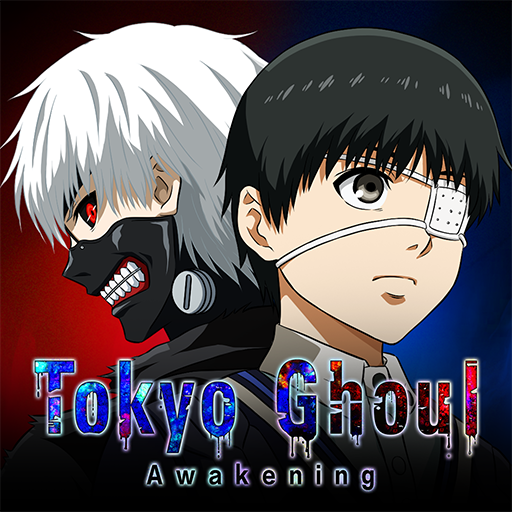
Tokyo Ghoul: Awakening
Updated
Current Version
3.5565
Offered By

With your passion for Tokyo Ghoul: Awakening, you shouldn’t have to limit yourself to the small screen of a phone. Play like a pro and take full control of the game using a keyboard and mouse. MEmu gives you everything you’re looking for. Download and play Tokyo Ghoul: Awakening on PC. Play as long as you want — no more worries about battery life, mobile data, or unexpected calls. The all-new MEmu 9 is the best way to play Tokyo Ghoul: Awakening on PC. With our expertly designed keymapping system, Tokyo Ghoul: Awakening feels just like a real PC game. The MEmu multi-instance manager lets you run two or more accounts on the same device at the same time. Most importantly, our exclusive emulation engine unlocks your PC’s full potential, delivering smooth and seamless performance.
Show more
Download Tokyo Ghoul: Awakening on PC with MEmu Android Emulator. Enjoy playing on big screen. Thrilling battles, smooth controls, and massive power boosts for all characters!


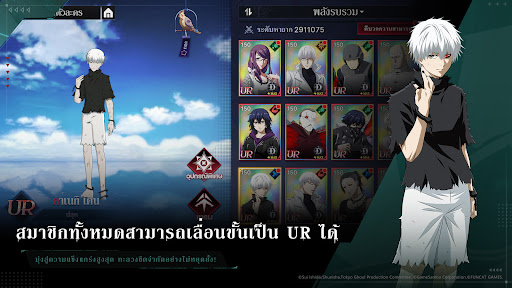

Thrilling battles, smooth controls, and massive power boosts for all characters!
Don’t miss the blazing hot event—get 2,000 free Summon Tickets now!
[Worldview Introduction]
Tokyo—a city where monsters known as Ghouls live hidden among humans, hunting them to survive.
Ken Kaneki, a quiet college student who loves reading, often visits a café called "Anteiku." There, he meets a girl who shares his age, background, and passion for books. As they grow closer, a fateful encounter changes everything.
After a bookstore date, Kaneki is caught in a tragic accident and ends up undergoing surgery that transplants ghoul organs into his body.
Now part human, part ghoul, Kaneki is thrust into a twisted world he doesn’t understand, trapped in a vicious cycle of conflict, fear, and survival.
[Game Overview]
◆ A Roster Packed with Characters
Experience intense, high-energy battles brought to life with dynamic 3D models!
Build your dream team from over 30 playable characters!
◆ Immersive Tokyo Ghoul Anime Experience
Iconic scenes from the Tokyo Ghoul anime, brought to life with stunning 3D models!
Step into a world that’s still as haunting and unforgettable as ever—full of beauty, chaos, and inner conflict.
◆ Tactical Battles with Real Impact
Victory hinges on timing your ultimate moves and choosing the right team combo!
One well-timed skill or perfectly executed finisher can flip the entire fight—strategy matters!
◆ Packed with Content
Dive into a rich story of conflict between humans and ghouls, solo-friendly quests, co-op battles with other players, and real-time PvP combat—tons of content to explore and enjoy!
Show more

1. Download MEmu installer and finish the setup

2. Start MEmu then open Google Play on the desktop

3. Search Tokyo Ghoul: Awakening in Google Play
Install
4. Download and Install Tokyo Ghoul: Awakening
5. On install completion click the icon to start

6. Enjoy playing Tokyo Ghoul: Awakening on PC with MEmu
MEmu Play is the best Android emulator and 100 million people already enjoy its superb Android gaming experience. The MEmu virtualization technology empowers you to play thousands of Android games smoothly on your PC, even the most graphic-intensive ones.
Bigger screen with better graphics; Long duration, without limitation of battery or mobile data.
Full Keymapping support for precise control of keyboard and mouse or gamepad.
Multiple game accounts or tasks on single PC at one time with Multi-Instance manager.
Play Tokyo Ghoul: Awakening on PC by following steps: