UFL - Soccer Game 2026
Updated
Current Version
14.2.0
Offered By

With your passion for UFL - Soccer Game 2026, you shouldn’t have to limit yourself to the small screen of a phone. Play like a pro and take full control of the game using a keyboard and mouse. MEmu gives you everything you’re looking for. Download and play UFL - Soccer Game 2026 on PC. Play as long as you want — no more worries about battery life, mobile data, or unexpected calls. The all-new MEmu 9 is the best way to play UFL - Soccer Game 2026 on PC. With our expertly designed keymapping system, UFL - Soccer Game 2026 feels just like a real PC game. The MEmu multi-instance manager lets you run two or more accounts on the same device at the same time. Most importantly, our exclusive emulation engine unlocks your PC’s full potential, delivering smooth and seamless performance.
Show more
Download UFL - Soccer Game 2026 on PC with MEmu Android Emulator. Enjoy playing on big screen. Experience the next generation of football gaming right on your mobile device!
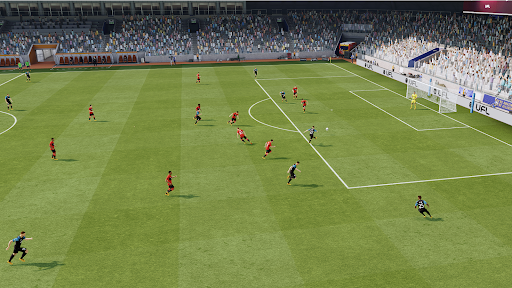
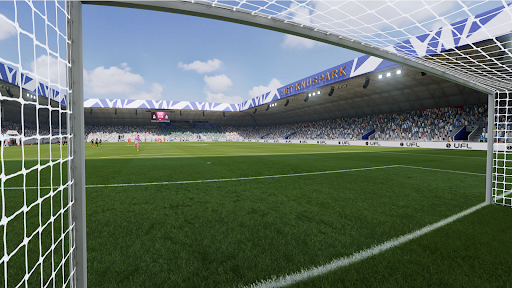
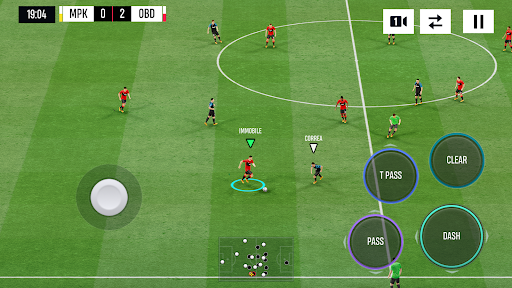
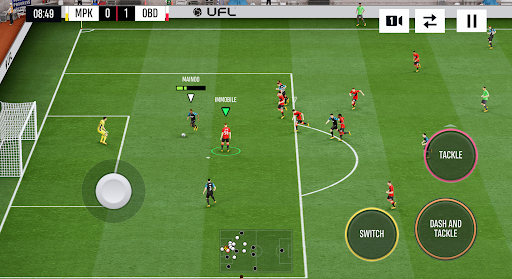
Experience the next generation of football gaming right on your mobile device! UFL is the soccer simulation that puts your talent to the ultimate test. It's time to build your legacy from the ground up and challenge players globally in a fair, engaging, and competitive environment.
Build your football club: start your journey, assemble your dream top eleven squad, and implement a strategy that rewards pure football games knowledge. UFL is designed for fresh, skill-rewarding gameplay where the pro sport manager and player win. Experience the most authentic mobile gameplay.
ENTER THE UFL LEGACY: Play with the confidence of a global title.
Take total control of your club's destiny. Recruit players from a massive database, develop unique training programs, and craft complex formations. Every decision you make impacts your team's chemistry and performance in the global league.
FEATURES:
Free-to-Play, skill-based gameplay. Your tactics and reflexes are the only path to the top, ensuring that victory depends on your performance on the pitch rather than your wallet.
Regular updates shaped by the community and football updates. Join a game that evolves with you.
Play soccer. Take the game with you wherever you go. Enjoy the freedom to master your skills and play matches, making it perfect for gaming anytime, anywhere.
Every pass, every tackle, and every goal is a testament to your personal mastery. Forget the noise and focus on the grass beneath your feet. Here, your journey from a local football club to a global powerhouse is fueled by nothing but your passion and your performance. The stadium is waiting, the crowd is hushed, and the next legendary moment is yours to create.
UFL brings console-quality simulation to your phone, offering a friendly environment where superior techniques are always rewarded. Become a part of the revolution! Build your dream club, compete with the world's best, and experience a new era of mobile soccer. Play UFL and prove your skill!
Show more

1. Download MEmu installer and finish the setup

2. Start MEmu then open Google Play on the desktop

3. Search UFL - Soccer Game 2026 in Google Play
Install
4. Download and Install UFL - Soccer Game 2026
5. On install completion click the icon to start

6. Enjoy playing UFL - Soccer Game 2026 on PC with MEmu
MEmu Play is the best Android emulator and 100 million people already enjoy its superb Android gaming experience. The MEmu virtualization technology empowers you to play thousands of Android games smoothly on your PC, even the most graphic-intensive ones.
Bigger screen with better graphics; Long duration, without limitation of battery or mobile data.
Full Keymapping support for precise control of keyboard and mouse or gamepad.
Multiple game accounts or tasks on single PC at one time with Multi-Instance manager.
Play UFL - Soccer Game 2026 on PC by following steps: