AI Photo Beauty Editor Studio
Updated
Current Version
1.3.3
Offered By

Stop worrying about high battery drain when using AI Photo Beauty Editor Studio on your phone. Free yourself from the tiny screen and enjoy the app on a much larger display. From now on, get a full-screen experience of your app with the convenience of a keyboard and mouse. MEmu offers you all the surprising features you’d expect: quick installation and easy setup, intuitive controls, and no more worries about battery life, mobile data, or unexpected calls. The all-new MEmu 9 is the choice for using AI Photo Beauty Editor Studio on your computer. With the MEmu multi-instance manager, you can run two or more accounts at the same time. Most importantly, our exclusive emulation engine unlocks your PC’s full potential, delivering smooth and enjoyable performance.
Show more
Enjoy superb experience of using AI Photo Beauty Editor Studio on PC with MEMU App Player. It's a powerful free Android emulator which provides you with thousands of android apps for their desktop version. Enjoy connecting with friends and polishing your work with higher efficiency! AI Photo Beauty Editor Studio is an AI photo editing app that helps people create viral photos and videos, turning text prompts into instant photo edits.
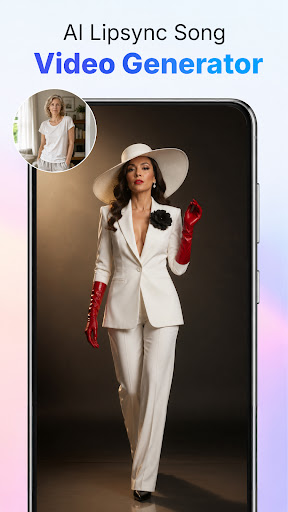
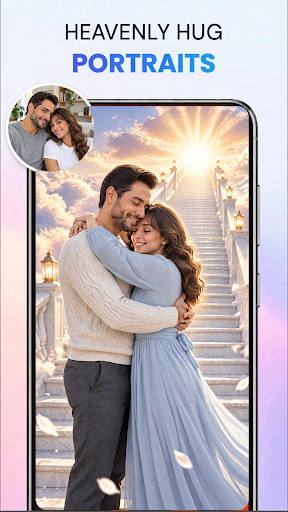
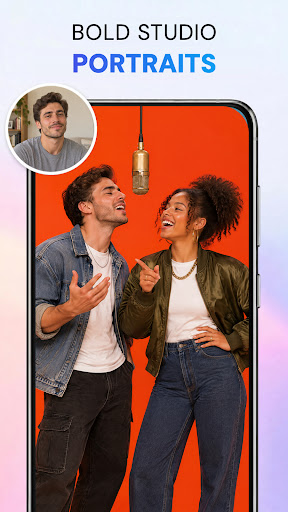
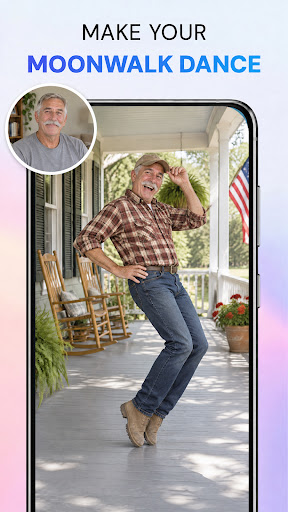
AI Photo Beauty Editor Studio is an AI photo editing app that helps people create viral photos and videos, turning text prompts into instant photo edits. It is built for anyone who wants photos ready for social media, work tasks, or creative projects without learning manual editing tools. Describe the change you want and the app applies it right away.
Edit Photos In Seconds With AI Prompts
Typing a prompt is the fastest way to edit photos when manual tools feel slow. AI Photo Beauty Editor Studio reads a short text description and applies the change directly to your image.
- Type a prompt describing a new style, lighting, or background and watch the edit apply automatically.
- Use body retouch and body adjust tools to reshape proportions naturally.
- Apply AI inpainting to fix or add details, or outpainting to extend a photo beyond its original frame.
- Pair prompt based edits with one tap background removal for a full photo makeover in one app.
- Keep adjusting with a new prompt until the photo looks the way you pictured it.
AI Photo Editing For Work Photos And Images
Work photos often need a quick cleanup before they go into a deck, profile, or report. AI Photo Beauty Editor Studio uses a short text prompt to adjust a photo you already took, so there is no need to learn a separate editing program.
- Pull a photo straight from your phone camera roll after a work shoot, type a prompt, and get a cleaner result in seconds.
- Describe the look you need, such as a plain background or softer lighting, and apply it directly to a work photo.
- Remove the background from product shots or profile pictures and swap in a plain or branded scene.
- Retouch portraits used for team photos, resumes, or business profiles so a whole set looks consistent.
- Export each finished photo as a clean PNG file that's ready to save, attach, or file alongside other work images.
Frequently Asked Questions
Q: How do I remove the background from a photo automatically?
A: Open the photo in AI Photo Beauty Editor Studio and tap the background remover. It detects the subject, removes the background in one step, and lets you replace it or export a transparent PNG.
Q: Can I edit photos just by typing what I want changed?
A: Yes. Type a text prompt describing the style, lighting, or background you want, and the app applies the edit to your photo.
Q: Does this app work on Android phones?
A: Yes, it runs on Android phones and tablets.
Q: Can I reshape or slim a body in a photo?
A: Yes. The body retouch and body adjust tools let you reshape proportions, adjust the waist and legs, and refine portraits naturally.
Q: What file format do I get after removing a background?
A: You can export a clean, transparent PNG once the background is removed or replaced.
Q: How does the AI inpainting and outpainting feature work?
A: Inpainting edits or fills in parts of a photo, and outpainting extends the image beyond its original edges, both guided by your text prompt.
Who It Is For
AI Photo Beauty Editor Studio fits people who want their photos and videos to stand out online or at work.
- Content creators preparing images for social posts or short videos.
- Anyone who wants a quick body retouch or background swap before posting.
- People polishing portraits or product photos for personal or work use.
- Users who prefer typing a prompt instead of learning manual editing tools.
When To Choose This App
- Choose this app when you want a fast photo edit from a text prompt instead of manual tools.
- Pick it when a photo needs a new background, replaced in one tap, for social posts or work images.
- Use it when portraits need body retouch or reshaping before sharing.
- Good fit when you want inpainting or outpainting to adjust part of an image.
Open AI Photo Beauty Editor Studio whenever a photo needs a quick AI edit, a new background, or a retouch before you share it.
Show more

1. Download MEmu installer and finish the setup

2. Start MEmu then open Google Play on the desktop

3. Search AI Photo Beauty Editor Studio in Google Play
Install
4. Download and Install AI Photo Beauty Editor Studio
5. On install completion click the icon to start

6. Enjoy using AI Photo Beauty Editor Studio on PC with MEmu
MEmu Play is the best Android emulator, and 100 million users already enjoy its superb Android app experience. Powered by advanced virtualization technology, it lets you enjoy thousands of Android apps smoothly on your PC—including the most graphics-intensive ones.
Bigger screen with better graphics; Long duration, without limitation of battery or mobile data.
Full Keymapping support for precise control of keyboard and mouse or gamepad.
Multiple game accounts or tasks on single PC at one time with Multi-Instance manager.
Use AI Photo Beauty Editor Studio on PC by following steps: