Tiny Ride
Updated
Current Version
1.0.12
Offered By

With your passion for Tiny Ride, you shouldn’t have to limit yourself to the small screen of a phone. Play like a pro and take full control of the game using a keyboard and mouse. MEmu gives you everything you’re looking for. Download and play Tiny Ride on PC. Play as long as you want — no more worries about battery life, mobile data, or unexpected calls. The all-new MEmu 9 is the best way to play Tiny Ride on PC. With our expertly designed keymapping system, Tiny Ride feels just like a real PC game. The MEmu multi-instance manager lets you run two or more accounts on the same device at the same time. Most importantly, our exclusive emulation engine unlocks your PC’s full potential, delivering smooth and seamless performance.
Show more
Download Tiny Ride on PC with MEmu Android Emulator. Enjoy playing on big screen. Tiny Ride is a fun miniature car driving game where you launch a tiny RC car with a slingshot, drive through oversized worlds, and upgrade your vehicle to travel farther!
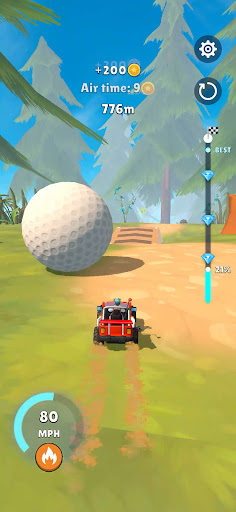
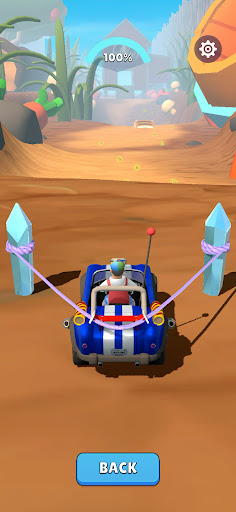
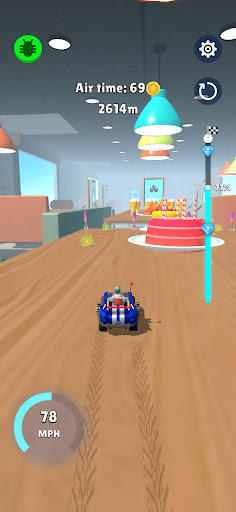
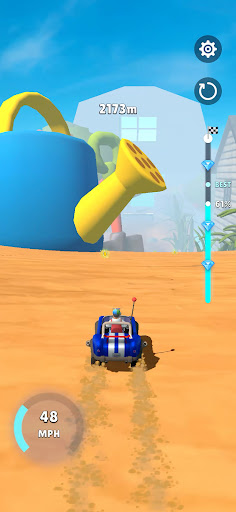
Tiny Ride is a fun miniature car driving game where you launch a tiny RC car with a slingshot, drive through oversized worlds, and upgrade your vehicle to travel farther!
Get behind the wheel of a tiny car and explore a giant world full of unexpected challenges. Launch your mini vehicle into action, build up speed, and navigate through everyday environments where even the smallest objects become enormous obstacles!
From busy streets and cosy houses to colourful gardens and forests, every location brings a new adventure. How far can your tiny car go?
LAUNCH, DRIVE & GO THE DISTANCE!
Start each ride by pulling back a powerful slingshot and launching your RC car into the world. Keep moving, build momentum, and travel as far as possible. Every attempt is a chance to beat your previous distance!
UPGRADE YOUR MINI CAR
The farther you go, the more you can achieve! Collect rewards and improve your car's speed, distance, and control. Upgrade your slingshot for more powerful launches and see how far your next ride can take you.
EXPLORE A WORLD OF GIANT OBJECTS
Everything looks different when you're tiny! Drive through oversized environments filled with everyday objects that turn into exciting challenges. Discover new locations, navigate obstacles, and enjoy the adventure from a miniature perspective.
GAME FEATURES
• Slingshot car launching: Pull back, release, and send your mini RC car flying!
• Miniature driving adventure: Explore giant environments from behind the wheel of a tiny vehicle.
• Car upgrades: Improve speed, distance, and control to travel farther.
• Powerful launches: Upgrade your slingshot to reach new distances.
• Rewarding progression: Collect rewards and unlock new places to explore.
• Distance challenges: Keep improving your rides and see how far you can go.
SMALL CAR. BIG ADVENTURE!
Ready to see the world from a whole new perspective?
Launch your tiny car, upgrade your ride, and take on a giant world full of surprises!
Play Tiny Ride and see how far you can go!
To opt out of CrazyLabs sales of personal information as a California resident, please visit the settings page within this app. For more information visit our privacy policy: https://crazylabs.com/app
Show more

1. Download MEmu installer and finish the setup

2. Start MEmu then open Google Play on the desktop

3. Search Tiny Ride in Google Play
Install
4. Download and Install Tiny Ride
5. On install completion click the icon to start

6. Enjoy playing Tiny Ride on PC with MEmu
MEmu Play is the best Android emulator and 100 million people already enjoy its superb Android gaming experience. The MEmu virtualization technology empowers you to play thousands of Android games smoothly on your PC, even the most graphic-intensive ones.
Bigger screen with better graphics; Long duration, without limitation of battery or mobile data.
Full Keymapping support for precise control of keyboard and mouse or gamepad.
Multiple game accounts or tasks on single PC at one time with Multi-Instance manager.
Play Tiny Ride on PC by following steps: