
AI Voice Editor by Vozo
Updated
Current Version
1.3.1
Offered By

Stop worrying about high battery drain when using AI Voice Editor by Vozo on your phone. Free yourself from the tiny screen and enjoy the app on a much larger display. From now on, get a full-screen experience of your app with the convenience of a keyboard and mouse. MEmu offers you all the surprising features you’d expect: quick installation and easy setup, intuitive controls, and no more worries about battery life, mobile data, or unexpected calls. The all-new MEmu 9 is the choice for using AI Voice Editor by Vozo on your computer. With the MEmu multi-instance manager, you can run two or more accounts at the same time. Most importantly, our exclusive emulation engine unlocks your PC’s full potential, delivering smooth and enjoyable performance.
Show more
Enjoy superb experience of using AI Voice Editor by Vozo on PC with MEMU App Player. It's a powerful free Android emulator which provides you with thousands of android apps for their desktop version. Enjoy connecting with friends and polishing your work with higher efficiency! Make your narrative and talking video creation 10x easier with AI Voice Editor by Vozo, the ultimate AI tool designed for non-specialist creators and businesses.
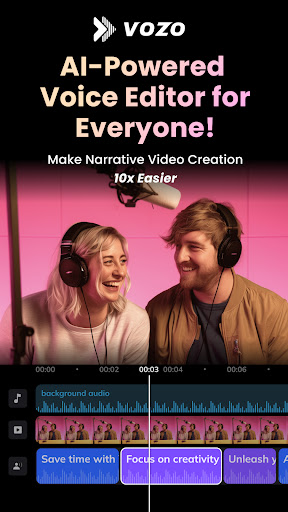
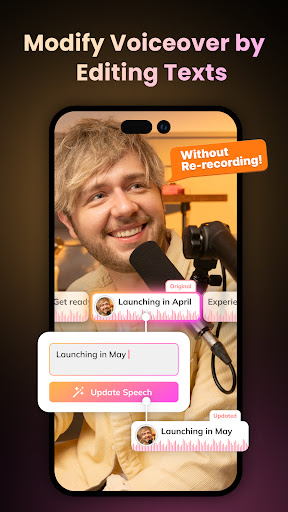
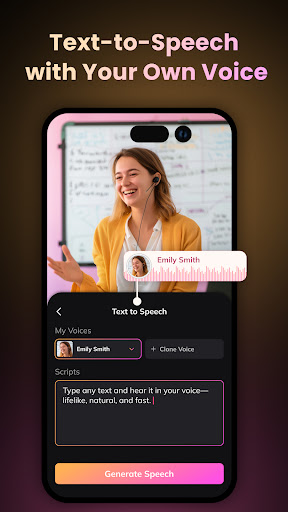
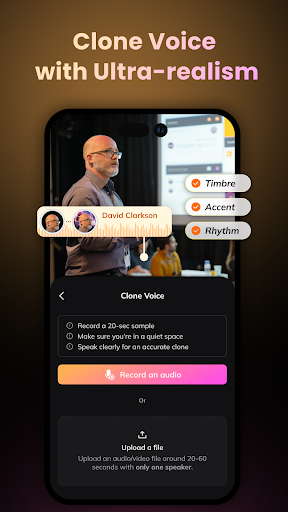
Make your narrative and talking video creation 10x easier with AI Voice Editor by Vozo, the ultimate AI tool designed for non-specialist creators and businesses. With features like intuitive text-based speech editing, speech-to-speech voice changing, lifelike text-to-speech, and authentic voice cloning, Vozo Voice not only makes voice over and dubbing a breeze but also opens up a wealth of creativity and possibilities for content creation. It's ideal for video creators, redub creators, marketers, educators, podcasters, filmmakers to effortlessly craft compelling narrative videos that captivate audiences.
Key Features:
- Automatic Voice Extraction and Transcription
Precisely isolate speech from background noise and convert it into editable text, freeing you from manual splicing.
- Sentence-Level Speech Editing
Effortlessly edit speech on transcripts and generate it in the original voice, ensuring consistency and coherence throughout your content.
- Change Voice While Preserving Emotion and Tone
Change voices only, ensuring emotions and tones remain intact, thanks to our advanced speech-to-speech technology.
- 300+ AI voices with Emotions
Choose from diversified voices, or clone your preferred voice to seamlessly integrate it into your narrative.
- Authentic Voice Cloning
Accurately replicate any voice with our cutting-edge technology, ideal for contents that value consistency, personalized content with emotional connections.
- Professional Voice Overs
Generate voice overs effortlessly by typing text directly on the timeline or by recording and fine-tuning spoken content to achieve flawless results.
- Effortless Video Dubbing
Streamline the dubbing process with our intuitive interface, which guarantees perfect synchronization and simplifies traditional complexities.
- Editing Per Sentence
Tailor words, tone, pitch, or switch voices on sentence basis with ease and flexibility.
With the powerful features outlined above, Vozo Voice is ideally equipped to handle a vast range of video and audio projects, from vlogs, motivational videos and redub videos to marketing materials, educational content, podcasts, cartoons, films, and audiobooks.
Save time with Vozo's efficient editing. Get time back for creativity. Download for free now!
Terms of Use: https://www.vozo.ai/policy/voice/terms
Privacy Policy: https://www.vozo.ai/policy/voice/privacy
Show more

1. Download MEmu installer and finish the setup

2. Start MEmu then open Google Play on the desktop

3. Search AI Voice Editor by Vozo in Google Play
Install
4. Download and Install AI Voice Editor by Vozo
5. On install completion click the icon to start

6. Enjoy using AI Voice Editor by Vozo on PC with MEmu
MEmu Play is the best Android emulator, and 100 million users already enjoy its superb Android app experience. Powered by advanced virtualization technology, it lets you enjoy thousands of Android apps smoothly on your PC—including the most graphics-intensive ones.
Bigger screen with better graphics; Long duration, without limitation of battery or mobile data.
Full Keymapping support for precise control of keyboard and mouse or gamepad.
Multiple game accounts or tasks on single PC at one time with Multi-Instance manager.
Use AI Voice Editor by Vozo on PC by following steps: