
AirPin STD ad - AirPlay & DLNA
Updated
Current Version
5.5.9
Offered By

Stop worrying about high battery drain when using AirPin STD ad - AirPlay & DLNA on your phone. Free yourself from the tiny screen and enjoy the app on a much larger display. From now on, get a full-screen experience of your app with the convenience of a keyboard and mouse. MEmu offers you all the surprising features you’d expect: quick installation and easy setup, intuitive controls, and no more worries about battery life, mobile data, or unexpected calls. The all-new MEmu 9 is the choice for using AirPin STD ad - AirPlay & DLNA on your computer. With the MEmu multi-instance manager, you can run two or more accounts at the same time. Most importantly, our exclusive emulation engine unlocks your PC’s full potential, delivering smooth and enjoyable performance.
Show more
Enjoy superb experience of using AirPin STD ad - AirPlay & DLNA on PC with MEMU App Player. It's a powerful free Android emulator which provides you with thousands of android apps for their desktop version. Enjoy connecting with friends and polishing your work with higher efficiency! AirPin is an advanced screen mirroring and media streaming receiver app on Android Phone/Pad, TV, set-top box and projector.


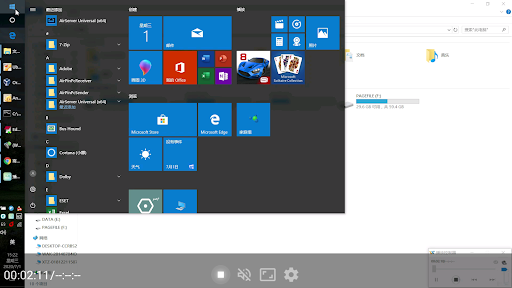

AirPin is an advanced screen mirroring and media streaming receiver app on Android Phone/Pad, TV, set-top box and projector.
●With this STD version, you can display one device screen at one time.
●With PRO version, you can display multiple device screens(up to 4) simultaneously(After removing Ad and unlock all the features).
This is the free version of 'AirPin(STD)'. It contains several seconds Banner Ad at beginning of streaming/mirroring. You can remove the Ad and unlock all the features by upgrading to the STD version via In-App purchase.
The FIRST Android app supporting both AirPlay and DLNA(The first version was released in Jul. 2012).
You can share the media and screen from your Apple, Windows and Android devices with the big screen.
●Share screen/video/music from iPhone/iPad/MacBook to AirPin via AirPlay
●Install AirPinPcSender.exe on your PC to share screen/media from Windows to AirPin
●Install AirPinCast(Search 'AirPinCast' in Google Play) to share screen/media from Android devices
NOTE: If the app doesn't work perfectly with your device, please contact us to improve. Your encouragement will help us move further.
Features:
●Support AirPlay video/music streaming and screen mirroring on all iOS/MacOS versions
●[*]The FIRST app supporting the latest Youtube AirPlay streaming
●[*]The FIRST app supporting slideshow for AirPlay photo streaming
●[*]The FIRST app supporting AirPlay password protect
●Support DLNA and UPnP
●Automatic startup and Service shutdown configurable
●Audio streaming background played without delay
●Support Windows streaming and mirroring(Working with AirPinPcSender.exe)
●Support AndroidSender(Android mirroring/streaming via AirPinCast)
●Constant bug fixing and updating within our capability
Advanced Features after removing Ads by purchasing the STD version:
●Directly pull media from DLNA/NAS/Samba Server to play
●Support Password protection
●Anti-disturb mode(video is kept playing when the controlling side exits)
●Continue playing from its previous pause point
●Support external Player
Show more

1. Download MEmu installer and finish the setup

2. Start MEmu then open Google Play on the desktop

3. Search AirPin STD ad - AirPlay & DLNA in Google Play
Install
4. Download and Install AirPin STD ad - AirPlay & DLNA
5. On install completion click the icon to start

6. Enjoy using AirPin STD ad - AirPlay & DLNA on PC with MEmu
MEmu Play is the best Android emulator, and 100 million users already enjoy its superb Android app experience. Powered by advanced virtualization technology, it lets you enjoy thousands of Android apps smoothly on your PC—including the most graphics-intensive ones.
Bigger screen with better graphics; Long duration, without limitation of battery or mobile data.
Full Keymapping support for precise control of keyboard and mouse or gamepad.
Multiple game accounts or tasks on single PC at one time with Multi-Instance manager.
Use AirPin STD ad - AirPlay & DLNA on PC by following steps: