
Avvy | VTuber&Anime Avatar
Updated
Current Version
2.17.2
Offered By

Stop worrying about high battery drain when using Avvy | VTuber&Anime Avatar on your phone. Free yourself from the tiny screen and enjoy the app on a much larger display. From now on, get a full-screen experience of your app with the convenience of a keyboard and mouse. MEmu offers you all the surprising features you’d expect: quick installation and easy setup, intuitive controls, and no more worries about battery life, mobile data, or unexpected calls. The all-new MEmu 9 is the choice for using Avvy | VTuber&Anime Avatar on your computer. With the MEmu multi-instance manager, you can run two or more accounts at the same time. Most importantly, our exclusive emulation engine unlocks your PC’s full potential, delivering smooth and enjoyable performance.
Show more
Enjoy superb experience of using Avvy | VTuber&Anime Avatar on PC with MEMU App Player. It's a powerful free Android emulator which provides you with thousands of android apps for their desktop version. Enjoy connecting with friends and polishing your work with higher efficiency! Ever wanted to become a VTuber but found custom models too expensive or confusing?
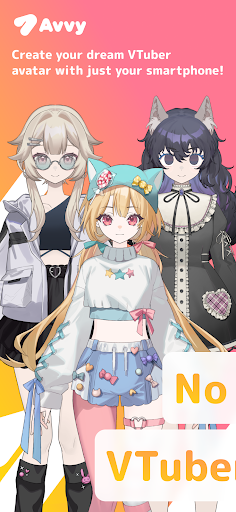
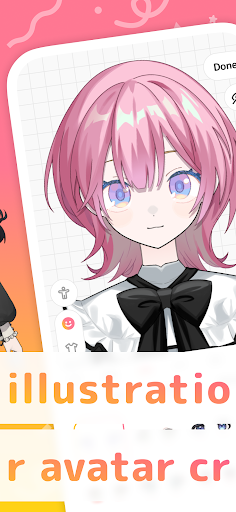
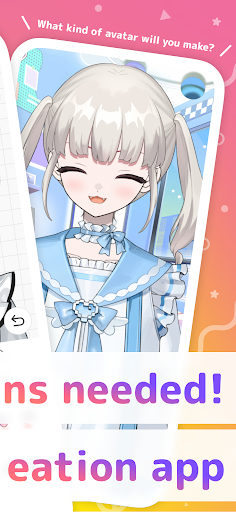
Ever wanted to become a VTuber but found custom models too expensive or confusing?
Avvy (pronounced “Ah-vee”) is here to help!
With Avvy, you can easily create and customize your own 2D anime-style avatar using just your smartphone—no complicated art commissions or expensive tools required. Once you’ve built your character, our high-quality face tracking technology brings it to life in real time. Plus, you can connect Avvy to streaming software like OBS for YouTube, Twitch, TikTok, and more, so you can kick off your VTuber journey at no cost.
=============================
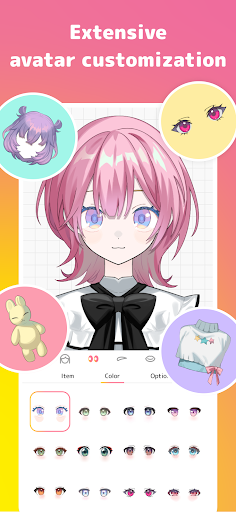
Highly Customizable 2D Avatars】
・Mix and match hairstyles, outfits, and colors to craft your ideal anime avatar
・Enjoy the freedom to design a character that truly represents you—no art skills needed
【High-Quality Face Tracking】
・Move your avatar in real time with smooth, Live2D-like animations
・Your smartphone camera detects facial expressions, so lip-sync and eye movements sync flawlessly
【Stream Anywhere You Like】
・Seamlessly connect Avvy with OBS or other broadcast tools
・Stream on YouTube, Twitch, TikTok—whatever platform you prefer
=============================
What Avvy Solves
“I want to stream with a unique avatar, but custom illustrations or 3D modeling are too pricey…”
“I’m camera-shy but want to show expressions during live streams…”
“I’m not sure how to begin my VTuber or V-Liver adventure…”
Avvy has your back.
Just grab your smartphone, build a VTuber avatar, and use our face tracking to start streaming or creating content right away. It’s that simple!
Getting Started in 3 Easy Steps
1.Customize Your Avatar
・Pick your favorite hairstyle, outfit, and colors—create a 2D avatar that’s 100% you
2.Camera-Based Face Tracking
・Your phone’s front camera captures expressions in real time
・Mouth movements, eye tracking, and more instantly reflect on your avatar
3.Stream or Record
・Link Avvy to OBS for live broadcasts, or record to make MVs, singing videos, and more
・Monetize on platforms like YouTube, Twitch, TikTok—wherever your audience is waiting
Perfect For:
・Anyone looking to become a VTuber or V-Liver
・Creators who want to engage fans without showing their real face
・People eager to use anime-style 2D avatars for streaming or video production
・Those seeking low-cost but full-featured tools for creative projects
=============================
Stay Connected!
・Instagram: https://www.instagram.com/avvy.live/
・TikTok: https://www.tiktok.com/@avvy.live
・X (formerly Twitter): https://x.com/avvy_live
We regularly share the latest updates, tips, and behind-the-scenes info—so be sure to follow us and watch Avvy evolve!
Show more

1. Download MEmu installer and finish the setup

2. Start MEmu then open Google Play on the desktop

3. Search Avvy | VTuber&Anime Avatar in Google Play
Install
4. Download and Install Avvy | VTuber&Anime Avatar
5. On install completion click the icon to start

6. Enjoy using Avvy | VTuber&Anime Avatar on PC with MEmu
MEmu Play is the best Android emulator, and 100 million users already enjoy its superb Android app experience. Powered by advanced virtualization technology, it lets you enjoy thousands of Android apps smoothly on your PC—including the most graphics-intensive ones.
Bigger screen with better graphics; Long duration, without limitation of battery or mobile data.
Full Keymapping support for precise control of keyboard and mouse or gamepad.
Multiple game accounts or tasks on single PC at one time with Multi-Instance manager.
Use Avvy | VTuber&Anime Avatar on PC by following steps: