
BAUHAUS
Updated
Current Version
1.0.30
Offered By

Stop worrying about high battery drain when using BAUHAUS on your phone. Free yourself from the tiny screen and enjoy the app on a much larger display. From now on, get a full-screen experience of your app with the convenience of a keyboard and mouse. MEmu offers you all the surprising features you’d expect: quick installation and easy setup, intuitive controls, and no more worries about battery life, mobile data, or unexpected calls. The all-new MEmu 9 is the choice for using BAUHAUS on your computer. With the MEmu multi-instance manager, you can run two or more accounts at the same time. Most importantly, our exclusive emulation engine unlocks your PC’s full potential, delivering smooth and enjoyable performance.
Show more
Enjoy superb experience of using BAUHAUS on PC with MEMU App Player. It's a powerful free Android emulator which provides you with thousands of android apps for their desktop version. Enjoy connecting with friends and polishing your work with higher efficiency! MEHR BAUHAUS GEHT NICHT .
MEHR BAUHAUS GEHT NICHT
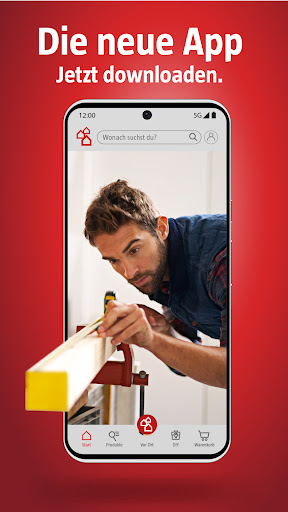
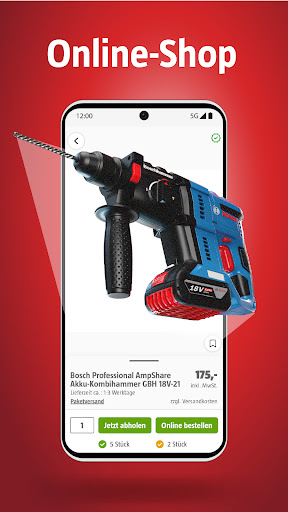
Von unterwegs aus direkt online shoppen. Waren einfach reservieren und vorbestellen, um sie später abzuholen. Produkte schnell lokalisieren, um den kürzesten Weg durch das BAUHAUS Fachcentrum zu finden. Wichtige Infos zu allen Artikeln und clevere Inspirationen zu deinen Projekten stets griffbereit. Das ist die neue BAUHAUS App. Besser gleich downloaden.
MIT DER BAUHAUS APP UNTERWEGS
Ob zuhause, im Garten, in der Werkstatt oder auf der Baustelle: Bei Planung und Umsetzung deiner Ideen ist die BAUHAUS App die ideale Begleitung auf deinem Smartphone!
● Direkt online bestellen
Mit der BAUHAUS App wird dein Smartphone zum Shopping-Tool! Erkunde unser Fachsortiment praktisch von unterwegs aus. So weißt du immer, welche Produkte in deinem BAUHAUS Fachcentrum verfügbar sind. Mit der neuen App bestellst du alles, was du brauchst. Shoppen bei BAUHAUS war nie einfacher.
● Reservieren & Abholen
Mit der BAUHAUS App wird dein Smartphone zur Bestellstation! Mache deine Order bequem von unterwegs aus und hole für dich zusammengestellte Produkte kurze Zeit später in deinem BAUHAUS Fachcentrum ab. Mit der neuen App kannst du deinen Einkauf schon vor der Abholung bezahlen.
MIT DER BAUHAUS APP IM FACHCENTRUM
Einkaufen in einem BAUHAUS Fachcentrum inspiriert und macht Freude. Manchmal ist dafür aber nur wenig Zeit. Wenn es schnell gehen soll, dann hilft dir die BAUHAUS App auf deinem Smartphone.
● Digitaler Kassenbon
Scanne die Belege deiner Einkäufe aus deinem lokalen BAUHAUS Fachcentrum und hinterlege sie einfach und bequem in der App. Mit dem digitalen Kassenbon kannst du deine Einkäufe einfach per Smartphone in deinem BAUHAUS Kundenkonto organisieren. Kein aufwendiges Suchen mehr!
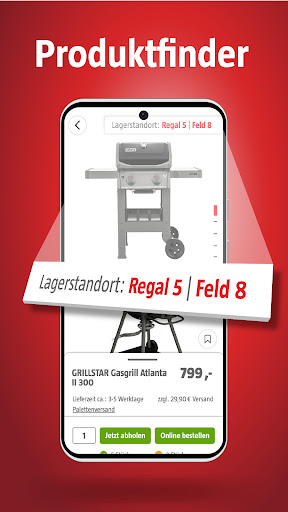
● Produktfinder
Mit der BAUHAUS App wird dein Smartphone zum perfekten Spürhund! Ab sofort wird jeder garantiert schnell fündig. Mit der neuen App lässt du dir Artikelstandorte im BAUHAUS Fachcentrum automatisch im Produktfinder anzeigen.
● Merkliste
Mit der BAUHAUS App wird dein Smartphone zum zielgenauen Lotsen. Sortiere alle benötigten Artikel in der digitalen Merkliste nach Standort. Mit der neuen App findest du in jedem BAUHAUS Fachcentrum sofort den kürzesten Weg von einem benötigten Produkt zum anderen.
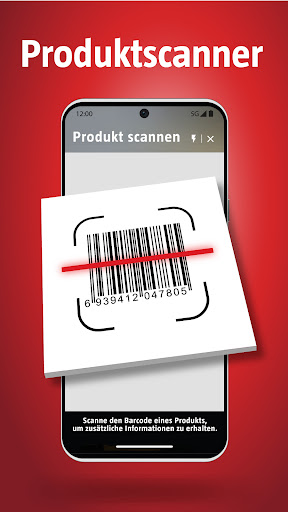
● Produktscanner
Mit der BAUHAUS App hast du alle Produktinfos griffbereit auf deinem Smartphone! Du bist in einem BAUHAUS Fachcentrum und willst mehr über einen Artikel wissen? Mit der neuen App geht das blitzschnell. Der Produktscanner zeigt dir sofort alle wichtigen Informationen.
● BAUHAUS Live: Beratung, Inspiration & mehr
Was ist der Unterschied zwischen Lack und Öl? Welche Deko-Trends sind gerade angesagt? Und wie streicht man eigentlich Möbel richtig? All das sind Themen, die wir uns bei BAUHAUS Live Shopping genauer anschauen. Was das für dich bedeutet? Ganz einfach: Du gibst uns 30 Minuten deiner Zeit & bekommst dafür geballtes Expertenwissen in unseren Live Shows, unterhaltsam und interaktiv serviert. Live Shopping in der BAUHAUS App – bist du bereit?
Show more

1. Download MEmu installer and finish the setup

2. Start MEmu then open Google Play on the desktop

3. Search BAUHAUS in Google Play
Install
4. Download and Install BAUHAUS
5. On install completion click the icon to start

6. Enjoy using BAUHAUS on PC with MEmu
MEmu Play is the best Android emulator, and 100 million users already enjoy its superb Android app experience. Powered by advanced virtualization technology, it lets you enjoy thousands of Android apps smoothly on your PC—including the most graphics-intensive ones.
Bigger screen with better graphics; Long duration, without limitation of battery or mobile data.
Full Keymapping support for precise control of keyboard and mouse or gamepad.
Multiple game accounts or tasks on single PC at one time with Multi-Instance manager.
Use BAUHAUS on PC by following steps: