BeautyCam-AI Photo Editor
Updated
Current Version
12.5.15
Offered By

Stop worrying about high battery drain when using BeautyCam-AI Photo Editor on your phone. Free yourself from the tiny screen and enjoy the app on a much larger display. From now on, get a full-screen experience of your app with the convenience of a keyboard and mouse. MEmu offers you all the surprising features you’d expect: quick installation and easy setup, intuitive controls, and no more worries about battery life, mobile data, or unexpected calls. The all-new MEmu 9 is the choice for using BeautyCam-AI Photo Editor on your computer. With the MEmu multi-instance manager, you can run two or more accounts at the same time. Most importantly, our exclusive emulation engine unlocks your PC’s full potential, delivering smooth and enjoyable performance.
Show more
Enjoy superb experience of using BeautyCam-AI Photo Editor on PC with MEMU App Player. It's a powerful free Android emulator which provides you with thousands of android apps for their desktop version. Enjoy connecting with friends and polishing your work with higher efficiency! "BeautyCam: Transform Your Photos, Highlight Your Natural Beauty.
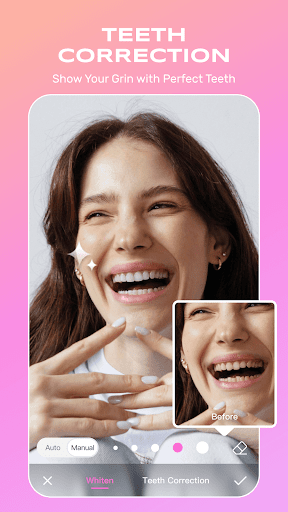
"BeautyCam: Transform Your Photos, Highlight Your Natural Beauty
Discover the power of advanced technology to effortlessly create stunning visuals
BeautyCam puts professional-level tools at your fingertips:
Multiple camera models replicate the charm of DSLRs, IPhone Cam, and film cameras
AI-powered detection enhances your natural features for a polished, yet authentic look
Various portrait styles allow you to achieve professional studio results with ease
=== Save Money on Buying Cameras ===
· Digicam: Embrace the nostalgia of digital cameras with classic, vintage-inspired filters
· DSLR Camera: Access professional-grade options like zoom, depth of field, and white balance
· Photo Booth: Add stylish frames and playful effects to your photos for unforgettable moments
· IPhone Cam: Achieve bright, transparent skin with a natural, healthy glow
=== AI Tools: Personalized Beauty at Its Best ===
· AI Wardrobe: Transform your look in one tap – stylish and effortless!
· AI Removal: Remove unwanted objects with precision
· AI Expansion: Seamlessly extend photos to fit any desired proportions
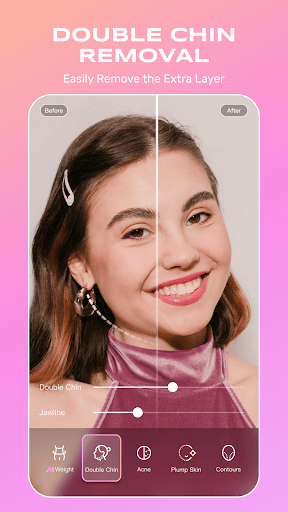
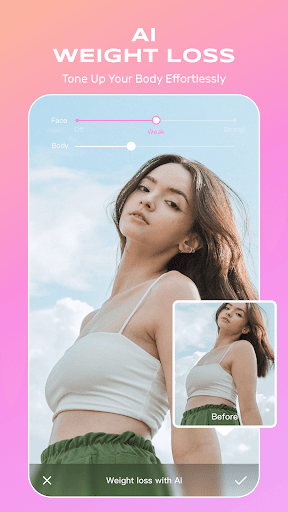
· AI Slimming: Refine your silhouette while preserving authenticity
· AI Expressions: Choose from a variety of expressive options to match any mood
=== Photo Essentials ===
· HD Quality Restoration: Revive blurry photos into sharp, vivid images
· Smart Background Removal: Cleanly remove distractions for a professional finish
· Vibrant Filters: Enhance colors to create captivating photos perfect for social media
· Vibe Light: Capture glossy, well-lit selfies even in low-light settings
=== Your Ultimate Portrait Tool ===
· Trendy Makeup: Instantly apply the latest makeup trends with ease
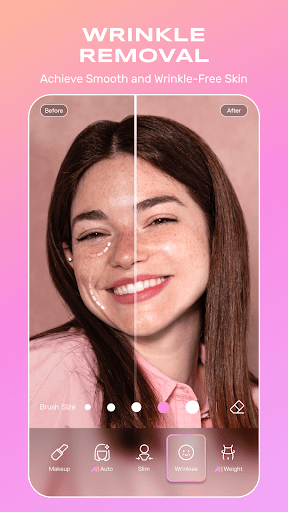
· Wrinkle Removal: Smooth and rejuvenate skin for a youthful look
· 3D Nose Sculpting: Enhance your nose shape naturally and pain-free
· Concealer: Effortlessly cover blemishes for flawless skin
· Hair: Explore different hairstyles and colors to find your perfect look
=== Video Features===
· Teleprompter: Easily read scripts without missing a word
· Video Portrait Beautification: Intelligently enhance body shape and facial features, ensuring perfection even in dynamic videos
Terms of Service: https://pro.meitu.com/meiyan/agreements/service.html?lang=en
Privacy Policy: https://pro.meitu.com/meiyan/agreements/privacy_policy.html?lang=en
VIP Service Agreement: https://pro.meitu.com/meiyan/agreements/membership.html?lang=en"
Show more

1. Download MEmu installer and finish the setup

2. Start MEmu then open Google Play on the desktop

3. Search BeautyCam-AI Photo Editor in Google Play
Install
4. Download and Install BeautyCam-AI Photo Editor
5. On install completion click the icon to start

6. Enjoy using BeautyCam-AI Photo Editor on PC with MEmu
MEmu Play is the best Android emulator, and 100 million users already enjoy its superb Android app experience. Powered by advanced virtualization technology, it lets you enjoy thousands of Android apps smoothly on your PC—including the most graphics-intensive ones.
Bigger screen with better graphics; Long duration, without limitation of battery or mobile data.
Full Keymapping support for precise control of keyboard and mouse or gamepad.
Multiple game accounts or tasks on single PC at one time with Multi-Instance manager.
Use BeautyCam-AI Photo Editor on PC by following steps: