
Columbus WEB TV
Updated
Current Version
1.58
Offered By

Stop worrying about high battery drain when using Columbus WEB TV on your phone. Free yourself from the tiny screen and enjoy the app on a much larger display. From now on, get a full-screen experience of your app with the convenience of a keyboard and mouse. MEmu offers you all the surprising features you’d expect: quick installation and easy setup, intuitive controls, and no more worries about battery life, mobile data, or unexpected calls. The all-new MEmu 9 is the choice for using Columbus WEB TV on your computer. With the MEmu multi-instance manager, you can run two or more accounts at the same time. Most importantly, our exclusive emulation engine unlocks your PC’s full potential, delivering smooth and enjoyable performance.
Show more
Enjoy superb experience of using Columbus WEB TV on PC with MEMU App Player. It's a powerful free Android emulator which provides you with thousands of android apps for their desktop version. Enjoy connecting with friends and polishing your work with higher efficiency! WEB TV - нова, ексклюзивна послуга від компанії «Колумбус», що дозволяє абонентам переглядати нове, сучасне телебачення з улюбленим контентом одночасно на 4-х пристроях!
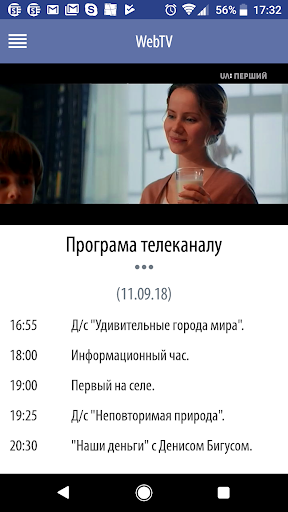


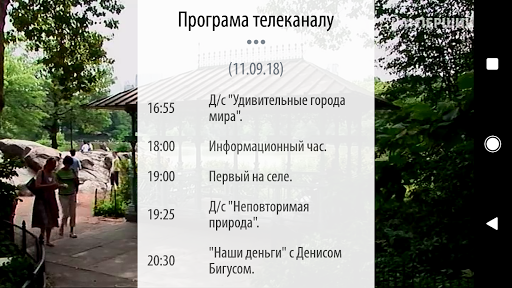
WEB TV - нова, ексклюзивна послуга від компанії «Колумбус», що дозволяє абонентам переглядати нове, сучасне телебачення з улюбленим контентом одночасно на 4-х пристроях!
Переглядайте більше 90 найкращих національних і світових телеканалів, безліч фільмів, серіалів та шоу у найкращій якості. Керуйте ефіром за допомогою зручних функцій та сучасних технологій!
Для перегляду телевізійних каналів вам не потрібно підведення додаткового кабелю, послугу ви отримаєте через вже існуючий кабель, що використовується для доступу до швидкісного інтернету від Колумбус.
Відтепер абоненти компанії «Колумбус» або нові абоненти можуть самостійно і просто підключати послугу не виходячи з дому. За допомогою програмного додатку яскравий світ телебачення стає ще ближче!
Встановіть додаток та відкрийте нові можливості сучасного телебачення!
Для користування послугами цифрового телебачення WEB TV знадобиться:
1.Встановити додаток на Ваш пристрій
2. Після встановлення додатку введіть код авторизації – номер Вашого особового рахунку (номер договору)
Show more

1. Download MEmu installer and finish the setup

2. Start MEmu then open Google Play on the desktop

3. Search Columbus WEB TV in Google Play
Install
4. Download and Install Columbus WEB TV
5. On install completion click the icon to start

6. Enjoy using Columbus WEB TV on PC with MEmu
MEmu Play is the best Android emulator, and 100 million users already enjoy its superb Android app experience. Powered by advanced virtualization technology, it lets you enjoy thousands of Android apps smoothly on your PC—including the most graphics-intensive ones.
Bigger screen with better graphics; Long duration, without limitation of battery or mobile data.
Full Keymapping support for precise control of keyboard and mouse or gamepad.
Multiple game accounts or tasks on single PC at one time with Multi-Instance manager.
Use Columbus WEB TV on PC by following steps:































