Brave Private Browser: Fast, safe web browser
Updated
Current Version
1.96.61
Offered By

Stop worrying about high battery drain when using Brave Private Browser: Fast, safe web browser on your phone. Free yourself from the tiny screen and enjoy the app on a much larger display. From now on, get a full-screen experience of your app with the convenience of a keyboard and mouse. MEmu offers you all the surprising features you’d expect: quick installation and easy setup, intuitive controls, and no more worries about battery life, mobile data, or unexpected calls. The all-new MEmu 9 is the choice for using Brave Private Browser: Fast, safe web browser on your computer. With the MEmu multi-instance manager, you can run two or more accounts at the same time. Most importantly, our exclusive emulation engine unlocks your PC’s full potential, delivering smooth and enjoyable performance.
Show more
Enjoy superb experience of using Brave Private Browser: Fast, safe web browser on PC with MEMU App Player. It's a powerful free Android emulator which provides you with thousands of android apps for their desktop version. Enjoy connecting with friends and polishing your work with higher efficiency! Browse 3X faster on Brave Browser.
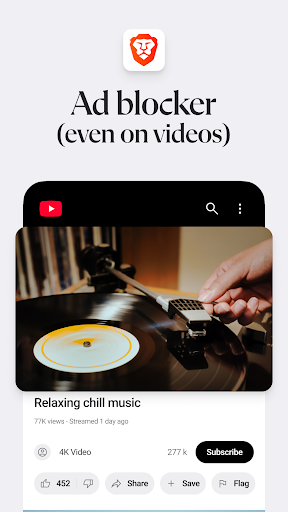
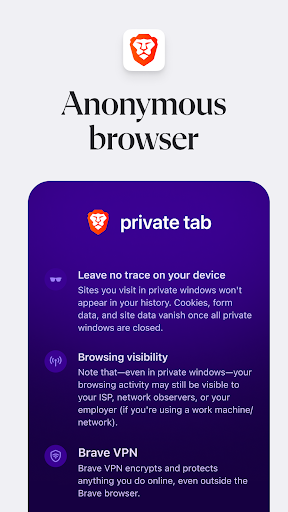
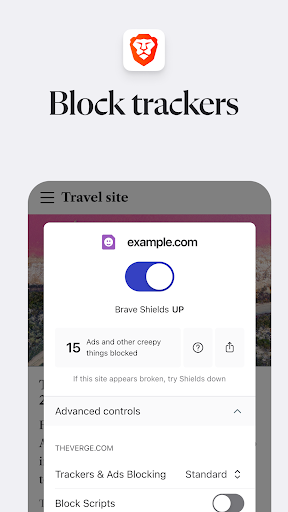
Browse 3X faster on Brave Browser. Get a lightning fast, safe and private web browser with AI, Adblock, and VPN.
Loved by over 100 million users, Brave has AI assistant Brave Leo, Firewall + VPN, Brave Search, and night mode.
NEW App Features
Brave Leo: AI assistant
Firewall + VPN
Brave Search. Private, independent search engine. No profiling
Night Mode. Easily read in low light.
Additional Features
Free built-in Adblock
Private internet browser with pop-up blocker
Saves data and battery
Sync Bookmarks securely
Free tracking protection
Https Everywhere (for security)
Script Blocker
Private bookmarks
Browsing history
Recent and private tabs
Import/export bookmarks from/to another browser
Blocks cookie consent notifications by default
Removes tracking codes when you copy URLs
Supports Android 7 and above.
NEW: AI ASSISTANT
Meet Brave Leo, the smart, free AI assistant in your browser. Ask answers, get answers, translate languages, and more. Leo doesn't record or share your chats, or use them for model training.
Brave Search
Brave Search is the only global-scale search engine built with privacy at its core. Brave Search doesn't profile you, and it's independent of Big Tech.
Private Browsing
Enjoy fast, secure, private browsing. Get free ad blocker, anonymous browsing history, personalized private search, and private tabs. Browse the internet without saving your history.
Browse Faster
Brave is a fast web browser! Brave reduces page loading times, improves web browser performance and blocks ads infected with malware.
Privacy Protection
Be protected with leading privacy and security features such as HTTPS Everywhere (encrypted data traffic), script blocking, cookie blocking, and private incognito tabs. All other browsers fall short of the level of the privacy and security protection that Brave provides. Global Privacy Control enabled by default to assert your legal rights to not be tracked online.
Brave Rewards
With your old web browser, you paid to browse the internet by viewing ads. Now, Brave welcomes you to the new internet. One where your time is valued, your personal data is kept private, and you actually get paid for your attention.
About Brave
Our mission is to protect your privacy online by making a safe, fast, and private browser while growing ad revenue for content creators. Brave aims to transform the online ad ecosystem with micropayments and a new revenue-sharing solution to give users and publishers a better deal.
To learn more about Brave Web Browser, please go to www.brave.com.
Questions/support?
Contact us at http://brave.com/msupport. We love hearing from you.
Terms of Use: https://brave.com/terms-of-use/
Privacy Policy: https://brave.com/privacy/
Download the best private web browser app for Android today! Securely browse the internet with confidence.
Show more

1. Download MEmu installer and finish the setup

2. Start MEmu then open Google Play on the desktop

3. Search Brave Private Browser: Fast, safe web browser in Google Play
Install
4. Download and Install Brave Private Browser: Fast, safe web browser
5. On install completion click the icon to start

6. Enjoy using Brave Private Browser: Fast, safe web browser on PC with MEmu
MEmu Play is the best Android emulator, and 100 million users already enjoy its superb Android app experience. Powered by advanced virtualization technology, it lets you enjoy thousands of Android apps smoothly on your PC—including the most graphics-intensive ones.
Bigger screen with better graphics; Long duration, without limitation of battery or mobile data.
Full Keymapping support for precise control of keyboard and mouse or gamepad.
Multiple game accounts or tasks on single PC at one time with Multi-Instance manager.
Use Brave Private Browser: Fast, safe web browser on PC by following steps: