쿠팡 (Coupang)
Updated
Current Version
1735208856
Offered By

Stop worrying about high battery drain when using 쿠팡 (Coupang) on your phone. Free yourself from the tiny screen and enjoy the app on a much larger display. From now on, get a full-screen experience of your app with the convenience of a keyboard and mouse. MEmu offers you all the surprising features you’d expect: quick installation and easy setup, intuitive controls, and no more worries about battery life, mobile data, or unexpected calls. The all-new MEmu 9 is the choice for using 쿠팡 (Coupang) on your computer. With the MEmu multi-instance manager, you can run two or more accounts at the same time. Most importantly, our exclusive emulation engine unlocks your PC’s full potential, delivering smooth and enjoyable performance.
Show more
Enjoy superb experience of using 쿠팡 (Coupang) on PC with MEMU App Player. It's a powerful free Android emulator which provides you with thousands of android apps for their desktop version. Enjoy connecting with friends and polishing your work with higher efficiency! Coupang is the perfect place for savvy shoppers.
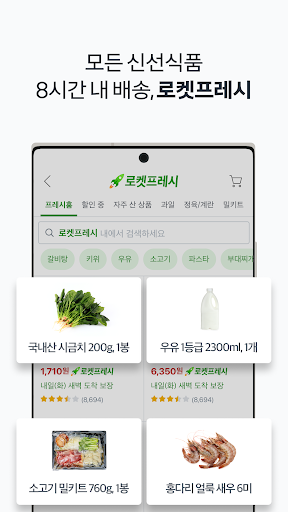
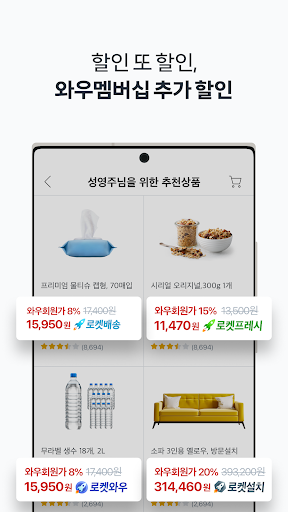
Coupang is the perfect place for savvy shoppers.
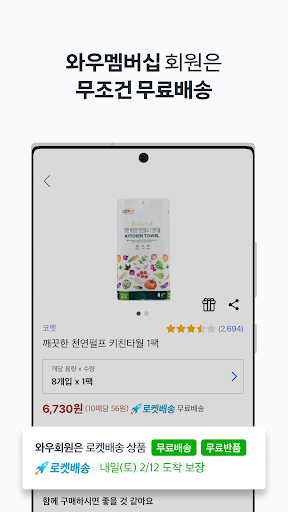
Baby, Kids, Fashion, Beauty, Home & Kitchen and Electronics, you name it! We have millions of items in our selection and we can also deliver them to your door step faster and cheaper than anybody else.
※ We do not support English in our app, but it is coming soon.
▶ Every day low price year-round
- No extra charge added to the item price. Our regular price is already cheap but you can also access more discount coupons applicable to your orders. Find the best bargains and money saving offers just for you.
▶ Quick & Easy Shopping
- Our quick and easy platform helps you navigate to the right product info and millions of reviews.
- Icon categories allows anyone to locate what they want quick and easy.
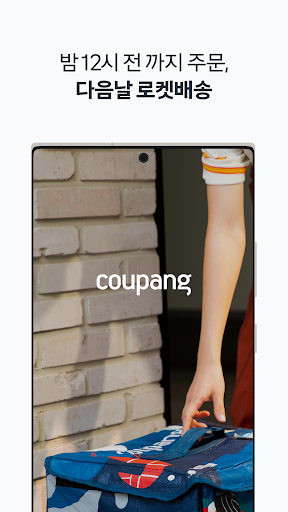
▶ Rocket Delivery by Coupang Man
- Buy today and be greeted by our friendly and reliable Coupang Man tomorrow.
▶ Easy Pay “RocketPay”
- Pay for your order, quick & easy, with RocketPay and earn some cashback too.
▶ Sign up for our subscription service and have your items delivered on the date you want
- Coupang saves you the hassle of going all the way to the store. Use our subscription service and get better pricing for your frequently purchased items.
▶ Want to buy something that is outside of Korea? Coupang is here for you.
- Coupang makes buying something that is outside of Korea easy and cheap.
- Forget about the long wait that you had to endure to get an item from outside of Korea. Experience Coupang’s fast overseas shipping.
▶ Coupang is here for your travel and restaurants as well
- Don’t miss the chance to get bargains from Coupang for local and international travel products.
What’s more?
- Don’t miss the benefits that we offer with push notification.
- Share our products and benefits with your friends using SMS, Facebook, KakaoTalk, Line and Google+.
- Check out our product recommendations customized for you.
- Use the wish list to keep track of items you are interested in.
- Check out your most recently viewed products at one glance.
Show more

1. Download MEmu installer and finish the setup

2. Start MEmu then open Google Play on the desktop

3. Search 쿠팡 (Coupang) in Google Play
Install
4. Download and Install 쿠팡 (Coupang)
5. On install completion click the icon to start

6. Enjoy using 쿠팡 (Coupang) on PC with MEmu
MEmu Play is the best Android emulator, and 100 million users already enjoy its superb Android app experience. Powered by advanced virtualization technology, it lets you enjoy thousands of Android apps smoothly on your PC—including the most graphics-intensive ones.
Bigger screen with better graphics; Long duration, without limitation of battery or mobile data.
Full Keymapping support for precise control of keyboard and mouse or gamepad.
Multiple game accounts or tasks on single PC at one time with Multi-Instance manager.
Use 쿠팡 (Coupang) on PC by following steps: