Coupang Eats - Food Delivery
Updated
Current Version
J
Offered By

Stop worrying about high battery drain when using Coupang Eats - Food Delivery on your phone. Free yourself from the tiny screen and enjoy the app on a much larger display. From now on, get a full-screen experience of your app with the convenience of a keyboard and mouse. MEmu offers you all the surprising features you’d expect: quick installation and easy setup, intuitive controls, and no more worries about battery life, mobile data, or unexpected calls. The all-new MEmu 9 is the choice for using Coupang Eats - Food Delivery on your computer. With the MEmu multi-instance manager, you can run two or more accounts at the same time. Most importantly, our exclusive emulation engine unlocks your PC’s full potential, delivering smooth and enjoyable performance.
Show more
Enjoy superb experience of using Coupang Eats - Food Delivery on PC with MEMU App Player. It's a powerful free Android emulator which provides you with thousands of android apps for their desktop version. Enjoy connecting with friends and polishing your work with higher efficiency! Free delivery on Coupang Eats for Coupang WOW members!
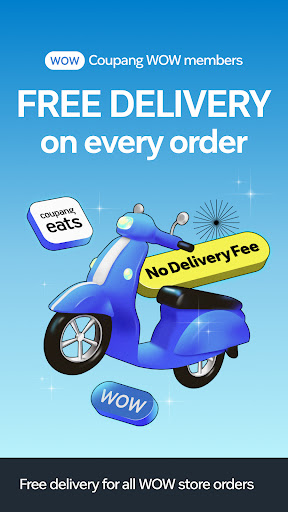
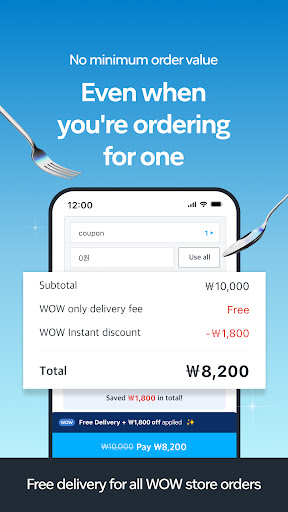
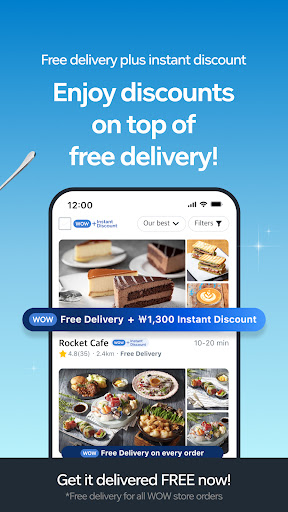
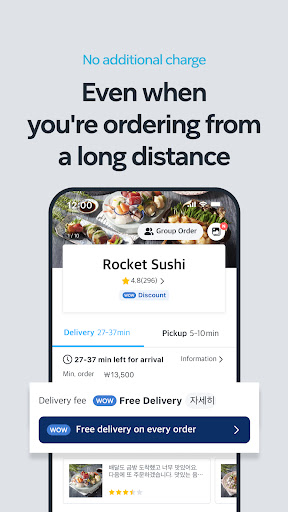
Free delivery on Coupang Eats for Coupang WOW members!
No more app hopping for food delivery.
Get your food delivered FREE from Coupang Eats!
■ COUPANG EATS, WHERE MEALS BEGIN
We go beyond delivering food. We serve meals for your better day!
Make your day with Coupang Eats.
■ FREE DELIVERY ON EVERY ORDER FOR WOW MEMBERS
No minimum order value or maximum distance.
No extra charge for Coupang WOW members.
Enjoy free delivery on every order on Coupang Eats
Free delivery offer available for every order unlimited times.
Combine it with coupon and/or instant discounts on your purchase.
■ TASTY OFFERS FOR TASTY FOOD
Enjoy a wide variety of promotions ranging from weekly updated discounts on popular brands like Dongdaemun Yupdduk, bhc Chicken, Domino's Pizza, Pizza Hut and Bonjjuk to 'Matjib Discounts in My Neighborhood' helping you discover hidden gems near you
▶ ALCOHOL DELIVERY
Enjoy draft beer at home
Alcohol is now available for delivery
▶ EASY PICKUP
No need to wait. Pick up your food when you’re ready.
There’s also no minimum order value for pick-ups!
▶ EXTENDED DELIVERY HOURS FOR EARLY MORNINGS AND LATE NIGHTS
Enjoy late-night snacks and breakfast meals whenever you want with our extended delivery hours
*The delivery hours are dependent on the Coupang Eats store's operation hours
▶ FILTERS FOR MINIMUM ORDER VALUE & DELIVERY FEE
Eating alone? Not a problem on Coupang Eats.
Navigate to find the store you need with our filter
▶ TRACK DELIVERY IN REAL-TIME
Wondering where your food is?
We display delivery partner’s real-time location on map
▶ EASY AND CONVENIENT ONE-TAP PAYMENT
Use Coupang’s Coupang Cash and Coupay --
For easy, safe and convenient payment
Coupang Eats on social media
■ Coupang Eats Instagram: @coupangeats
■ Coupang Eats Youtube: https://www.youtube.com/c/coupangeats
[For Inquiries]
■ Phone: 1577-7011
■ E-mail: eatshelp@coupang.com
[App Permissions]
As per Article 22-2 of “Act On Promotion Of Information And Communications Network Utilization And Information Protection,” Coupang Eats requests users’ consents for ‘app permissions’ for the following purposes.
Coupang Eats asks for permissions to optionally allow access to necessary information for app use, listed as below:
Optional Items Details
Location: This feature is used to check current location, display address, and show delivery status
Camera: This feature is used for writing reviews or scanning card numbers to register cards
Album: This feature is used for writing reviews or using stored photos to register cards
Storage Space: This feature is used for installing Library for scanning card numbers
* Please note that you can use the app without consenting to the optional items above
----
Contact Tech:
1577-7011
Show more

1. Download MEmu installer and finish the setup

2. Start MEmu then open Google Play on the desktop

3. Search Coupang Eats - Food Delivery in Google Play
Install
4. Download and Install Coupang Eats - Food Delivery
5. On install completion click the icon to start

6. Enjoy using Coupang Eats - Food Delivery on PC with MEmu
MEmu Play is the best Android emulator, and 100 million users already enjoy its superb Android app experience. Powered by advanced virtualization technology, it lets you enjoy thousands of Android apps smoothly on your PC—including the most graphics-intensive ones.
Bigger screen with better graphics; Long duration, without limitation of battery or mobile data.
Full Keymapping support for precise control of keyboard and mouse or gamepad.
Multiple game accounts or tasks on single PC at one time with Multi-Instance manager.
Use Coupang Eats - Food Delivery on PC by following steps: