DMM動画プレイヤー
Updated
Current Version
7.6.1
Offered By

Stop worrying about high battery drain when using DMM動画プレイヤー on your phone. Free yourself from the tiny screen and enjoy the app on a much larger display. From now on, get a full-screen experience of your app with the convenience of a keyboard and mouse. MEmu offers you all the surprising features you’d expect: quick installation and easy setup, intuitive controls, and no more worries about battery life, mobile data, or unexpected calls. The all-new MEmu 9 is the choice for using DMM動画プレイヤー on your computer. With the MEmu multi-instance manager, you can run two or more accounts at the same time. Most importantly, our exclusive emulation engine unlocks your PC’s full potential, delivering smooth and enjoyable performance.
Show more
Enjoy superb experience of using DMM動画プレイヤー on PC with MEMU App Player. It's a powerful free Android emulator which provides you with thousands of android apps for their desktop version. Enjoy connecting with friends and polishing your work with higher efficiency! DMM動画プレイヤー GooglePlayよりリリース!
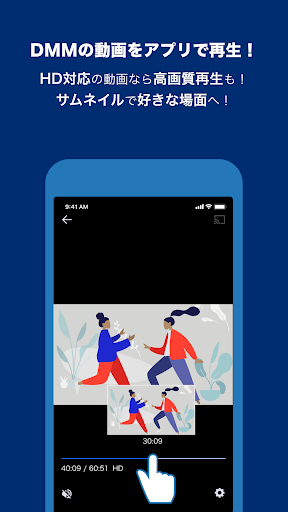
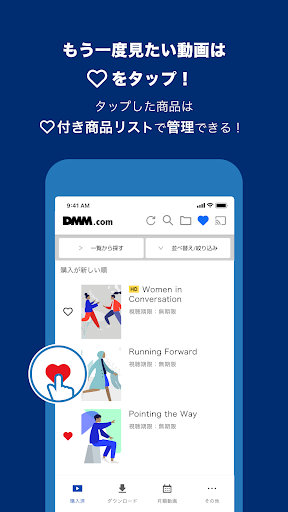
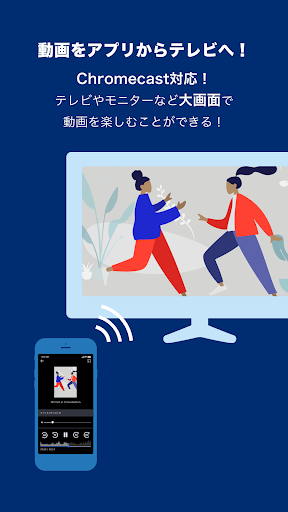
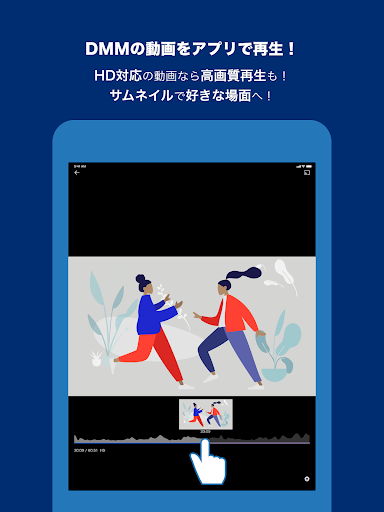
DMM動画プレイヤー GooglePlayよりリリース!
【DMM動画プレイヤーとは】
DMM動画は、「DMM」で購入した「スマートフォン・タブレット対応動画」をAndroid端末で閲覧するための公式アプリです。
「DMM」でご利用中のアカウントでログインするだけで、購入済みの動画、月額動画などが手軽に楽しめます。
動画コンテンツは、「DMM」にブラウザからアクセスしてご購入ください。
【主な機能】
・端末へ簡単同期
DMMで購入した商品の同期が簡単に!
「購入済みタブ」で更新ボタンを押すことで簡単に同期を開始できます。
・新作もダウンロードに対応
DMMで購入した新作もDLできます!
・ハートマーク機能
お気に入りの作品にはハートマークをチェックして自分好みのリストを作成!
作品ごとに表示されるハートマークをタップでチェックを入れると、お気に入り登録され、絞り込み機能でリストとして管理することができます。
・通信設定可能
設定画面からWi-Fi時のみストリーミング・ダウンロードする設定が可能です。
・月額動画もアプリで再生
入会している月額チャンネルはアプリからも視聴することができます。
・月額動画作品が探しやすい
入会している月額チャンネル内で検索が可能!
関連作品も表示され気になる作品がチェックしやすくなりました。
・安心アプリロック
アプリロックをONにするとアプリ起動時にパスワード要求!
他人に使用されるのを防ぎ、プライバシーを保護することができます。
【動画再生プレイヤーからのお願い】
なにかしらの不具合が発生した場合は、お問い合わせフォームよりご連絡いただきますようお願いいたします。
----------
動画アプリプレイヤー 設定>お問い合わせ
※不具合内容の詳細をお伝えいただけますと、原因究明の手助けとなります
----------
[対応動画サービス]
・AKB48グループ(単品購入作品)
AKB48、SKE48、NMB48、HKT48 、NGT48、STU48、REVIVAL!! ON DEMAND
【注意事項】
・「DMM 動画プレイヤー」はDMMで購入した動画商品を再生するアプリケーションです。 アプリ内での動画購入はできません。
・商品の同期・ダウンロードは、安定したWi-Fi環境でご利用ください。
・OSアップデートをおこなうと「ライブラリ」にあるダウンロード済み商品は消えてしまう可能性があります。 お手数ですが、再度ダウンロードをおこなってください。
Show more

1. Download MEmu installer and finish the setup

2. Start MEmu then open Google Play on the desktop

3. Search DMM動画プレイヤー in Google Play
Install
4. Download and Install DMM動画プレイヤー
5. On install completion click the icon to start

6. Enjoy using DMM動画プレイヤー on PC with MEmu
MEmu Play is the best Android emulator, and 100 million users already enjoy its superb Android app experience. Powered by advanced virtualization technology, it lets you enjoy thousands of Android apps smoothly on your PC—including the most graphics-intensive ones.
Bigger screen with better graphics; Long duration, without limitation of battery or mobile data.
Full Keymapping support for precise control of keyboard and mouse or gamepad.
Multiple game accounts or tasks on single PC at one time with Multi-Instance manager.
Use DMM動画プレイヤー on PC by following steps: