Double GIS
Updated
Current Version
6.28.0.529.24
Offered By

Stop worrying about high battery drain when using Double GIS on your phone. Free yourself from the tiny screen and enjoy the app on a much larger display. From now on, get a full-screen experience of your app with the convenience of a keyboard and mouse. MEmu offers you all the surprising features you’d expect: quick installation and easy setup, intuitive controls, and no more worries about battery life, mobile data, or unexpected calls. The all-new MEmu 9 is the choice for using Double GIS on your computer. With the MEmu multi-instance manager, you can run two or more accounts at the same time. Most importantly, our exclusive emulation engine unlocks your PC’s full potential, delivering smooth and enjoyable performance.
Show more
Enjoy superb experience of using Double GIS on PC with MEMU App Player. It's a powerful free Android emulator which provides you with thousands of android apps for their desktop version. Enjoy connecting with friends and polishing your work with higher efficiency! In Double GIS, you'll find a map and GPS navigation.
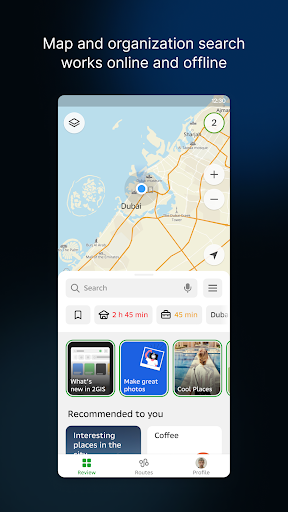
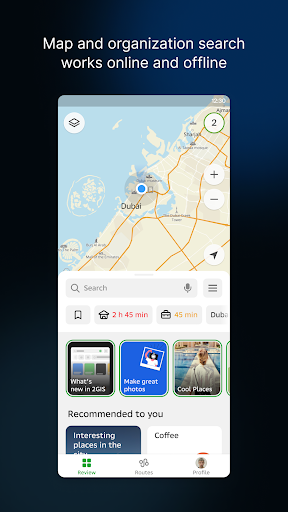
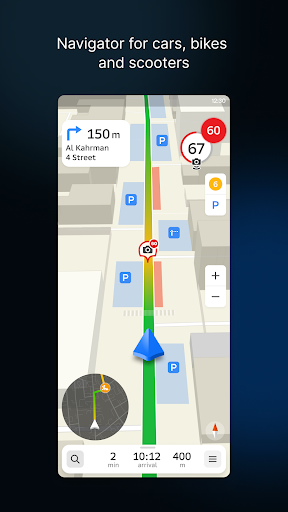
In Double GIS, you'll find a map and GPS navigation. You can use the app on a plane, in the subway, or when roaming without an Internet connection.
Addresses, companies, and services
2GIS knows which providers are available in your area, such as the district hospital or post office. Review and photo information will help you choose a cafe or service center. Opening hours and telephone numbers are also available.
Navigation with GPS when offline
The voice instructions provided by Double GIS will assist you while driving and warn you about maneuvers to avoid. Taking traffic jams into account. If you deviate from the route, we'll update it. The parking lot locator will assist you in finding a parking space.
Entrances to buildings
Double GIS will help you find the business center entrance that you need without having to look for it. The app contains information about 2.5 million companies' entrances. Double GIS will show you the way to the exact door, whether you are using public transport or a car.
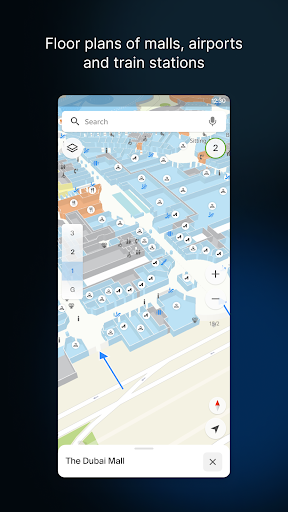
Shopping mall plans
Navigating inside the mall is made easier with 2GIS. From shops to cafés, groceries to ATMs, everything is displayed. Save time by finding places in advance.
Public transport
With Double GIS, you can not only find directions for your car, but also for public transportation. It provides online timetables and routes for public transport, including buses, trolleybuses, minibuses, and trams. On the map, you can see real-time where the bus is and when it is due to arrive. On your smartphone, you can access a portable map of city buses! Furthermore, you can use Double GIS to compare taxi prices and find the nearest metro exit.
Navigating by foot
You can use the navigator anywhere you can walk. It lists options for public transportation such as buses, the metro, trains, cable cars, and river trams.
Travel guide
We have detailed guides to many cities across Russia, Kazakhstan and the United Arab Emirates. Find out what the main attractions are at your location, or where you can get WiFi, or find cafes, bars, restaurants, grocery stores, and malls. Would you like to know what the best route is to Moscow or Dubai? Your travels will be easier with 2GIS travel navigator. It doesn't matter whether you travel by car or by foot.
Show more

1. Download MEmu installer and finish the setup

2. Start MEmu then open Google Play on the desktop

3. Search Double GIS in Google Play
Install
4. Download and Install Double GIS
5. On install completion click the icon to start

6. Enjoy using Double GIS on PC with MEmu
MEmu Play is the best Android emulator, and 100 million users already enjoy its superb Android app experience. Powered by advanced virtualization technology, it lets you enjoy thousands of Android apps smoothly on your PC—including the most graphics-intensive ones.
Bigger screen with better graphics; Long duration, without limitation of battery or mobile data.
Full Keymapping support for precise control of keyboard and mouse or gamepad.
Multiple game accounts or tasks on single PC at one time with Multi-Instance manager.
Use Double GIS on PC by following steps: