Kobo Books - eBooks Audiobooks
Updated
Current Version
1733763479
Offered By

Stop worrying about high battery drain when using Kobo Books - eBooks Audiobooks on your phone. Free yourself from the tiny screen and enjoy the app on a much larger display. From now on, get a full-screen experience of your app with the convenience of a keyboard and mouse. MEmu offers you all the surprising features you’d expect: quick installation and easy setup, intuitive controls, and no more worries about battery life, mobile data, or unexpected calls. The all-new MEmu 9 is the choice for using Kobo Books - eBooks Audiobooks on your computer. With the MEmu multi-instance manager, you can run two or more accounts at the same time. Most importantly, our exclusive emulation engine unlocks your PC’s full potential, delivering smooth and enjoyable performance.
Show more
Enjoy superb experience of using Kobo Books - eBooks Audiobooks on PC with MEMU App Player. It's a powerful free Android emulator which provides you with thousands of android apps for their desktop version. Enjoy connecting with friends and polishing your work with higher efficiency! Join millions of readers across the globe and access your very own portable reading library.
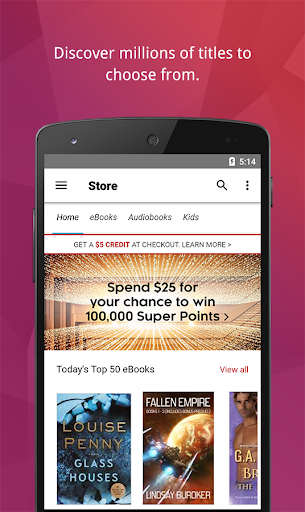
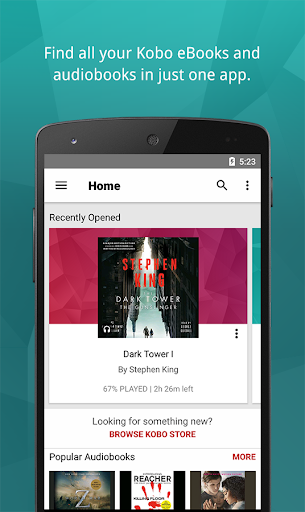
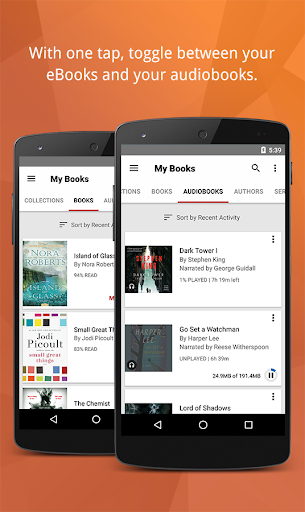
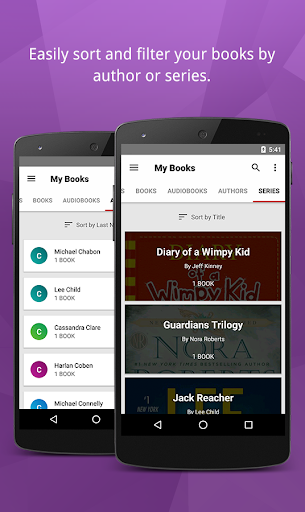
Join millions of readers across the globe and access your very own portable reading library. Take your bookshelf on the go. With over 8 million eBooks and audiobooks to choose from, there’s something for every type of reader or listener.
Discover unlimited reading and listening when you subscribe with Kobo Plus. Access over 1.5 million eBooks and 150,000 audiobooks with a subscription that’s right for you. With all your books together, the Kobo reading app is all you need to read and listen at home or on the go.
The Kobo App allows you to browse our growing collection of the world's best ereader for ebooks, audiobooks, graphic novels, comics and children's books: enjoy instantly on your smartphone or tablet.
Search by author, title, topic or genre to discover your next great read, or browse Kobo’s free ebook selection to discover a new favourite. Read and listen to your favourite stories with a digital library in the palm of your hand.
Take a look at our most popular and trending eBooks, updated hourly!
The Kobo App makes reading even more comfortable and convenient:
• Customize the way you read books. Enjoy crisp, clear text in the size and style you prefer. Try Night Mode to make reading ebooks easier on your eyes before bedtime and lock the book screen in portrait or landscape mode.
• Our beautiful, easy-to-use player makes it simple for you to move through your audiobook and listen with a single touch. Never worry about losing your spot and see how much listening time is left at a glance. Schedule your book to turn off after a set amount of time—perfect for listening before going to sleep.
• Discover eBooks and audiobooks we think you’ll love. Read thousands of free eBook previews or listen to audiobook samples to help you find your next favourite book.
• Subscribe to Kobo Plus Read for only $9.99 a month, and access hundreds of thousands of all-you-can-read eBooks and audiobooks.
• Start reading on one device and pick up on another. The Kobo App always remembers where you left off, so you can keep reading your books across all your devices.
• Share your love of books and reading on Facebook, Twitter and Instagram. Post your favourite quotes, notes, and thoughts from what you’re reading or listening to.
• Access your ereader and read in English, French, Spanish, Italian, German, Dutch, Portuguese, Brazilian Portuguese or Japanese.
Find us on social media!
https://www.facebook.com/Kobo
https://www.instagram.com/kobobooks
https://twitter.com/kobo
**Audiobooks available in the United States, Canada, the United Kingdom, Australia and New Zealand. You can listen to audiobooks on smartphones and tablets running Android version 4.4 or higher.
Show more

1. Download MEmu installer and finish the setup

2. Start MEmu then open Google Play on the desktop

3. Search Kobo Books - eBooks Audiobooks in Google Play
Install
4. Download and Install Kobo Books - eBooks Audiobooks
5. On install completion click the icon to start

6. Enjoy using Kobo Books - eBooks Audiobooks on PC with MEmu
MEmu Play is the best Android emulator, and 100 million users already enjoy its superb Android app experience. Powered by advanced virtualization technology, it lets you enjoy thousands of Android apps smoothly on your PC—including the most graphics-intensive ones.
Bigger screen with better graphics; Long duration, without limitation of battery or mobile data.
Full Keymapping support for precise control of keyboard and mouse or gamepad.
Multiple game accounts or tasks on single PC at one time with Multi-Instance manager.
Use Kobo Books - eBooks Audiobooks on PC by following steps: